

This project is not covered by Drupal’s security advisory policy.
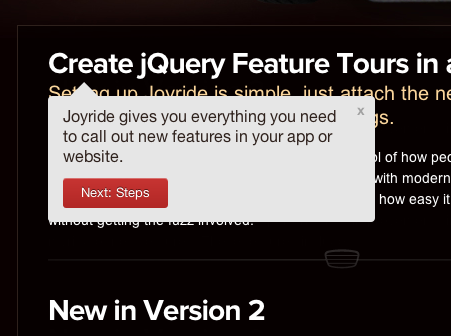
This module provides Drupal integration with Zurb's Joyride Jquery plugin in order to provide a tour of different html elements on your Drupal site. Drupal integration is done via the Context module, which provides a way to control conditional calling of the joyride plugin and copy-and-paste method for adding specific tour code.
You can view a demo of how Joyride works here: http://www.zurb.com/playground/jquery-joyride-feature-tour-plugin
Or better checkout out this article and explanation in and for a Drupal site: Create Site Tours on Your Drupal Site with JoyRide Jquery Plugin
Drupal Installation
1. Download the current, stable version from Drupal.org at http://drupal.org/project/joyride
2. Download the version 2.0.3 of Joyride jquery plugins at https://github.com/zurb/joyride from https://github.com/zurb/joyride/archive/v2.0.3.tar.gz and place in the sites/all/libraries/joyride OR directly from Drupal 8's tour module here: http://drupalcode.org/project/drupal.git/tree/refs/heads/8.x:/core/modul..., so subsequently you should have something like sites/all/libraries/joyride/jquery.joyride-2.0.3.js
3. Enable the Joyride module at admin/modules (make sure you have context and context ui installed and enabled too).
4. Check that module is working by viewing the demo pages here: admin/config/user-interface/joyride. (You should see three examples that go through the help page)
NOTE Updating from Alpha2 to Alpha3: In version Alpha2 and before, it was required to rename these files to jquery.joyride.js and joyride.css. This is not longer needed. Please be aware of this when upgrading your module.
Usage
If the module and dependencies are working, then you should be able to review the example context pages under "Joyride" in admin/structure/context. Current the module provides three settings: auto trigger, manual trigger via a link or autotrigger once. You can review these examples to understand how you can create custom tours.
A full description of Jquery Joyride Tour creation can be found at: http://www.zurb.com/playground/jquery-joyride-feature-tour-plugin
Issues, Bugs and Feature Requests
Issues, Bugs and Feature Requests should be made on the main project page at http://drupal.org/project/joyride. Alternatively the code for this project is available on github at: https://github.com/markwk/joyride.
* Auto Start Broken: Currently there seems to be a recent upgrade issue that has broken the automatically triggering of tours. Please refer to this issue: #1944356: Tour do not start automatically.
* Rules Integration: We are looking to integrate Rules to improve this module's flexibility and usefulness (including avoiding issues with auto-trigger's implementation). See: #1893912: Rules Integration for Triggering Tour
Drupal 8? See Core: #1809352: Write tour.module and add it to core
Creators
This module was created by markwk at Int3c.com and sponsored by MicroEntrepreneur.me
Project information
- Project categories: Developer tools, Site structure
 48 sites report using this module
- Created by markwk on , updated
 This project is not covered by the security advisory policy.
Use at your own risk! It may have publicly disclosed vulnerabilities.

