

 Come together with the global Drupal community in Rotterdam, 28 Sept – 1 Oct 2026. Sessions, contribution, connection, and Early Bird savings until 8 June.
Did anyone have the same problem.
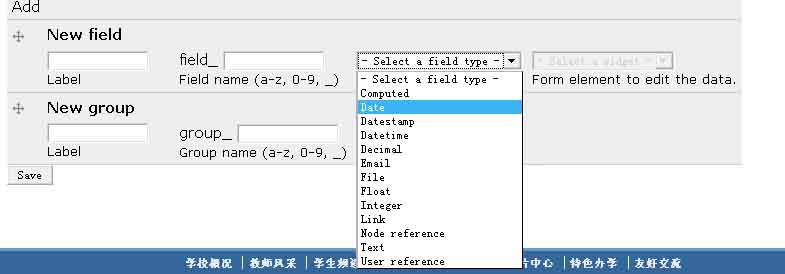
before i install "image crop"module" I can see "image" option in "select a filed type", and it works very well,
but,after I install the "image crop“ module ,the "image" option is disappear, I try to unstall "image crop" it doesn't work,
I try to reinstall "image field "module , and delete "imagefiled_crop" folder in "/drupal/sites/modules/",the problem still can't be fixed?
anyone can tell me why? (sorry for my poor english ^_^)


Comments
Comment #1
quicksketch#402728: Cannot add "Image" field to content type
Comment #2
raystin commentedhrhr!! thank u!!!
Comment #3
raystin commentedHi quicksketch, I have a new question , I had read the "imagefield_crop" document (here http://cvs.drupal.org/viewvc.py/drupal/contributions/modules/imagefield_...)
In the document it said
but when click "upload" beside the "image" field , I just get two same images, where could I find "croping area" ,the "imagefield_crop" doesn't work?
>_<
Comment #4
quicksketchraystin, please ask your question in the ImageField Crop queue.
Comment #5
quicksketch