

Closed (works as designed)
Project:
Footnotes
Version:
4.7.x-1.x-dev
Component:
Footnotes.module
Priority:
Normal
Category:
Bug report
Assigned:
Unassigned
Reporter:
Created:
12 Oct 2006 at 19:37 UTC
Updated:
27 Oct 2006 at 21:58 UTC
Jump to comment: Most recent file

Comments
Comment #1
hingo commentedI'm sorry but I'm not able to reproduce this bug. I can insert 24 footnotes and they all work correctly. Moreover, I don't see a problem on the page you linked to either.
Did I misunderstand something?
Comment #2
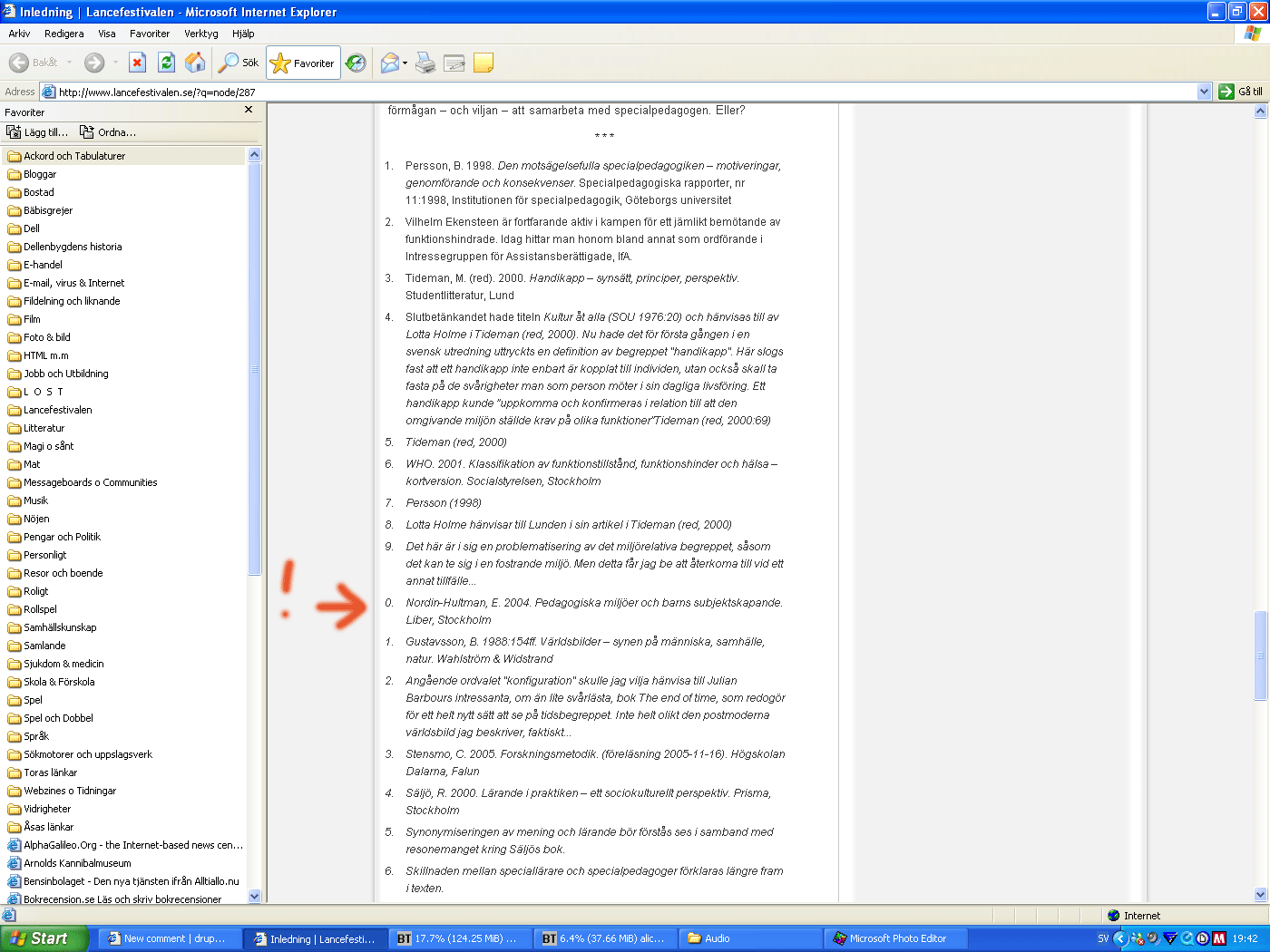
janne commentedI might have explained it poorly. What I tried to say was that everything works just fine, until you scroll down to the end of the text and view the list of footnotes. Then you'll se that they are numbered 1, 2, 3, 4, 5, 6, 7, 8, 9, 0, 1, 2, 3, 4... and so on.
I had expected the numbers in the list of footnotes to match the actual number of the footnote in question. (For example, footnote number 14 is listed as number 4.)
I've also added a screenshot to further illustrate my point.
Comment #3
hingo commentedOk. Thanks for the screenshot. Your problem is actually a bug between Internet Explorer and your CSS. The numbering is ok with Firefox. Also, it is ok if you remove your CSS stylesheet.
You can get this same problem by just inserting a list (ol tag with li items) with more than 10 items in it.
Comment #4
janne commentedOk. Thanks. Good thing that got cleared up. :)