

 The 2026 Drupal Business Survey is open. Your response will help shape the future of the Drupal business ecosystem.
This project is not covered by Drupal’s security advisory policy.
This is a Drupal module enabling the users of Flowplayer to include embed videos to articles.
Introduction
Provides a field type for displaying videos from Flowplayer
Requirements
- Composer
- Guzzle
Installation
- The best way to install the module is use the composer command
composer require 'drupal/flow_player_field:^3.2'
To determine the version is going in the bottom of the page and see (click) the newest version. - The second method is downloading the module and putting it in the modules folder.
[root]/web/modules/flow_player_field - After everything is installed we can proceed with the configuration
We still need to run composer install for the dependencies to be installed.
Configuration
- In order to enable Flowplayer we will have to login and go to
example.com/admin/modules and install the module.
There is a group called FLOWPLAYER and we should check Flowplayer Field and Flowplayer WYSIWYG. After we check those checkboxes we should scroll down and click the install button

- After the module is installed we should configure it. We can do that via few links.
- On the module itself by clicking the caret icon and clicking Configure
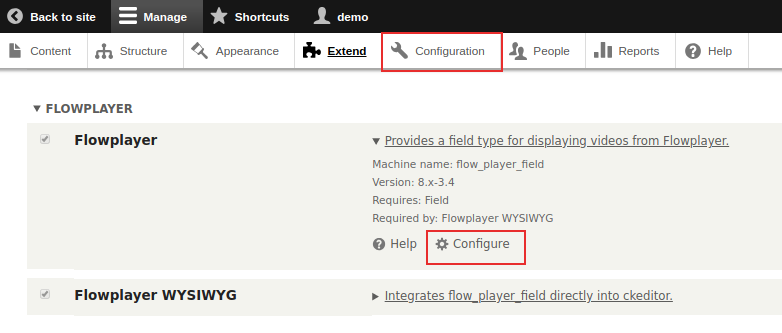
- In the configuration menu
- Or directly going to example.com/admin/config/flow_player_field and fill out the fields on the form
After we get to the settings screen we need to add the appropriate values to the required fields.
- Api Key
- Site ID
- Search results number (has default value)
- Embed code (has default value)
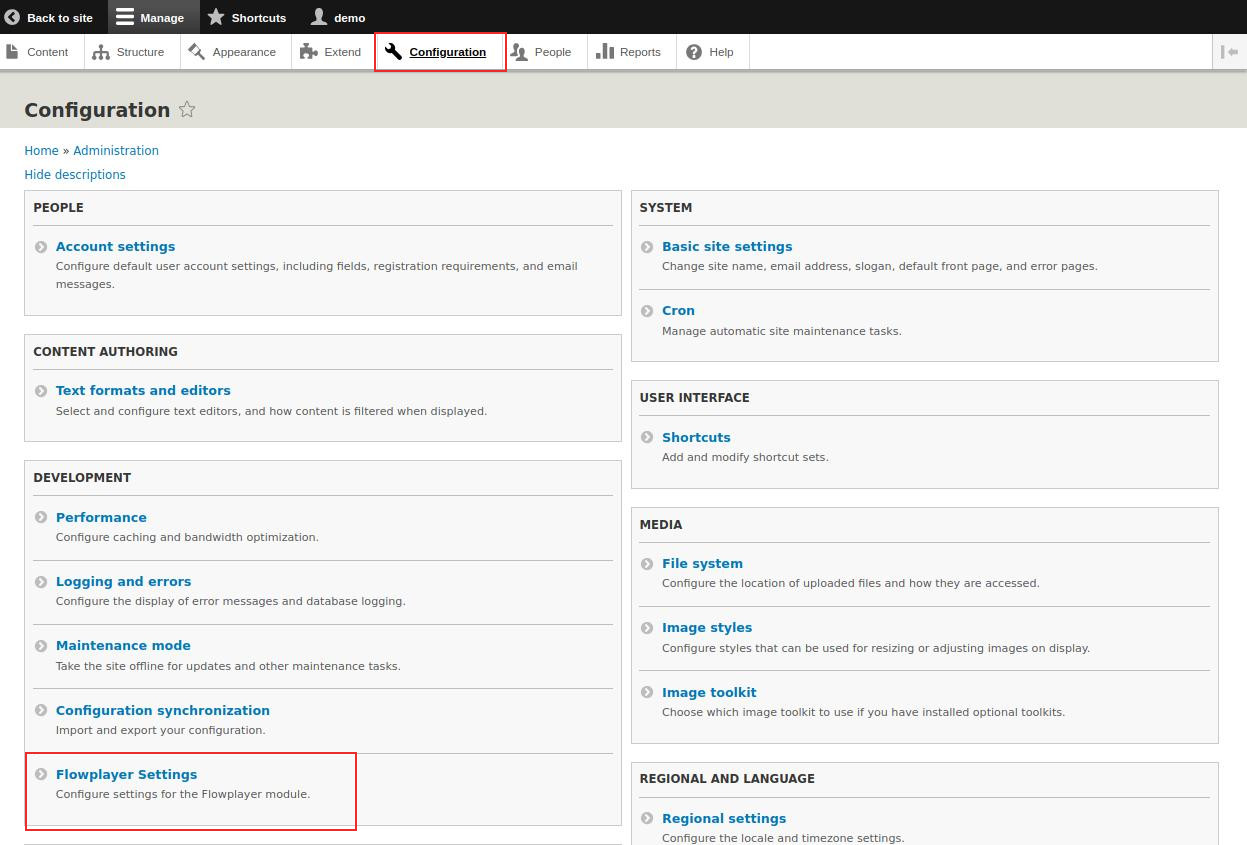
Now we save the configuration
- On the module itself by clicking the caret icon and clicking Configure
- The last step is configuring our CKEditor. We will do that by going to example.com/admin/config/content/formats and configure the editor that we want to use.
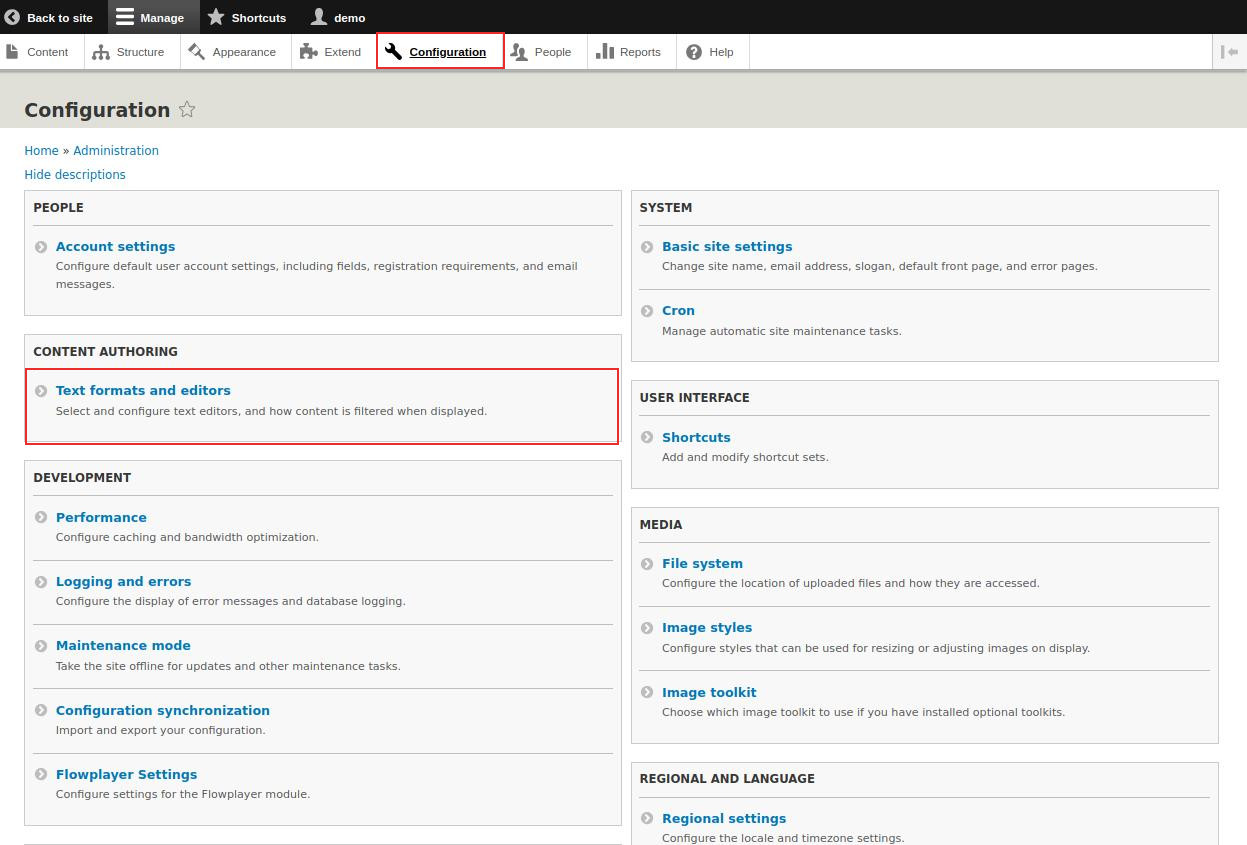
When we click the configure button we have to:- Drag the Flowplayer icon to the toolbar
- Check the Flowplayer WYSIWYG checkbox in the Enabled filters group
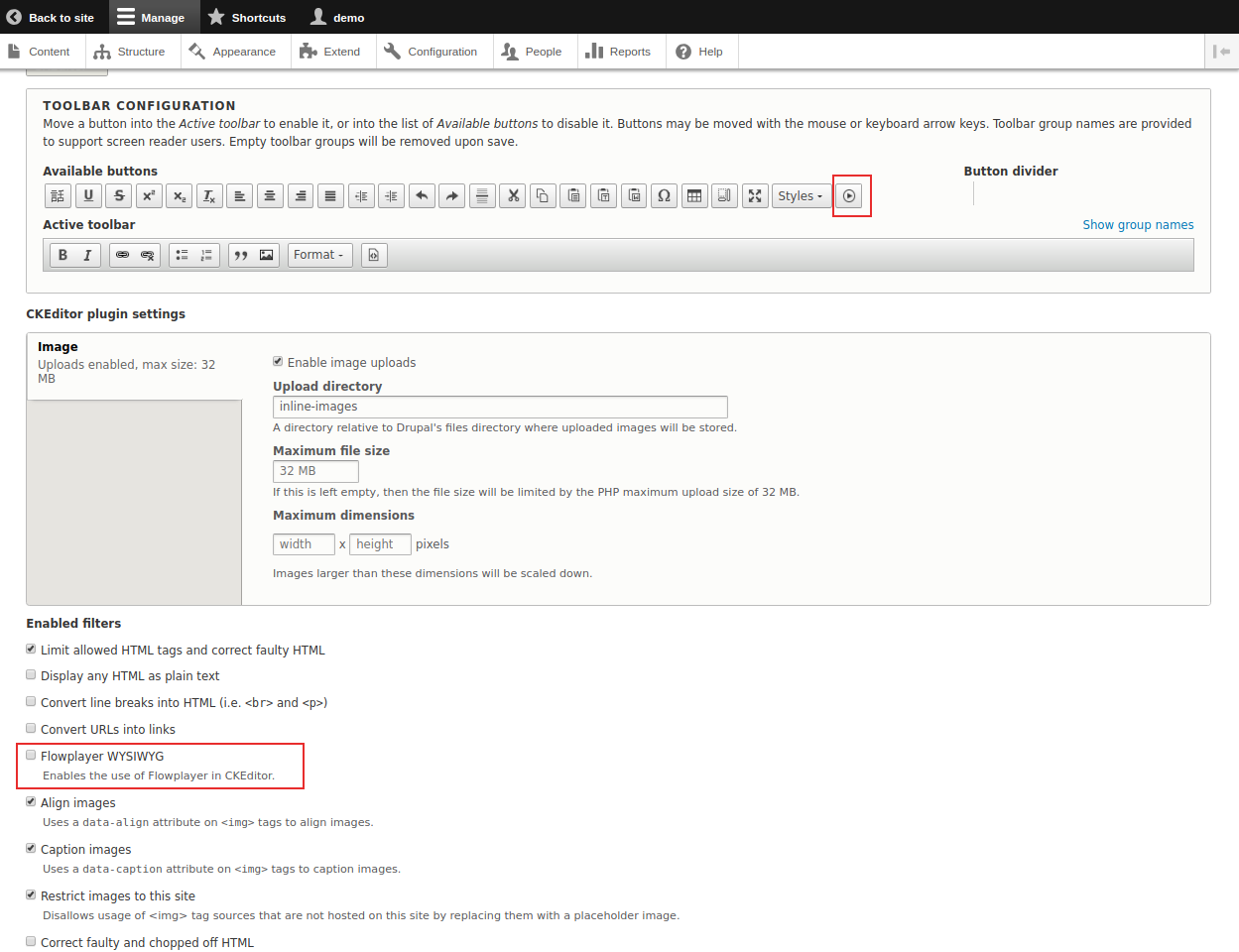
- Click Save configuration at the bottom of the page and we are good to go
- Now when we write an article we will have the Flowplayer icon in the CKEditor and we can include our videos

If needed
Sometimes when you install a module in Drupal there can be an Drupal error that says:
Failed opening required" symfony/class-loader/ApcClassLoader.php on line 110. In that case you should restart the PHP service. Link to issue.
| Attachment | Size |
|---|---|
| flowplayer icon.jpg | 68.49 KB |
| ck_editor.png | 125.47 KB |
| configuration_settings.jpg | 124.69 KB |
| configuration_text.jpg | 125.29 KB |
| configure_link.png | 40.71 KB |
| extend.png | 40.71 KB |
Project information
 Seeking new maintainer
The current maintainers are looking for new people to take ownership.- Maintenance fixes only
Considered feature-complete by its maintainers. - Project categories: Content editing experience
- Created by flowplayer on , updated
 This project is not covered by the security advisory policy.
Use at your own risk! It may have publicly disclosed vulnerabilities.






