

 The 2026 Drupal Business Survey is open. Your response will help shape the future of the Drupal business ecosystem.
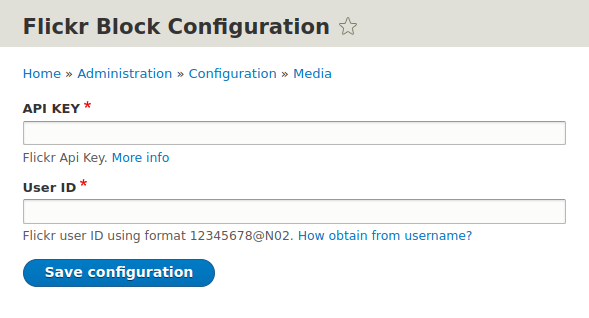

Flickr Block is a simple module that provides a configurable block for displaying Flickr photos.
This block can be configured to show a number of photos from a Flickr account
and from a photo set.
A principal photo can also be configured and classes for the various elements displayed by the block.
Installation and configuration
- Flickr Block can be installed like any other Drupal contrib module.
- Install and enable Flickr block module.
- Visit the Flickr Block Plugin settings page under "Configuration" menu and fill in required fields.
- Once global settings are configured, please go ahead and visit "Block layout" page. Add new "Flickr Block" and assign to desired region. Adjust block configuration as needed.
- Now go and view your new Flickr block!
Supporting organizations:
Project information
 Maintenance fixes only
Considered feature-complete by its maintainers.- Project categories: Content editing experience, Content display
 132 sites report using this module
- Created by kika on , updated
 Stable releases for this project are covered by the security advisory policy.
Look for the shield icon below.
Releases
2.0.1
released 8 August 2022
released 8 August 2022
Works with Drupal: ^8.8 || ^9 || ^10
Install:
Development version: 2.0.x-dev updated 8 Aug 2022 at 12:44 UTC
8.x-1.0-alpha2
released 24 November 2017
Works with Drupal: 8.x
Install:
Development version: 8.x-1.x-dev updated 9 Feb 2022 at 15:01 UTC

