

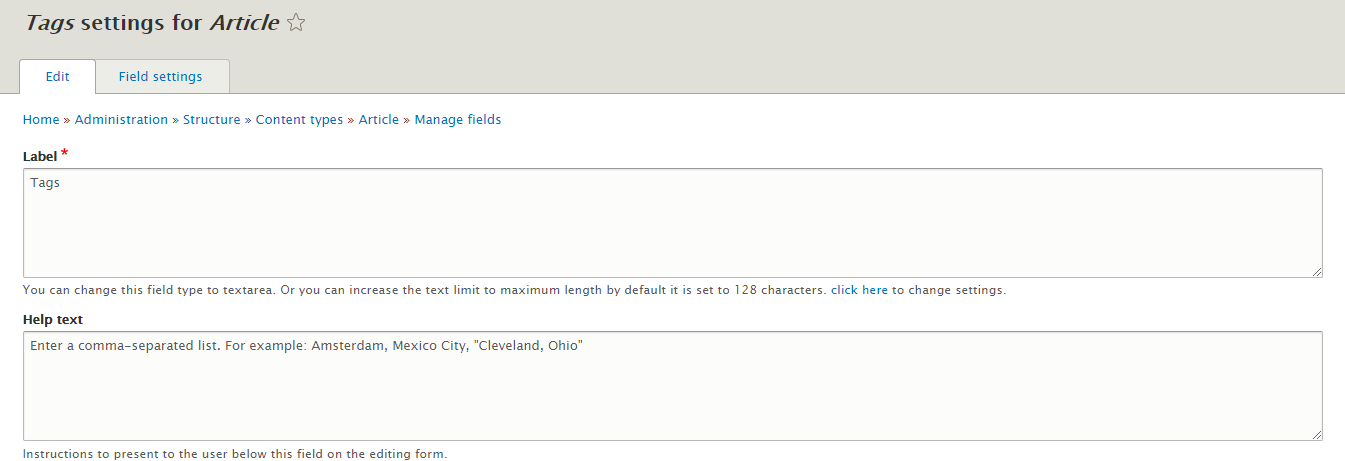
This is a very simple and light weight module that helps to extend for character limit for field labels.
by default, Drupal provides 128 characters. but using this module can increase the text limit to any length by setting up the configuration form setting page.
This module also provides the ability to change the type of the label field from text field to text area where you are allowed to put the maximum text as possible to explain to the users about your field.
How this module will work
- Install this module using composer as you do for other modules on your site.
composer require 'drupal/field_label_long_text'
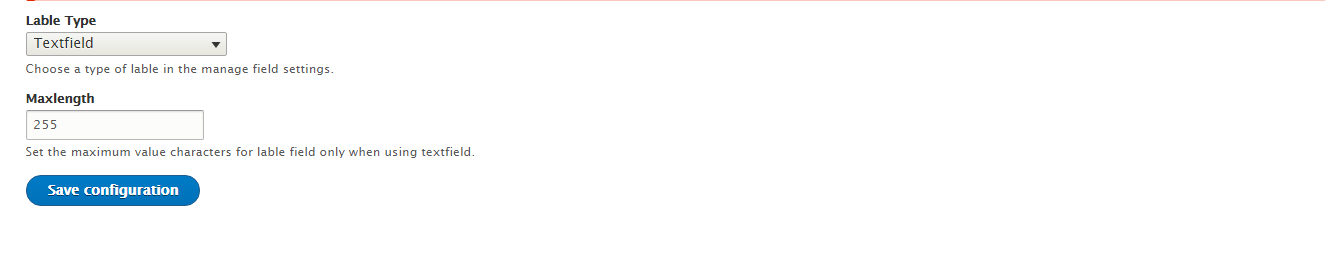
- Go to the /admin/config/field_lable_long_text and configure the type of field.
If you are using text field then you have a choice to increase the limit of the character length.
- Now based on your setting on the above form you are able to see the label field either textarea or textfield with an increased character limit. where you can put the field label to
Project information
 Maintenance fixes only
Considered feature-complete by its maintainers.- Project categories: Site structure
 40 sites report using this module
- Created by rathod03 on , updated
 Stable releases for this project are covered by the security advisory policy.
Look for the shield icon below.

