

Closed (fixed)
Project:
Feeds JSONPath Parser
Version:
7.x-1.x-dev
Component:
User interface
Priority:
Normal
Category:
Support request
Assigned:
Unassigned
Reporter:
Created:
27 Sep 2011 at 06:43 UTC
Updated:
18 Dec 2014 at 09:14 UTC
Jump to comment: Most recent, Most recent file

Comments
Comment #1
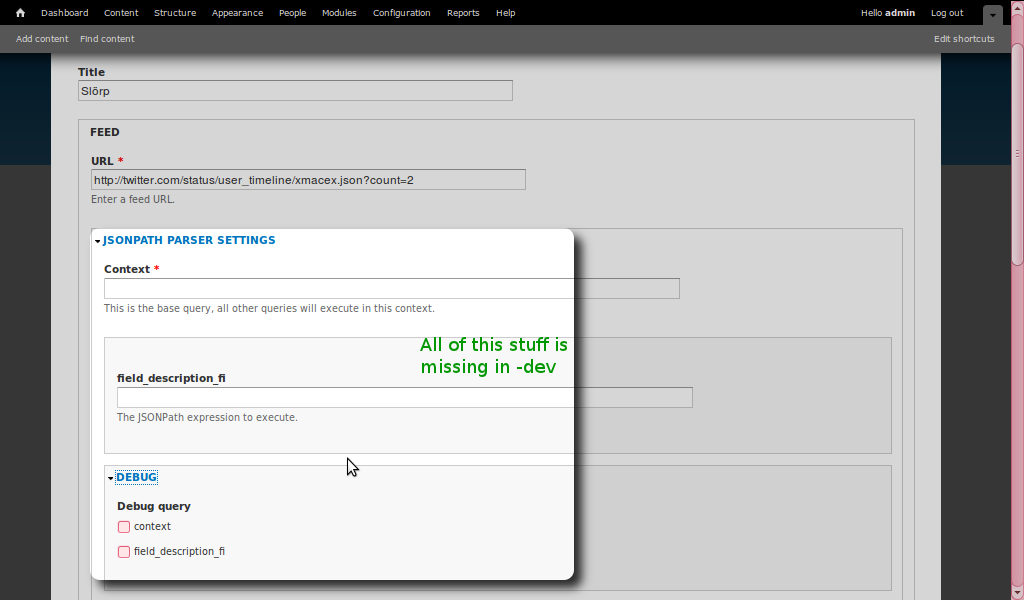
charlie-s commentedI'm seeing this on 6.x-1-beta05. The identical git repo on another host (mediatemple) has this option, so I wonder if there's a particular PHP extension or something that's not available...
Edit: Looked into this and the environments don't look any different. Adding a new Feed importer attached to a new content type and then creating a node of this content type givs me the "JSONPath Parser Settings" as expected. To make matters worse, when I click "Import" on the node that does not show the parser settings I get a message that there is "no new content", but when I run cron.php there are many new nodes created from this feed.
Comment #2
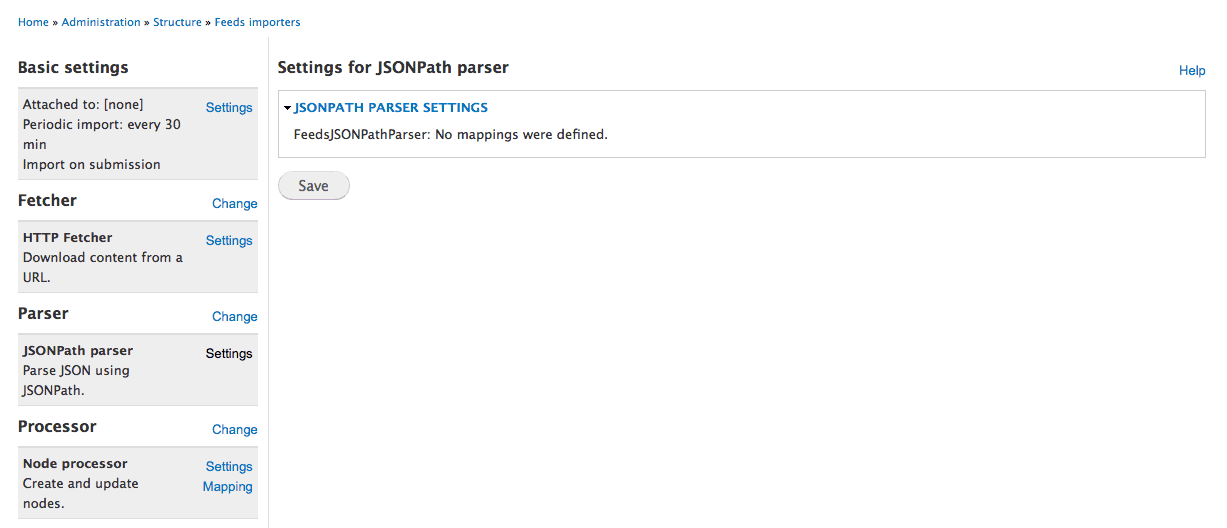
dw235 commentedI'm experiencing this too on 7.23. I've tried both -beta2 and the lastest -dev versions. The only message I receive is 'FeedsJSONPathParser: No mappings were defined.' (see attached screen capture)
I'm unable to set a parser setting. Did I miss something?
Thank you.
Comment #3
johnnydarkko commentedI see exactly the same as dw235 sees in #2 and the documentation is pretty lacking to know clearly what to do next.
No resolution was found in #1155182: Specifying Mappings either.
If anyone has any insight or know where to find the instructions on how to set the Feeds JSON Path Parser mappings, that would help immensely.
Comment #4
johnnydarkko commentedaha! found this:
Community Documentation: Feeds JSONPath Parser
https://drupal.org/node/1953688
hope this helps anyone else trying to find the docs...
This still appears to be incomplete, though...
Comment #5
ctully12 commentedI found the documentation to be slightly confusing. You need to set your mapping before you'll be able to see "context" /"setting"
Comment #6
timtk commentedWhere do you go to map the settings?
Comment #7
newtoidYou need to have the fields you are importing from the feed in a content type first, that's a given
Select the content type you want to map to from the "Bundle" option under Node Processor Settings
Then under "Mapping" the source of each field needs to be selected as "jsonpath_parser" and the target one of the fields from your content type. They must be added one by one.
Once you have added all the fields you then need to open the JSONPath parser settings and add your context (I used $.[] for the ones i did), below the context field you will also see the list of fields you mapped - add the JSONPath expression for each field you added, remembering they are case sensitive. I checked the API feed I was having to work with here http://jsonpath.curiousconcept.com/#jsonpath because the documentation i was given had quite a lot of errors.
Anyway when you've done all that you should be able to import something. Good luck!
Comment #8
twistor commented