

Needs review
Project:
Facebook Comments Social Plugin
Version:
8.x-1.x-dev
Component:
Code
Priority:
Normal
Category:
Feature request
Assigned:
Unassigned
Reporter:
Created:
9 Aug 2017 at 22:32 UTC
Updated:
18 Jan 2021 at 04:49 UTC
Jump to comment: Most recent, Most recent file

Comments
Comment #2
wmostrey commentedHi Alessandro,
Thank you for your input. Most of these options are already included, both when adding the comments as a field or as a block. When adding a Facebook Comments field, you will notice the following message: "There are no field settings. All configuration happens at the "Manage display" tab." So, after adding the field go to "Manage Display" and click the cog icon on the right of the field row. There you will notice the options for Color Scheme, Width (including the default Fluid Width) and Amount of comments.
You will notice these same options when configuring a Facebook Comments block.
Can you confirm these options work as expected for you? If you agree, all that's left for us to do is add the Order By option.
Kind regards,
Wim
Comment #3
afeijoYes I found it! I forgot it was there actually, sorry
The sort by option is still missing as you stated, I will add it and submit the patch. Thanks!
Comment #4
prashant.c@afeijo
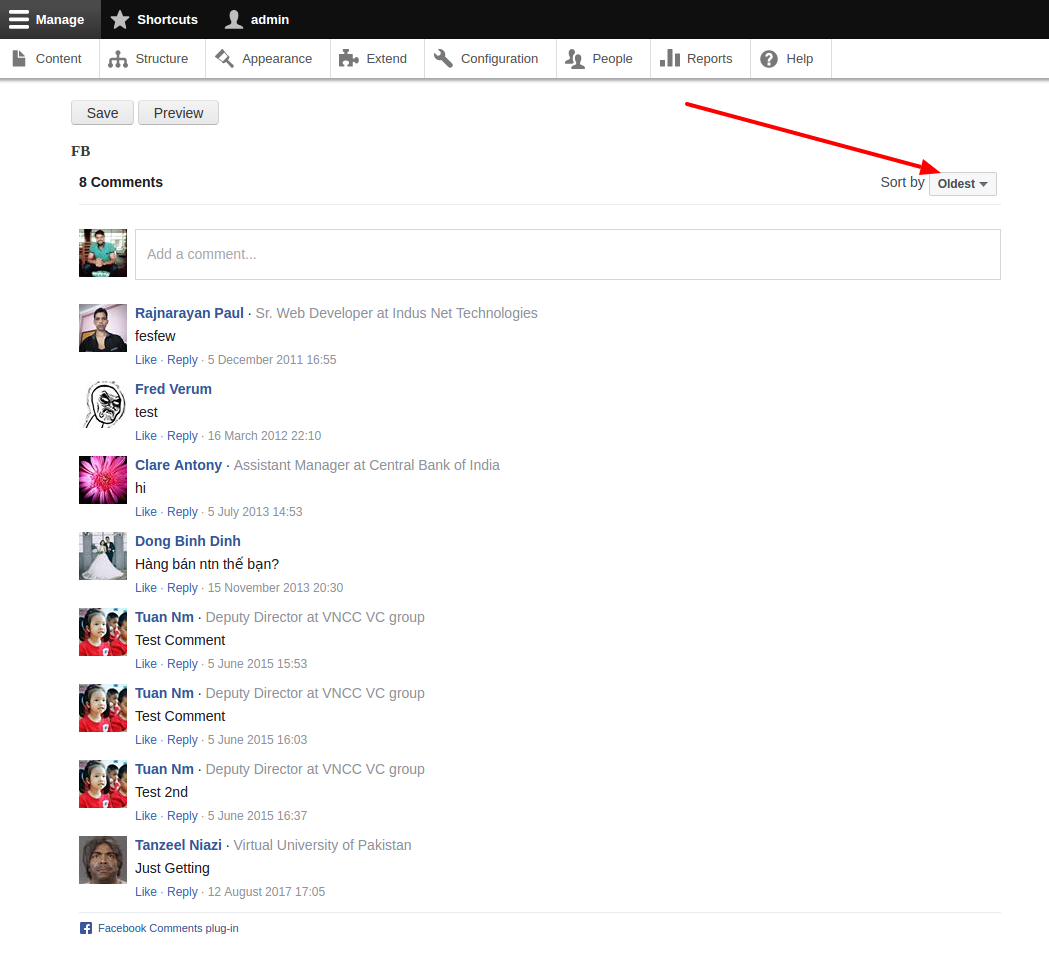
Sorting option is already there please check the attachment.
If you are not seeing this in your installation, please use the latest version of the module.
Comment #5
jay.lee.bio commentedAs of today, the fluid width option no longer works. Here's a quick stopgap that works for me on D9 if someone has the time to create a patch:
1) Leave the "Facebook comment plugin width" field empty.
2) Uncheck the "Fluid Facebook comment plugin width" option.
3) Change the $width variable in /src/Plugin/Field/FieldFormatter/FacebookCommentsFormatter.php's line 96 to '100%'.
One of the problems with the module is that entering "100%" in 1) above will actually save it as "100". If it can be saved as "100%", it might solve the problem but I can't seem to figure out how to do this. Any ideas?