


Synopsis
This module provides a new field type: entity visibility condition.
This new field allows to control the access to content entities (view operation not on admin routes). A plugin system allows to add new condition type.
Warning! The module implements hook_entity_access() so the access is checked only when this hook is triggered, for example on the page of a node. So if the content is displayed using a view for example, there is no access check.
A generic implementation of node_access hooks can't be done (if you have an idea on how to do a generic implementation open an issue and provide a patch ;)).
For now you are able to:
- Add a new type field Entity Visibility Preview
- Configure the field with selected plugins
- Global configuration form
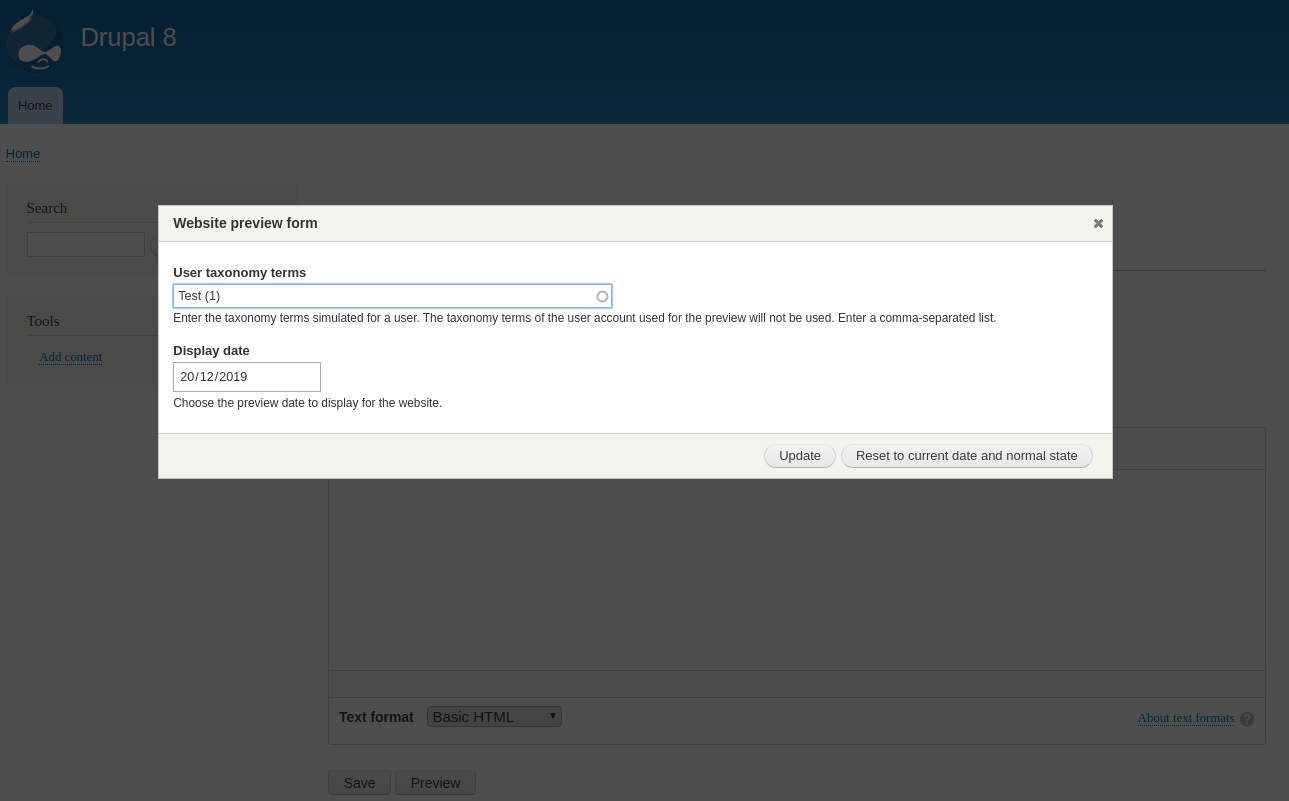
- Preview the website depending on conditions
Use case
Add an entity visibility preview field on paragraphs. Contribute paragraphs with different date ranges and taxonomy categorizations. That way you can have a content displayed differently depending on time and the user categorization.
Entity Visibility Preview Simple Grants submodule
The Entity Visibility Preview Simple Grants submodule integrates the Entity Visibility Preview module with grant API.
Using the submodule will allow node lists (entity query, Views, Search API) to check permissions of current user according to taxonomies / current date.
The module works using the "preview" form of the Entity Visibility Preview module.
Warning! The Entity Visibility Preview Simple Grants submodule only connects the taxonomy condition and date range condition plugins with the grant API. Any other access plugin must be handled manually.
Demonstration
Requirements
Each condition plugin can require different modules, if the requirements are not satisfied the plugin doesn't show up in the field settings.
The Taxonomy condition plugin needs the following modules:
- Taxonomy (Core)
The Date range condition plugin needs the following modules:
- Datetime (core)
Configuration
- Enable the Entity Visibility Preview module on your site.
- Add an entity visibility preview field to an entity type.
- Select the required visibility condition plugins on this field instance.
- Configure if needed the plugins in the field settings.
- Go to one content entity edit form where the field is added and configure visibility for this content.
- Go to the configuration page (/admin/config/content/entity_visibility_preview/settings) and choose your module settings.
- If you use the taxonomy condition plugin, you can go to a specific configuration page (/admin/config/content/entity_visibility_preview/taxonomy_condition) and choose your anonymous settings for each field on each entity type.
- View your entity with the specific condition you just configured.
Credits
SVG icon eye.svg taken from Iconfinder and then modified.
Maintainers
Supporting organizations:
sponsored initial development, evolutions, maintenance and support.
Project information
- Project categories: Access control, Site structure
 3 sites report using this module
- Created by grimreaper on , updated
 Stable releases for this project are covered by the security advisory policy.
Look for the shield icon below.
Releases
8.x-1.10
released 19 June 2024
released 19 June 2024
Works with Drupal: ^10 || ^11
Install:
Development version: 8.x-1.x-dev updated 19 Jun 2024 at 19:57 UTC


