

This project is not covered by Drupal’s security advisory policy.
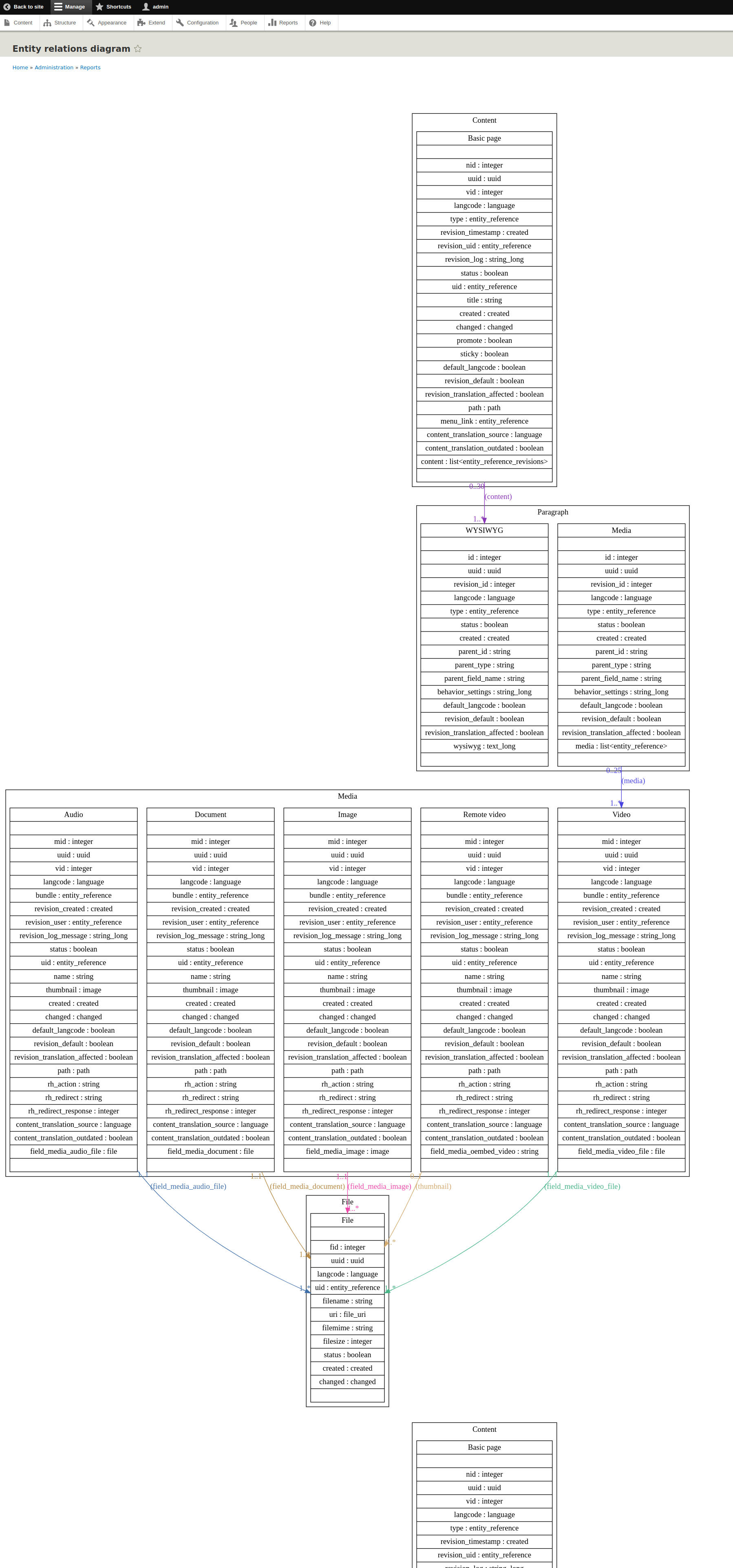
This module generates entity relationship diagram for chosen content entities. It was originally ported from Drupal 7 entitiesdiagram with several improvements.
Dependencies
Viz.js library (>=3.0)
Installation
This module can be installed using Composer.
So you will need to add the following to your composer.json file into the repositories section:
    {
        "type": "composer",
        "url": "https://asset-packagist.org"
    }
It's also needed to extend the 'installer-path' section with path to libraries folder in your Drupal root:
    "web/libraries/{$name}": [
        "type:drupal-library",
        "type:npm-asset"
    ],
And add a new 'installer-types' section next to the 'installer-path' in the 'extra' section:
"installer-types": ["npm-asset"],
After this you can install the module and related Viz.js library using
composer require drupal/entity_relationship_diagram
UI Usage
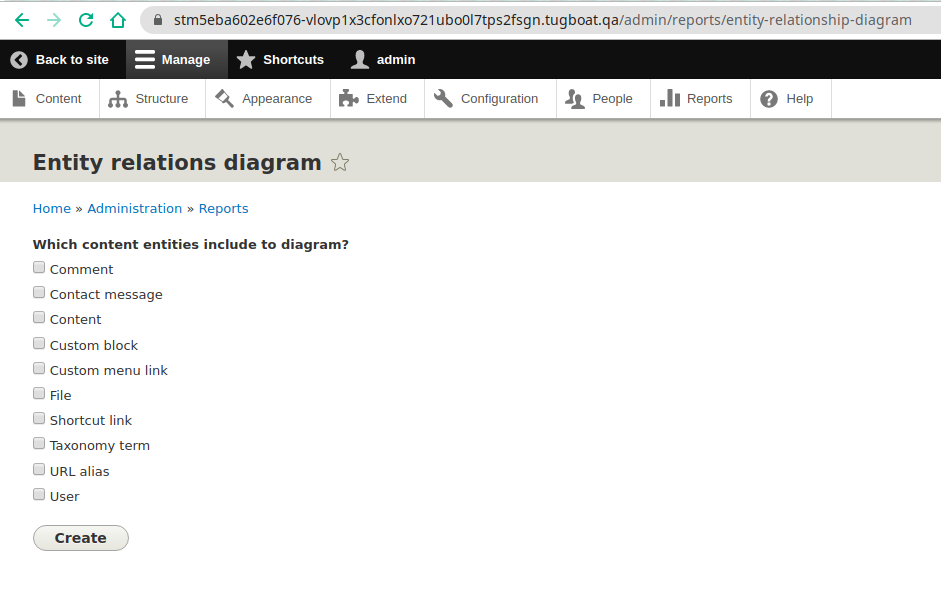
- Go to `/admin/reports/entity-relationship-diagram` to see form with available content entity types.
- Mark necessary for you entity types and press on create button.
- Generates a graph in the PNG format.
CLI Usage
Requirements :
- graphviz
- ttf-freefont (maybe required on Alpine Linux, but not on other distros)
Example to install requirements on Alpine Linux : apk add --update --no-cache graphviz ttf-freefont
Drush command :
drush entity_relationship_diagram:diagram | dot -Gratio=0.7 -Eminlen=2 -T png -o ./output.png
It is also possible to specify desired entity types:
drush entity_relationship_diagram:diagram --entity_type=node,user,taxonomy_term | dot -Gratio=0.7 -Eminlen=2 -T png -o ./output.png
Supporting organizations:
Project information
- Project categories: Developer tools
 25 sites report using this module
- Created by waspper on , updated
 This project is not covered by the security advisory policy.
Use at your own risk! It may have publicly disclosed vulnerabilities.
Releases
8.x-2.0-alpha1
released 28 July 2023
Works with Drupal: ^9 || ^10
Install:
Development version: 8.x-2.x-dev updated 28 Jul 2023 at 09:06 UTC


