

This project is not covered by Drupal’s security advisory policy.
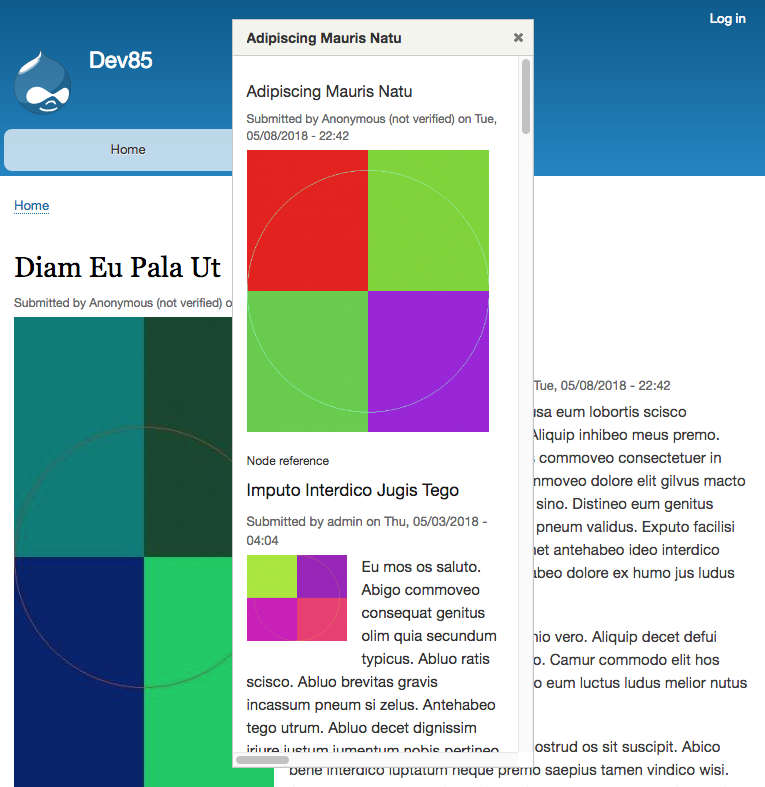
Displays referenced content entities as an overlay from a label (title of the entity as a link) or a view mode (e.g. teaser).
Configuration
Field Formatter for entity reference
- Add an entity reference field.
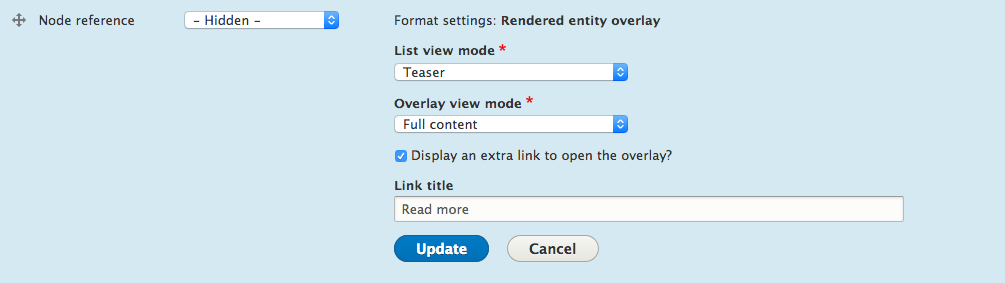
- On a display / view mode, choose the Label overlay or the Rendered entity overlay as the formatter.
- Configure the desired view mode for the overlay.

Roadmap
- Overlay settings (width, height, ...)
- Change overlay method from the configuration. Currently, the overlay is a jQuery UI dialog as it is part of the core. Further releases will add configuration options for a Settings Tray, under content display or other dialogs.
- Views Formatter
Override the jQuery UI Dialog stylesheet
Use libraries override in your custom theme.
Create a css/overrides/dialog.css in the custom theme directory.
Then, in mytheme.info.yml, declare the override.
libraries-override:
  core/jquery.ui.dialog:
    css:
      component: assets/vendor/jquery.ui/themes/base/dialog.css: css/overrides/dialog.css
Project information
- Project categories: Content display
 87 sites report using this module
- Created by colorfield on , updated
 This project is not covered by the security advisory policy.
Use at your own risk! It may have publicly disclosed vulnerabilities.
Releases
8.x-1.0-alpha5
released 19 July 2023
Works with Drupal: ^8.8 || ^9 || ^10
Drupal 10
Install:
Development version: 8.x-1.x-dev updated 20 Jun 2025 at 07:29 UTC


