

 Come together with the global Drupal community in Rotterdam, 28 Sept – 1 Oct 2026. Sessions, contribution, connection, and Early Bird savings until 8 June.



This project is not covered by Drupal’s security advisory policy.
This project is unsupported due to an issue the maintainer didn’t address. See #3112796: Mark Elfsight modules unsupported for details.
If you have already installed this project, you should uninstall it.
If you've already copy-pasted a script into your Drupal website that was generated by this project, the script will continue to work after uninstalling this project. However, such a script may be abused as a back door to your website. Remove it if you do not trust its creator.
Elfsight Viber Chat is the quickest tool for website visitors to contact you and get support from you. Stay available live in one the most popular messenger. Integrate Viber Chat on your page and set it to appear on specific pages or for separate groups of visitors, define chat starting triggers, compose your welcome text, pick icons and other features. Using Viber Chat on the site you will remain reachable for visitors anytime and in any location.
Staying simple and fast to contact
Set a an instant and handy method for your clients to address you via your page
Improving the quality of client communication
Having a faster and more targeted communication, make more clients satisfied
Boosting purchases with the help of consulting
Communicate valuable data about your offers and help more users to purchase
Increasing the number of leads via personal addressing
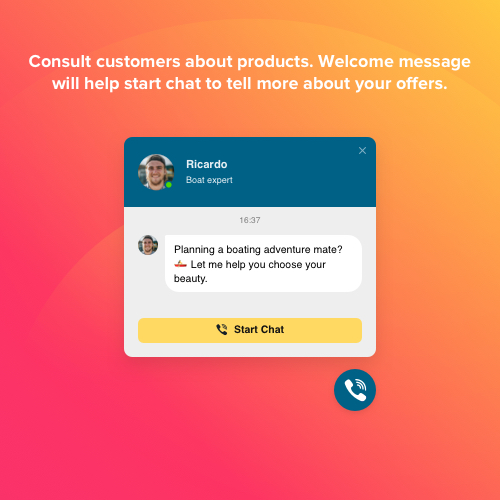
Initiate chats with users to understand their queries and spark curiosity in your products and services
The easiest way for your audience to reach you
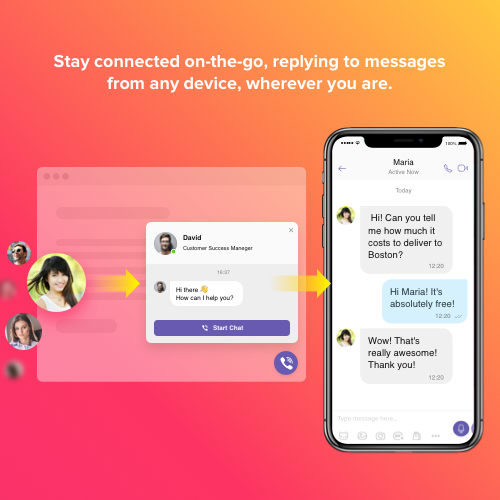
Via Elfsight Viber Chat you can establish a comfortable communication channel, that will help|helping|making it simple for website visitors to chat to you immediately and without effort. People will be able to communicate with you at any time, using a familiar and convenient messenger. And you will be able to stay connected, answering on-the-fly wherever you are.
Draw visitors into chats. Shift them into shoppers. Boost sales
Whatever services or items you promote, you can offer more via targeted conversations on your page. Get each person engaged into chatting and assure more users to buy on your site. Elfsight Viber Chat uses chat triggers, which open a chat window for each person based on their on the website or web page, or when they start leaving. There are four types of chat position, and set the chat window to appear only for a selected category of users to make it work to the fullest.
Flexible layout to make it work with your use case
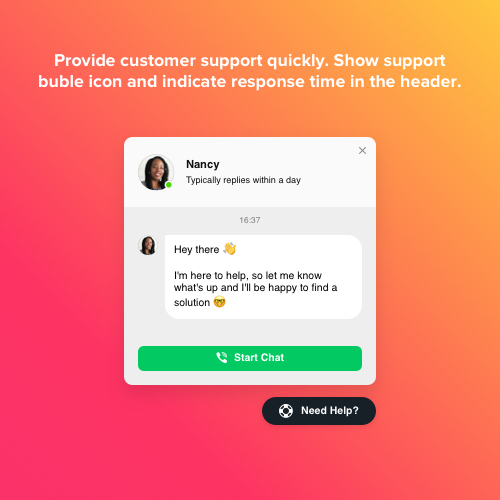
Elfsight Viber Chat has interface features which help you customize it right for your business case. Provide customer service, send details about your products, give help to make a booking or placing an order – this chat can do all this and even more. Choose chat bubble picture from our library, enter caption text with important info, place your company’s logo or pick a photo from our library, think of an inviting welcome message which will help initiate chatting, show message notification, and more.
This Drupal Viber Chat module is provided by Elfsight Apps
Elfsight Apps is a cloud-based service featuring apps to extend and expand your page functionality (for instance, Instagram Feed, YouTube Gallery, Social Icons and others).
This module functions as a link connecting your site and Elfsight Apps Service. It connects the two together. It gets the module you’ve built at Elfsight Apps and displays it right on your website.
In case you don’t have an Elfsight Apps account, you can register totally free, and it only will take you about one minute.
How to add Viber Chat to Drupal website
- Obtain the module and embed it to the site
On Viber Chat page, find the document and download it. Open «Extend» tab of your administrator panel and add the module to your Drupal store. - Shape your module
In the list of the modules, select the new module and activate it. Now you can enter selected text content and personalize the appearance. Receive the installation code from the appeared window. Copy it. - Add the module on your webpage
In the «Content» tab, find the page you would like to embed the module to and insert the copied code there. Save the edits. - You successfully performed the installation
Visit your Drupal site, to view your module!
Support
As soon as you have any issues with the Viber Chat or encounter questions, do not hesitate to address our customer support staff. Our specialists are always here to help!
Free installation service
Our Support Team will be glad to help with the embedding or implement the module for you. We are waiting for your requests at apps@elfsight.сom, and we’ll be delighted to help!
Still haven’t checked our module live? Do it now on the Viber Chat page!
Project information
 Unsupported
Not supported (i.e. abandoned), and no longer being developed. Learn more about dealing with unsupported (abandoned) projects- Obsolete
Use of this project is deprecated. - Created by Elfsight on , updated
 This project is not covered by the security advisory policy.
Use at your own risk! It may have publicly disclosed vulnerabilities.
