

Closed (works as designed)
Project:
Drupal core
Version:
4.7.0-beta1
Component:
menu system
Priority:
Normal
Category:
Bug report
Assigned:
Unassigned
Reporter:
Created:
14 Dec 2005 at 07:21 UTC
Updated:
19 Jan 2006 at 17:10 UTC
Jump to comment: Most recent file


Comments
Comment #1
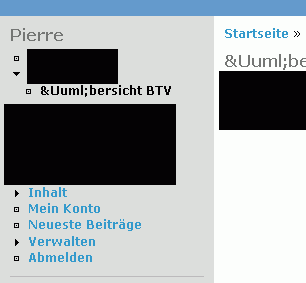
Peejot commentedSorry, something went wrong with the image, re-uploading correct one.
Comment #2
Steven commentedThis is by design. HTML entities are unsupported in plain-text fields.
Drupal uses UTF-8, so you can use any (Unicode) character directly in any field. If characters are being garbled, your database is not set up correctly.
Comment #3
Peejot commentedThose Menu-Items aren't cached. When i'm using those entities directly it will only appear a questionmark. So the german Word "Übersicht" looks "?bersicht".
When the Menu-Items are loaded from Database, there's no Problem. But i think it's better for internationalizing when it works also directly "from file".
Comment #4
yched commentedI stumbled on the same issue (with french accents...) for the hard-coded strings in my module.
I've come to the following 'empiric' workarounds :
- wrap all of them inside drupal_convert_to_utf8('whàtévêr wîth äccents', 'ASCII')
rather tedious, and probably performance killer ?
- or encode my php files directly in utf8 (via your IDE's settings)
Any advice / confirmation / tip is welcome...