

 Come together with the global Drupal community in Rotterdam, 28 Sept – 1 Oct 2026. Sessions, contribution, connection, and Early Bird savings until 8 June.
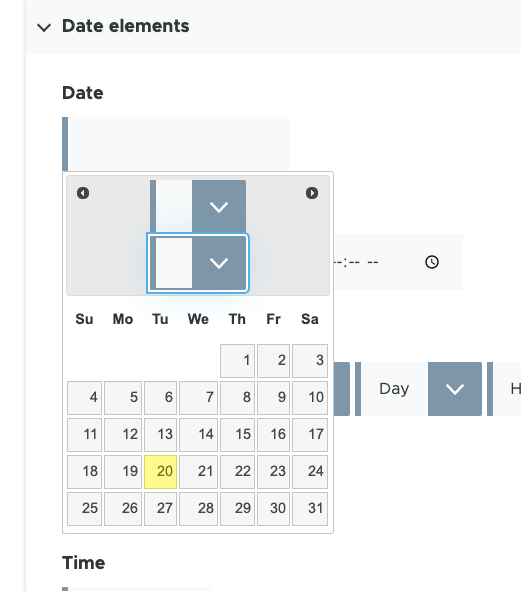
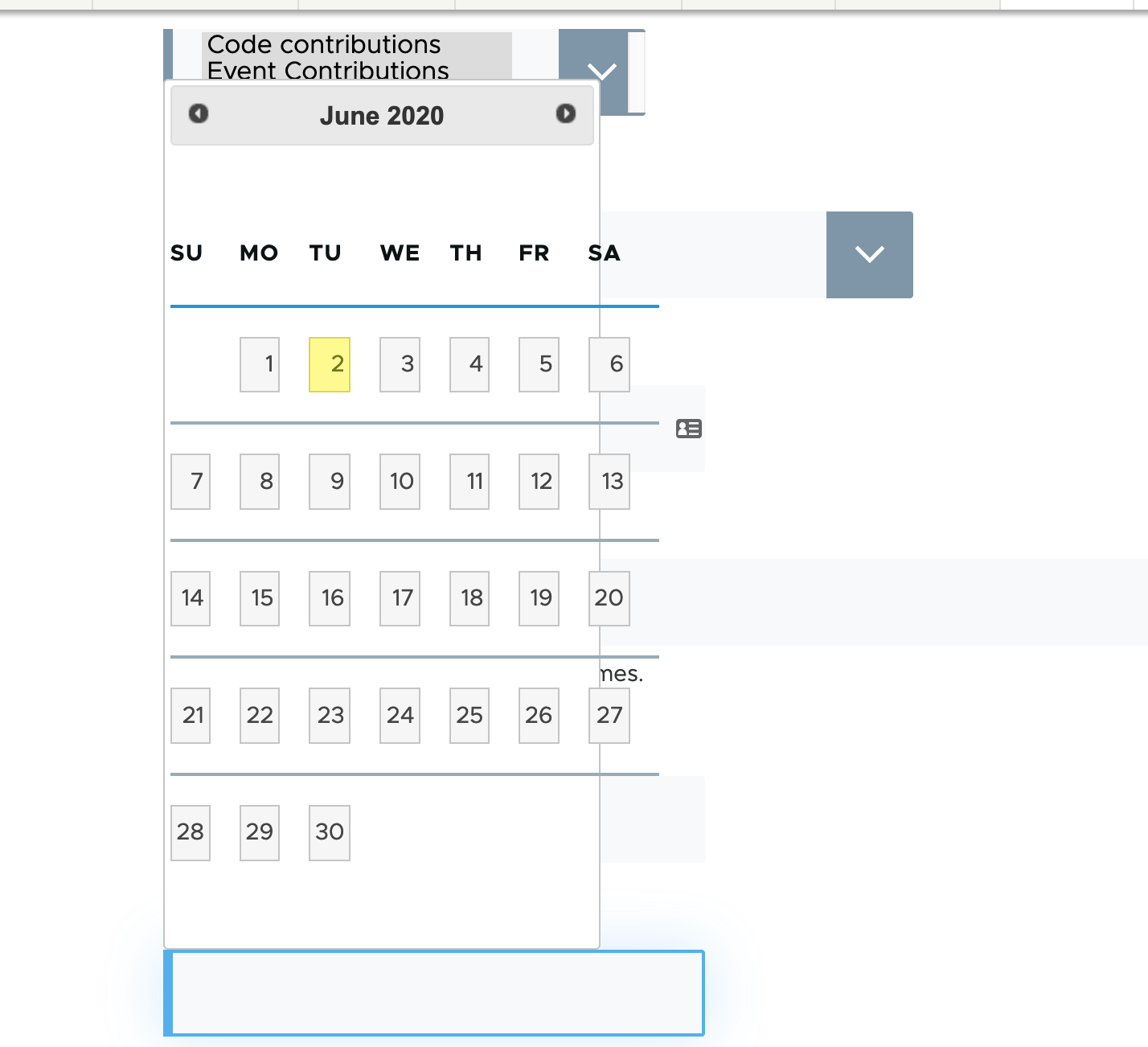
The jQuery UI datepicker is visually broken. Note that jQuery UI is only in D8 core. Within Drupal 9, it is deprecated.
However, the D9 version of webform loads it's own version of the jQuery UI datepicker. This is only visible in Safari, as FF, and Chrome have their own UI. This may also be visible in IE and Edge.
Question: Should we support this, since it is not supported by D9 core?
| Comment | File | Size | Author |
|---|---|---|---|
| #16 | date-picker-jquery-ui.png | 30.13 KB | mherchel |
| olivero-date-picker.png | 46.66 KB | hussainweb |


Comments
Comment #2
poojakural commentedComment #3
mherchel@poojakural I don't see any update in the 3 days since you've assigned this to yourself. I'm going to start working on it. Post a patch if you have something!
Comment #4
mherchelComment #5
mherchelThis only happens in Safari.
Comment #6
mherchelNote this uses jQueryUI datepicker in D8. This is deprecated in D9. See https://www.drupal.org/node/3081864
Comment #7
mherchelD9's date input does not come with jQueryUI date picker. However, the 6.0 (semantically version numbered) version of Webform does.
The end result is that in D9, there is no date picker in Safari in Drupal.
So the question is should we support this since it is not supported by core?
Comment #8
mherchelComment #9
mherchelComment #10
hussainweb@mherchel, thanks. I'll check again. It could have been jQuery UI but it was core. I didn't have any fancy modules or pickers enabled. Also, this was Chrome on Mac (latest stable release), not Safari.
Comment #11
mherchelhmm... I didn't run into this module on Chrome v83 on my mac. Webform enables jQueryUI. Was this form element from webform? You should be able to inspect it and see the source of the CSS.
Comment #12
mherchelAlso jQuery UI is in D8, if you were running that.
Comment #13
hussainwebI think there is some confusion here. The screenshot is not from a webform. I don't have webform running on the site anyway. It was Drupal 8.8.5 (at the time of the screenshot). The form in the screenshot is from a views exposed filter. There are very few contrib modules on the site and only a couple custom modules, none of them having much to do with the UI.
The link I mentioned in the original issue summary won't work anymore but you can still see the same form elements at this link: https://contrib.axelerant.com. It's using the vanilla bootstrap theme right now.
Comment #14
hussainwebBTW, I looked at the source and it does look like a jQuery UI picker. So, you're right that it's deprecated in Drupal 9. Still, this is Drupal 8.9 core as of right now.
Edit: It could be that bootstrap is enabling jQuery UI on that field. When I took the screenshot, though, I clearly remember that I enabled Olivero and uninstalled Bootstrap.
Comment #15
steinmb commented-1 from me. I do not think we need to support jQuery UI. I suggest we close this as, won't fix.
Comment #16
mherchelJust checked on this again. The table padding issue is fixed. The select elements are still oversized.
There may be a way to reset all of this using postcss-preset-env's
all: initialsetting. Need to experiment...Comment #17
steinmb commentedThere is a critical 9.2.x issue that might be worth watching #3113400: Deprecate more jQuery UI library definitions for jQuery UI related issue. Not sure where to put it so I put it here.
Comment #18
mherchelI'm fairly confident that this was fixed in the forms refactor. I can't seem to be able to generate the jQuery UI calendar now that it's deprecated though.
Closing this as outdated.