

Closed (won't fix)
Project:
Drupal core
Version:
8.9.x-dev
Component:
Claro theme
Priority:
Normal
Category:
Bug report
Assigned:
Unassigned
Issue tags:
Reporter:
Created:
13 Nov 2019 at 12:03 UTC
Updated:
18 Nov 2019 at 10:55 UTC
Jump to comment: Most recent

Comments
Comment #2
serhii-che commentedComment #3
lauriiiComment #4
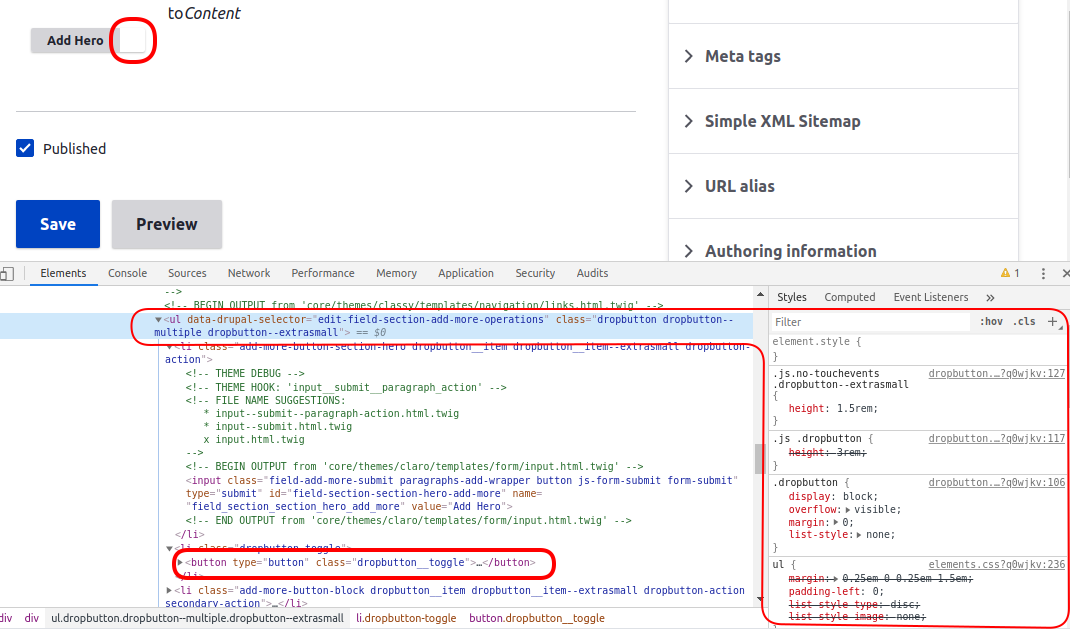
huzookaIf I'm right, this is a Paragraphs dropbutton. (And it is customized as well.) Can you confirm this?
If it is:
Actually, the problem is that Paragraphs removes Claro's relative position from
.dropbutton-widget.Paragraphs uses a 'fake' dropbutton here by using only the dropbutton theme wrapper, and assumes that the actual theme does not customize the dropbutton markup.
Comment #5
serhii-che commentedYou are absolutely right! Thanks for the explanation.
Comment #6
serhii-che commented