

 Come together with the global Drupal community in Rotterdam, 28 Sept – 1 Oct 2026. Sessions, contribution, connection, and Early Bird savings until 8 June.
Problem/Motivation
Layout SVG icons are not visible in Safari. See the image below:
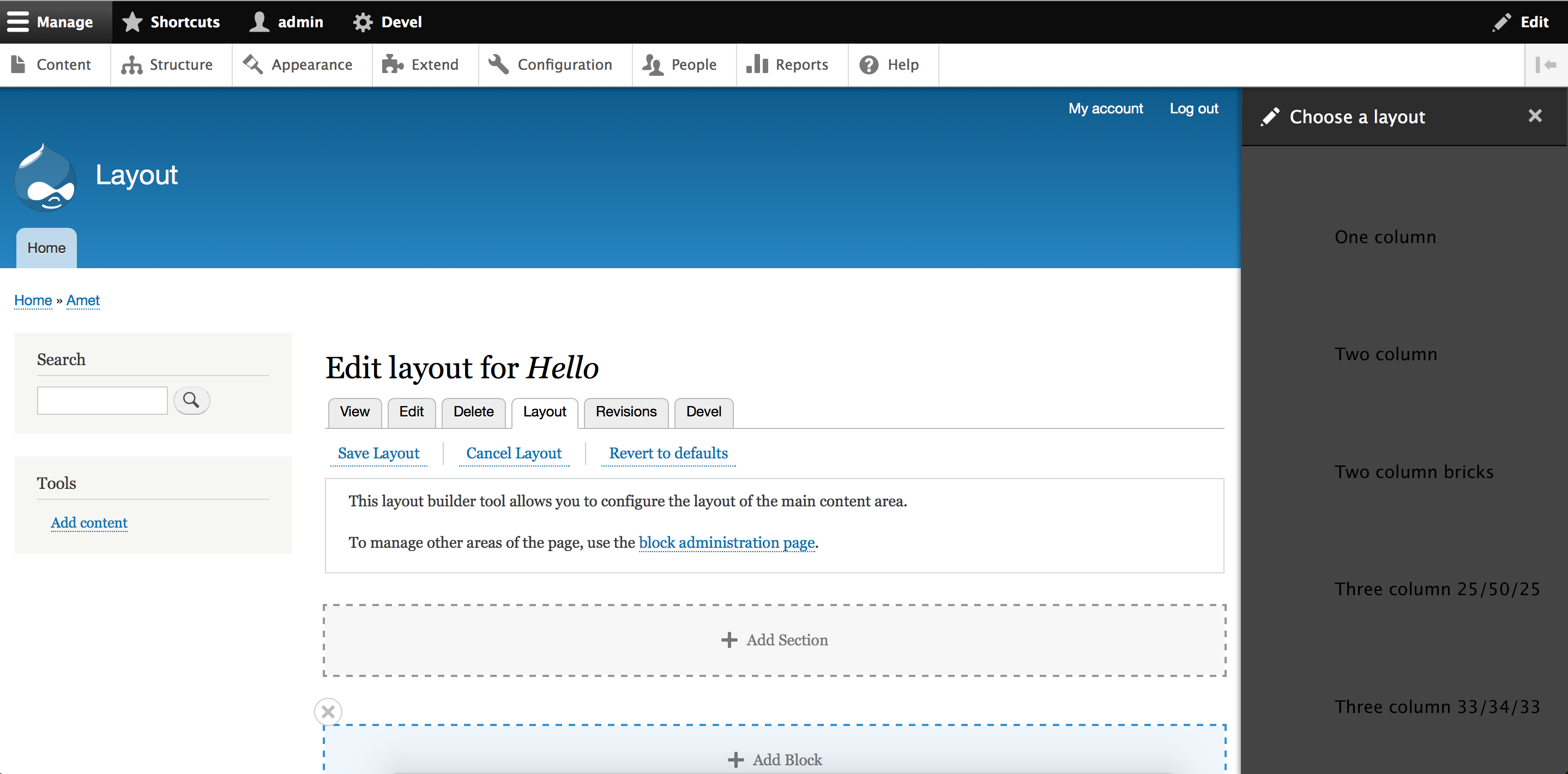
Steps to reproduce:
1) Go to a content type for which Layout is enabled. As an example, if Layout is enabled for Article content type, then the URL to go is: /admin/structure/types/manage/article/display-layout/default.
2) Click on "Add Section".
3) You will see "Choose a layout" popup over right sidebar. Each layout is supposed to show an SVG. It's not visible in Safari 12.0.2.
| Comment | File | Size | Author |
|---|---|---|---|
| Screen Shot 2018-12-26 at 1.00.37 PM.png | 358.92 KB | neeravbm |


Comments
Comment #2
neeravbm commentedComment #3
neeravbm commentedComment #4
tim.plunkettDuplicate of #2958588: Off-canvas style resets are overriding styles (especially SVGs) resulting in display issues
See also #3020542: Layout SVG's preview icons broken on Safari