

Closed (cannot reproduce)
Project:
Drupal core
Version:
7.0-rc2
Component:
overlay.module
Priority:
Normal
Category:
Bug report
Assigned:
Unassigned
Reporter:
Created:
23 Dec 2010 at 06:09 UTC
Updated:
28 Jan 2011 at 12:12 UTC
Jump to comment: Most recent file


Comments
Comment #1
rfayI'm going to call this "shortcut.module".
When you say "admin menu" do you mean the core toolbar, or the menu provided by the admin_menu module?
Comment #2
burgeonit commentedI meant the toolbar on top what you get when logged in as admin user.
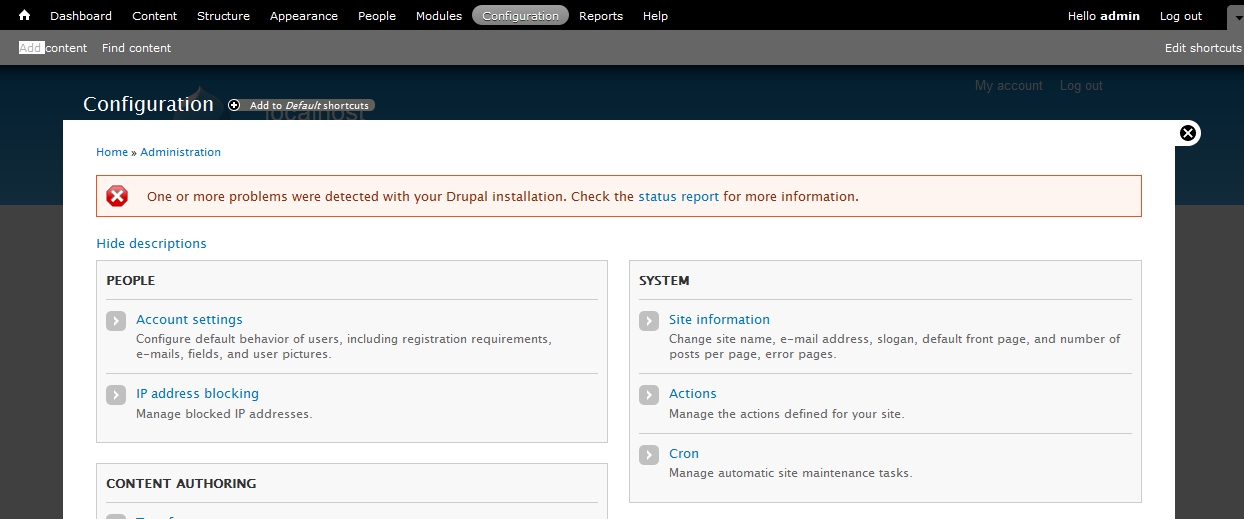
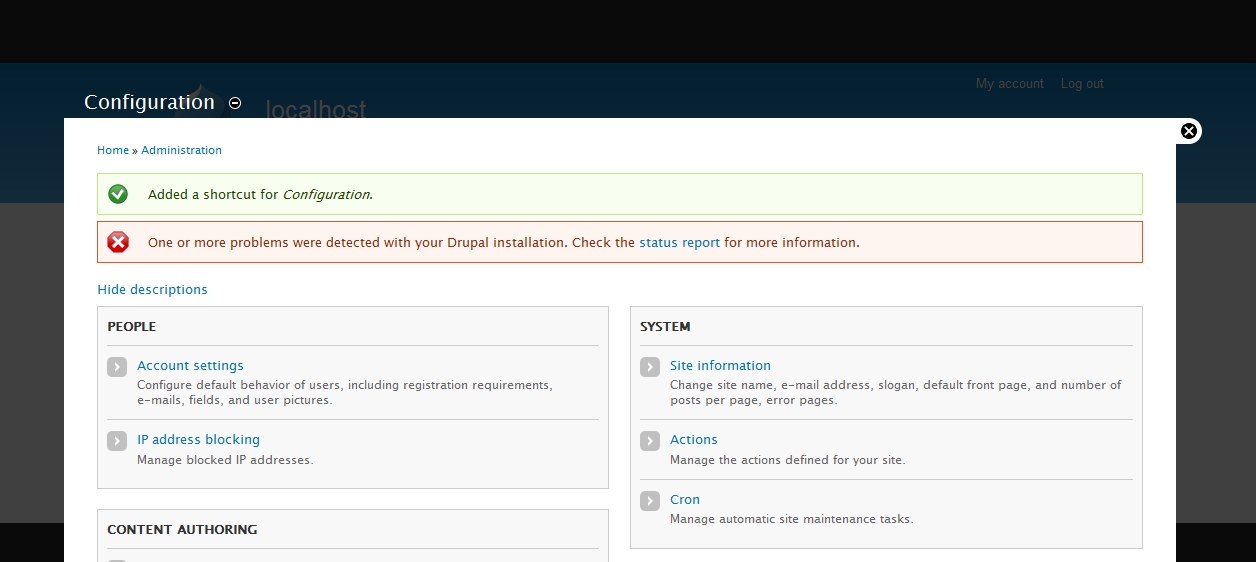
The following screenshots might help. (1st screenshot - before adding/removing to default shortcut. 2nd screenshot - after shortcut is added - what u see at the end of the operation)
Comment #3
rfayThe screenshots do help - thanks.
Comment #4
rfayI can't reproduce this. Can you reproduce it with a clean install? Might it be due to other modules you have installed? Please provide exact instructions on how to reproduce it with a clean install.
Thanks,
-Randy
Comment #5
burgeonit commentedYes ... It is 100% reproducible. I tried again with 7.0-rc3. A fresh installation. After installation ...
1. Click on the Structure - (path - http://localhost/drupal7rc3/?q=node#overlay=%3Fq%3Dadmin/structure)
(or any other admin page which is not yet in the "Shortcut" list)
2. Click on the + sign (Add to Default shortcuts)
3. When the page refreshes by itself, the top menu vanishes!
It is the same, when u remove any link from your Shortcut.
Tested using
IE - 8.0
Firefox - 3.6.13
Google Chrome - 8.0.552.224
Opera - 11.00
in Windows Vista
Hope it helps!
Comment #6
rfayThanks for the good detail.
I still can't reproduce it. I've tried with IE8 (windows) and FF 3.6 (Linux) and see everything reliably.
I see that it's Windows Vista you're working with. Can you try it on another computer?
Comment #7
rfayTested with xampp 1.7.3 on Windows Vista and still did not see any problems.
Comment #8
burgeonit commentedHi rfay,
Thanks for ur effort to understand & reproduce the issues. I think something is wrong with my old XAMPP installation. It was working for quite some time (several months) & I had been working with different drupal 6 installations.
But after you mentioned that these issues cannot be reporduced, I installed everything new.
1. XAMPP for Windows Version 1.7.3
2. Drupal 7 rc3
Everything works fine! I don't get these problems anymore.
Thanks
Comment #9
David_Rothstein commentedThis was very likely an issue with the overlay, which tries to automatically update regions such as the toolbar via AJAX when their contents have changed. I'm guessing that any other action which modified the toolbar (for example, going to
#overlay=admin/structure/menu/manage/managementand changing the items in the Management menu) would have led to the same symptoms.It's good to hear that it fixed itself, but please feel free to reopen this if you can figure out how to reproduce it reliably! (It sounds like there must be some kind of server configuration that causes this not to work.)
Comment #10
lyd commentedAm using drupal-7.x-dev (Jan 28 version) and the add shortcut link (-) and (+) have disappeared.
See attachment.