

 The 2026 Drupal Business Survey is open. Your response will help shape the future of the Drupal business ecosystem.
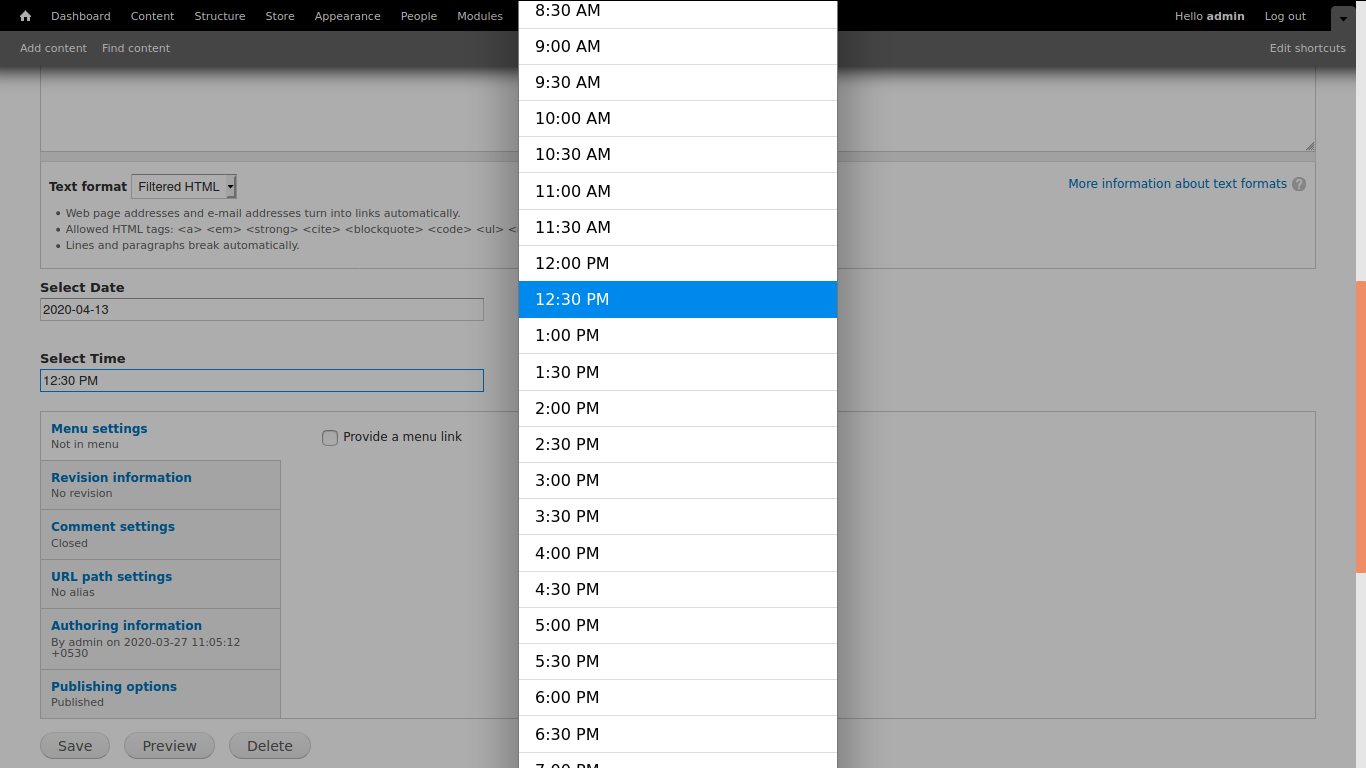
Date time picker form element using the pickadate.js Plugin and create a custom field type of Date and Time Picker. So that anyone can easily add date and time or date-time picker.
It supports date/time and date fields. You can use it on any content type if any date-picker needed.
How to use It
Step 1 -> Download And Enable module.
Step 2 -> Go to -> Structure -> content type -> click edit link on any content type list and add field "Date Calendar Popup".
Step 3-> Now you can add date or time or date-time as per your need
Step 3 -> if you want to show date on front end as per your need then go to the "Manage Display" in content type and you can change display date as per your need.
Related modules
- For Drupal 8: Bootstrap Materialize DateTime Picker module provides a widget for Drupal Date fields.
Supporting organizations:
Project information
 Maintenance fixes only
Considered feature-complete by its maintainers.- Project categories: Site structure
 20 sites report using this module
- Created by arunkumarkit on , updated
 Stable releases for this project are covered by the security advisory policy.
There are currently no supported stable releases.

