




This project is not covered by Drupal’s security advisory policy.
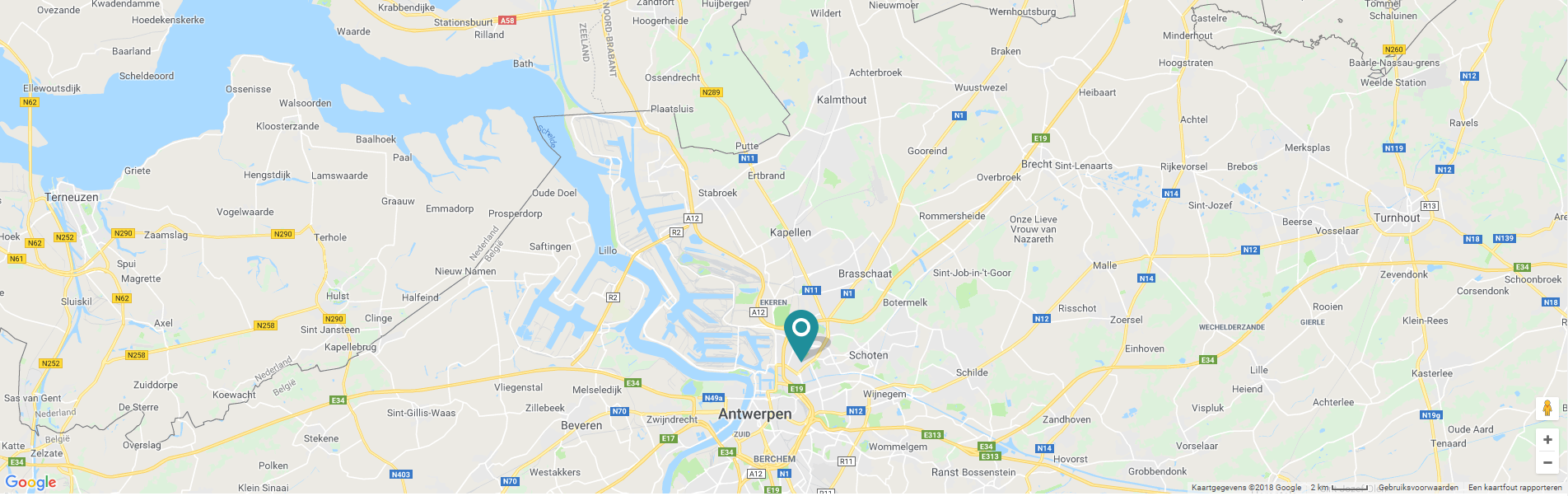
Generate a Google Map by using data attributes in your theme files.
Existing Google Map modules usually force you to use a certain field type (like address, location, ...) or a display mode (show as Google Map, ...).
The goal of this module is to generate a Google Map by only using data attributes, like:
<div class="js-gmap" data-address="zavelheide 15, 2200 herentals"></div>
So if you have a simple textfield on your node 'field_address' you can show a Google Map using the fields value in the nodes twig file like:
<div class="js-gmap" data-address="{% node.field_address.0.value %}"></div>
Or maybe you want to show a google map in the footer or on a contact_page node type with a fixed address or latitude and longitude without having to create a field for this.
You can give the element an address string via data-address attribute, or
coordinates via data-latitude and data-longitude attributes.
It uses the Google Geocoding API to convert an address string into latitude and longitude to show the map. But beware that if you use an address instead of latitude and longitude, each page load is a geocode request, and Google limits the amount of geocode requests.
The code will check for elements with a "js-gmap" class and will
automatically show a google map inside it, with a marker on the given position.
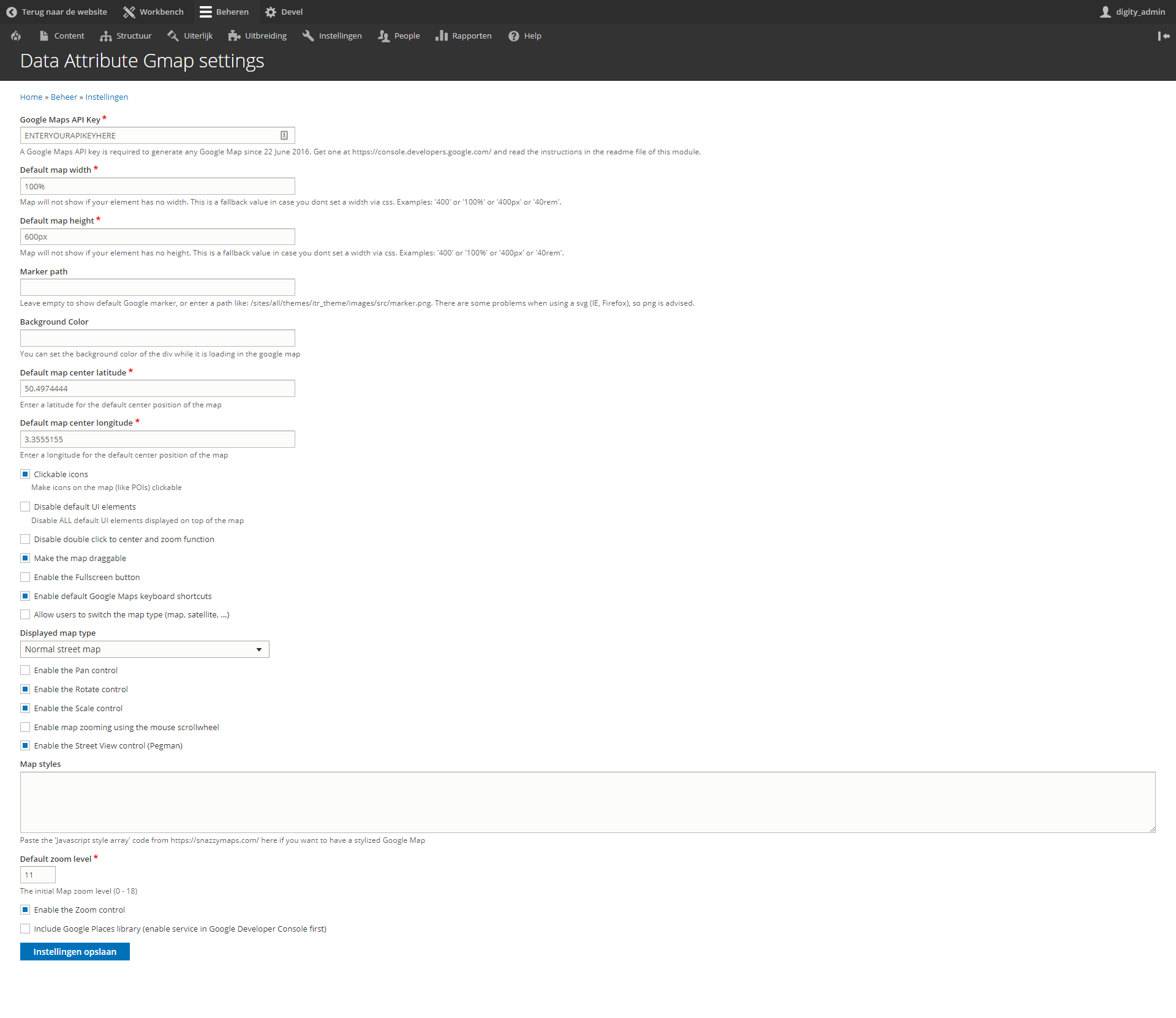
This module provides a settings page at admin/config/data_attribute_gmap/config where you
can set various options:
- Google Maps API key
- Default map width
- Default map height
- Path to a custom marker icon
- Custom map style (like a Snazzy Maps layout)
- Various other settings for what and how the Google Map is displayed.
You will need te create a Google Maps API Key and save it in the settings page.
HOW TO USE
- Enable this module
- Make sure you have a google maps API key:
- Register at https://console.developers.google.com/
- Create a new web project for the site where you want to use the maps
- Enable the following API's:
- Google Maps Embed API
- Google Maps Geocoding API
- Google Maps JavaScript API
- Google Static Maps API
- Under Credentials, create an API key and copy your key.
- Go to admin/config/data_attribute_gmap/config and add your Google Maps API key and
- set the display options for the Google Map.
- Include the data_attribute_gmap/gmap library where you want the map to show. For example, if you have your address div inside a twig file, place this on top of the twig file:
{{ attach_library('data_attribute_gmap/gmap') }} - Create an element with a data-address attribute like this:
<div class="js-gmap" data-address="zavelheide 15, 2200 herentals"></div> - Display a tooltip when hovering over the marker with the data-markertitle attribute:
<div class="js-gmap" data-address="zavelheide 15, 2200 herentals" data-markertitle="Hovertitle"></div> - Display a marker other than the one defined in settings:
<div class="js-gmap" data-latitude="51.0743623" data-longitude="3.6645769" data-marker="/themes/custom/mytheme/images/alt-marker.png"></div> - Display a popup when clicking on the marker with the data-popuptitle and data-popupcontent attributes attribute:
<div class="js-gmap" data-latitude="51.0743623" data-longitude="3.6645769" data-markertitle="hovertitle" data-popuptitle="Popup Title here" data-popupcontent="Popup content here"></div> - Display a popup when clicking on the marker with the data-popupcontent-target attribute as selector for an element containing the popup content:
<div class="js-gmap" data-latitude="51.0743623" data-longitude="3.6645769" data-markertitle="hovertitle" data-popupcontent-target=".js-gmap-tooltip-content"></div> <div class="js-gmap-tooltip-content"> <strong>{{ company }}</strong><br/><br/> {{ address|raw }}<br/><br/> <a href="https://www.google.be/maps/search/{{ node.field_contact_coordinates.0.lat }}+{{ node.field_contact_coordinates.0.lng }}" target="_blank">{{ 'Open in Google Maps'|t }}</a> </div> - Display a popup when clicking on the marker with the content right inside the js-gmap div using js-gmap__popup class:
<div class="js-gmap" data-latitude="51.0743623" data-longitude="3.6645769"> <div class="js-gmap__popup">Enter the (html) content of your popup here</div> </div> - Create a map with multiple markers, all defined inside the js-gmap element:
<div class="js-gmap">
    <div class="js-gmap__item" data-latitude="51.0743623" data-longitude="3.6645769">
      EN Handelspand te koop in Gent2, €2.250.000
    </div>
    <div class="js-gmap__item" data-latitude="51.17870797" data-longitude="3.4517700500001">
      Magazijn met woonst met 4 slaapkamers te Maldegem. T8000-Q0549a
    </div>
    <div class="js-gmap__item" data-latitude="50.94526262" data-longitude="3.12681587">
      Kantoor-/praktijkruimte in centrum Roeselare T8800-17007
    </div>
</div>
Project information
 Seeking new maintainer
The current maintainers are looking for new people to take ownership.- Project categories: Site structure
- Created by flyke on , updated
 This project is not covered by the security advisory policy.
Use at your own risk! It may have publicly disclosed vulnerabilities.

