

 Come together with the global Drupal community in Rotterdam, 28 Sept – 1 Oct 2026. Sessions, contribution, connection, and Early Bird savings until 8 June.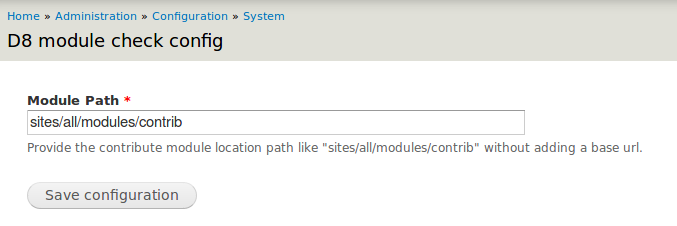

This project is not covered by Drupal’s security advisory policy.
Checking the availability of the Contributed Module for the Drupal8 manually is tedious. In order to simplify this process, we have developed a module to make it much easier. This module helps you get the version of the contributed Module available in Drupal8.
The report will give the version of the available module and "Not Available" status for the module does not have any contributed Module.
Installation Steps:
1.Download the current module
2.Enable the module as per Drupal procedure
3.Go to "admin>config>system" and click on
"D8 module check config". Then provide the file path of the Contributed Module location
4.Save the configuration changes
5.Go to "admin>config>system" and click on "D8 module availability report" menu.
6.The report will be generated.
About Author:
Suresh CJ, Innoppl Technologies Pvt. Ltd
Supporting organizations:
Suresh V
Project information
- Project categories: Developer tools
 2 sites report using this module
- Created by sureshcj on , updated
 This project is not covered by the security advisory policy.
Use at your own risk! It may have publicly disclosed vulnerabilities.

