


This project is not covered by Drupal’s security advisory policy.
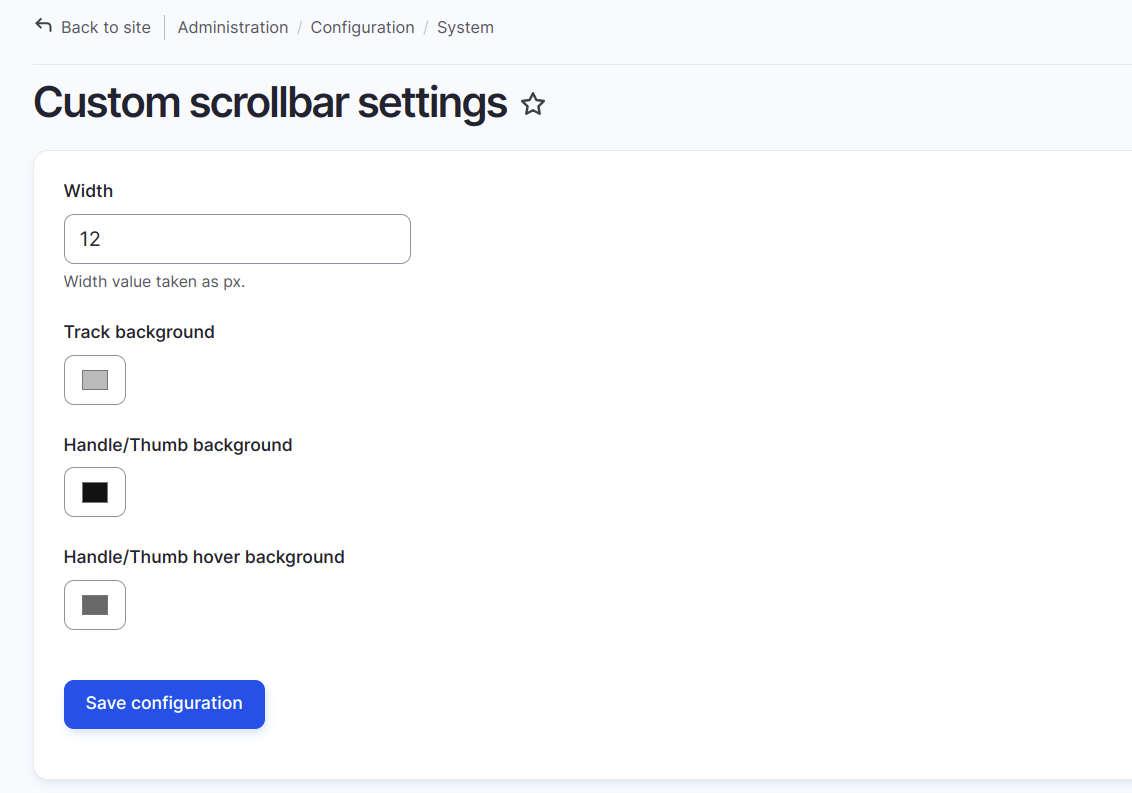
The Custom Scrollbar module allows site administrators to create a customizable scrollbar for their Drupal site. This module offers options to configure the width, track colour, thumb colour, and thumb hover colour of the scrollbar, enhancing the user experience and aligning with the site’s visual theme.
Features:
- Scrollbar Width: Set the scrollbar’s width in pixels, allowing for a slim or wide scrollbar as desired.
- Track Background colour: Customise the background colour of the scrollbar’s track.
- Thumb colour: Configure the colour of the scrollbar’s thumb (the Handle part).
- Thumb Hover colour: Define the thumb colour when users hover over it, adding interactivity to the scrollbar.
Installation & Configuration:
- Install and enable the Custom Scrollbar module.
- Navigate to Configuration > User Interface > Custom Scrollbar Settings.
- Adjust the scrollbar settings:
- Set the width of the scrollbar.
- Choose colors for the scrollbar track, thumb, and hover state.
- Save the settings to apply the customised scrollbar to your site.
Supporting organizations:
Project information
 Maintenance fixes only
Considered feature-complete by its maintainers.- Project categories: Site structure
- Created by sanket.addweb on , updated
 This project is not covered by the security advisory policy.
Use at your own risk! It may have publicly disclosed vulnerabilities.


