

 The 2026 Drupal Business Survey is open. Your response will help shape the future of the Drupal business ecosystem.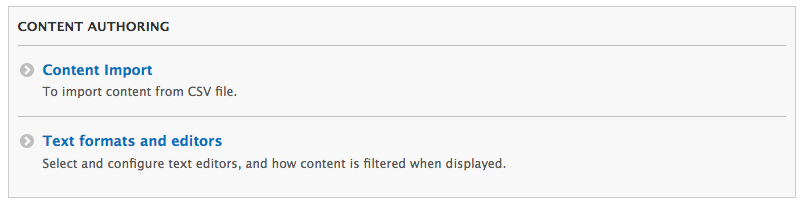


Content Import:
Content Import is a simple yet powerful Drupal module that allows administrators to import content directly from a CSV file.
It simplifies the content management process by enabling easy and efficient data import through a user-friendly interface.
After downloading and enabling the module from Drupal.org, administrators can seamlessly import both single-language and multilingual content.
- Goto the Admin > Configuration Page
- Under Content Authoring, click Content Import
- Select the content type that you need to import data, it will generate the sample CSV file and it will be available for you to download. Refer this CSV or fill this CSV. Upload the same CSV file which is ready to import
- Make sure the first row of the CSV file having machine name as columns. This is required to match the data with content type
- Add title and langcode column in CSV file if it is not listed in the content type machine name. These 2 are mandatory fields
- For Image type field, upload your images to /images folder and mention the image name in the column
- For Entity Reference (Taxonomy) field, put your data in order like vocabulary: term1,
term2, term3... . If the vocabulary/term is not exists it will automatically created - For Entity Reference field(Users) - put the user's email address comma separated. If the User is not exists it will create automatically.
- For Entity Reference field(Content) - put the title of the node colon separated Eg: title1:title2:title3
- Additionally this module supports Geolocation, Timestamp, Boolean, Date fields.
- Click on Import button. After Import, the page will be redirected to content page where nodes created from the imported file.
Note:
Supporting organizations:
Project information
- Project categories: Content display, Content editing experience, Import and export
 1,676 sites report using this module
- Created by dhayanandan_k on , updated
 Stable releases for this project are covered by the security advisory policy.
Look for the shield icon below.
Releases
10.0.0
released 17 March 2024
released 17 March 2024
Works with Drupal: ^8.7.7 || ^9 || ^10
Install:
Development version: 10.0.x-dev updated 8 Dec 2025 at 16:44 UTC


