

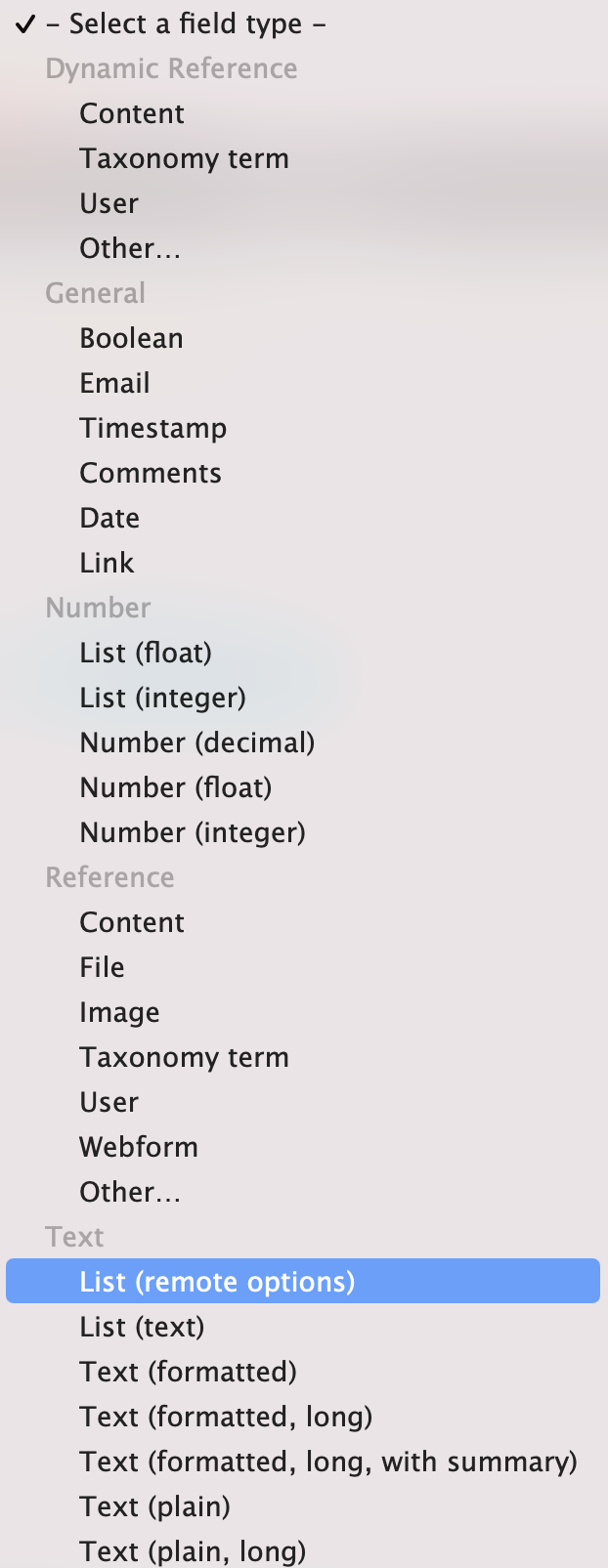
This module provides a new Select field type to be used in content entity types, the field type "List (remote options)", whose options are populated from an endpoint through REST services.
In order to use this module, you should follow these steps:
1. Enable Content Remote Options module;
2. Add field in a content entity type bundle;
3. Select "List (remote options)" and continue;
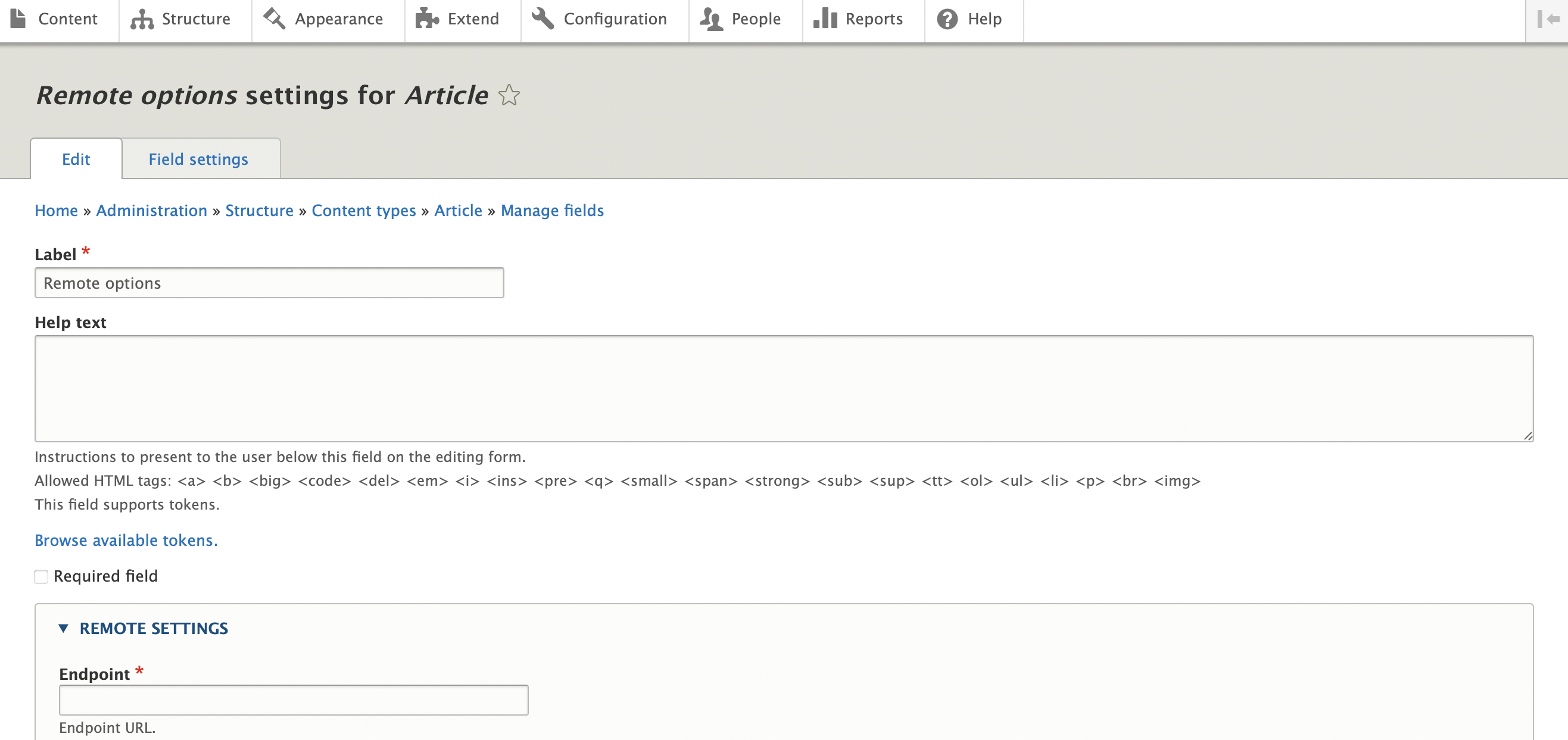
4. You have the following options:
Endpoint: Endpoint to get data to populate remote select element;
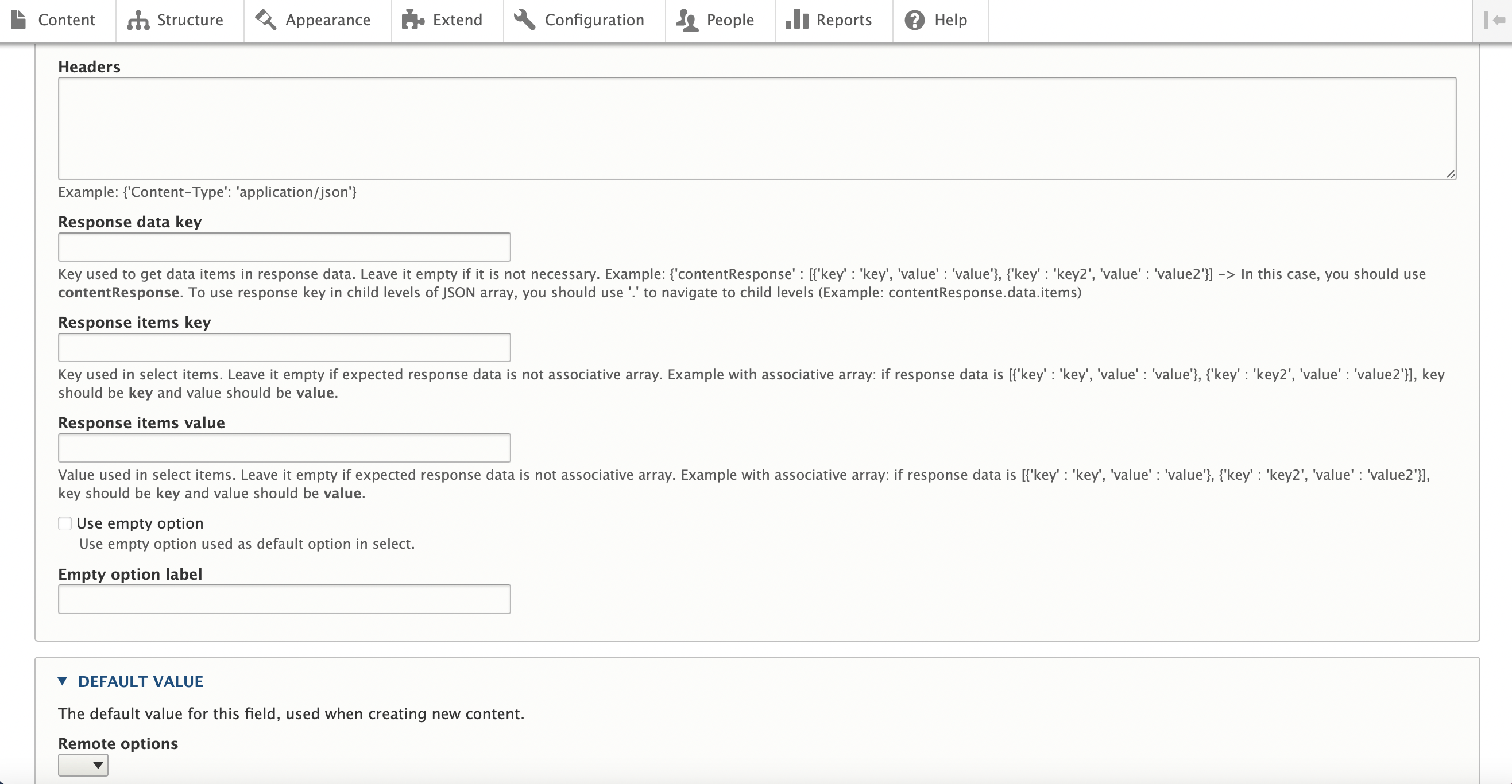
Headers: Optional field to use additional headers in request;
Response data key: Use specific key in response to get items;
Response items key: Response parameter used as key when populating select options;
Response items value: Response parameter used as label when populating select options;
Use empty option: Configuration to show/hide empty option;
Empty option label: Allows to override default empty option labels in forms ('-Select-' or '-None-');
Supporting organizations:
Project information
- Project categories: Administration tools, Content editing experience, Site structure
 11 sites report using this module
- Created by joaomarques736 on , updated
 Stable releases for this project are covered by the security advisory policy.
Look for the shield icon below.


