


This project is not covered by Drupal’s security advisory policy.
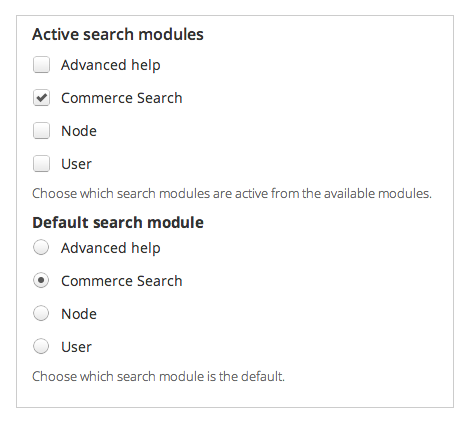
Commerce Search integrates Drupal Commerce and Drupal core's search.module to expose products as a search option alongside "Node" and "User" in the search settings form and search results.
This is useful to:
- integrate full text search of products into an existing node-based or Comerce Product-based Views module view, without needing to rebuild the view as a Search API Index-based view.
- enable product-only search without depending on Search API nor a Solr server.
Modules that use Search API and/or Solr are more powerful and flexible:
Commerce Search module, however, integrates with Drupal core's search.module, so it is easier to get running quickly, and integrate with node-based Views module views that would otherwise be difficult to create as or convert to Search API index-based Views module views.
Usage
- Install & enable just like any Drupal module
- Navigate to
admin/config/search/settings - Check "Commerce Search"
- Click "Save"
Configuration
This is optional, but recommended for better search indexing.
- Navigate to
admin/commerce/config/product-variation-types -
For each product variation type
- Click "Manage display"
- Click "Custom display settings"
- Check "Node: Search index"
- Click "Save"
- Click the "Node: Search index" tab
-
So that they do not get indexed it is recommended to:
- Hide the labels of all fields
- Hide the price field, or for multicurrency stores, configure it to show currency but not price
- Hide other fields that do not contain meaningful text strings or that should not be indexed
Project information
 Minimally maintained
Maintainers monitor issues, but fast responses are not guaranteed. 240 sites report using this module
- Created by Bevan on , updated
 This project is not covered by the security advisory policy.
Use at your own risk! It may have publicly disclosed vulnerabilities.

