

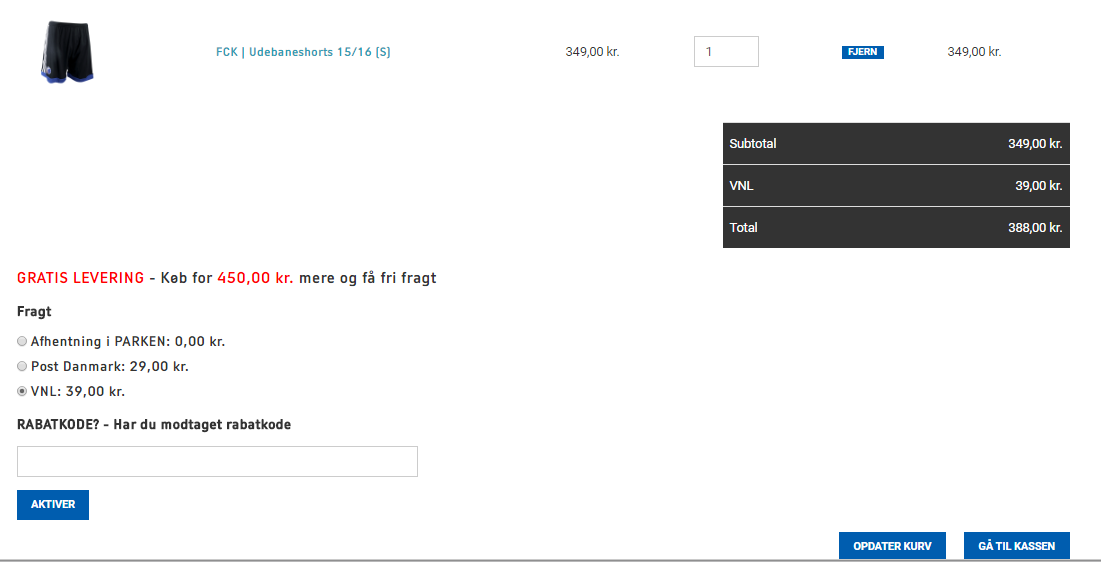
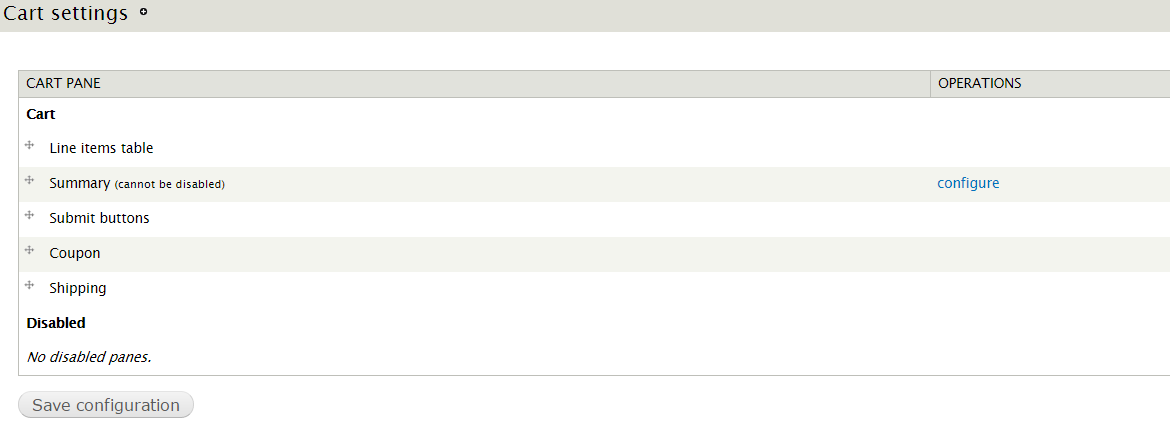
Addon for Drupal Commerce that allows to create and place the cart panes in the cart page.
Features
- Ability to organize and configure cart panes on Cart settings page like on Checkout settings page
- Module provides a hook that allows to create a custom cart panes programmatically (Read more in README file).
- Module works with default cart view
- Ability to add shipping/coupons to the order in the cart page.
Note that cart panes are not related to checkout panes provided by Drupal Commerce.
System cart panes
- Line items table
- Summary
- Submit buttons
Contrib cart panes
- Shipping pane (watch a video how to install & setup)
- Coupon pane (watch a video how to install & setup)
Installation & usage
- Install as usual.
- Install Shipping pane and Coupon pane modules from Commerce (Cart) package if needed
- Go to Store > Configuration > Cart settings (admin/commerce/config/cart)
- Activate and organize panes as you need.
- Note: If you use Shipping pane or Coupon pane it's good to see the changes in Summary table. But by default cart page shows only Subtotal label (sum of all product line items) as summary. In order to switch to full Summary table as it shows on checkout page go to Configure link in front of Summary pane and check a box. It will update a footer of cart view (can be done manually during view edit as well)
Project information
- Project categories: E-commerce
 84 sites report using this module
- Created by radamiel on , updated
 Stable releases for this project are covered by the security advisory policy.
There are currently no supported stable releases.

