

 Come together with the global Drupal community in Rotterdam, 28 Sept – 1 Oct 2026. Sessions, contribution, connection, and Early Bird savings until 8 June.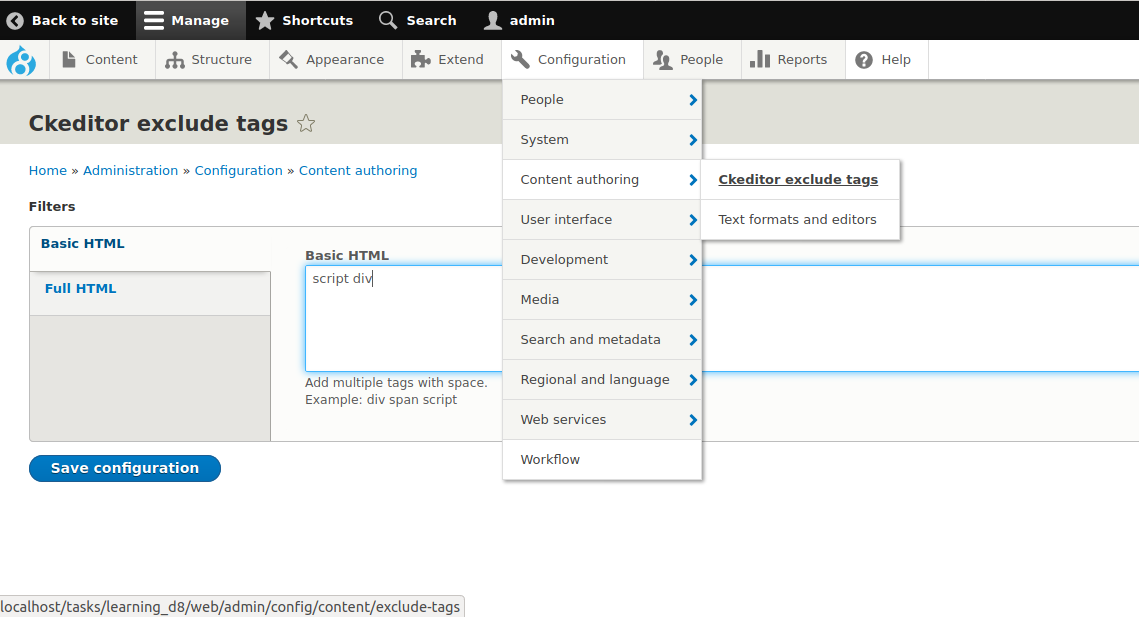
By default Drupal core provides "Limit allowed HTML tags" filter that will allow the user defined HTML tags only in the editor. This module provides reverse functionality. So it will allow all the tags except user defined tags in the configuration.
Limitation:
This module will filter the tags on client side only. This validation will happen when we toggle the source button in editor.
Example: We want to allow all tags except script tag in basic HTML. User will click the source button & adds few scripts. If they click source button again, it will remove the script tags. If they try to save the content before toggle, the script will be added to the content.
To avoid this issue, we will forcefully toggle the source button before the content save with js.
Ckeditor official documentation:
Disallowed Content: https://ckeditor.com/docs/ckeditor4/latest/guide/dev_disallowed_content.html
Supporting organizations:
Project information
- Project categories: Content display, Content editing experience
- Ecosystem: Drupal core
 208 sites report using this module
- Created by ameer khan on , updated
 Stable releases for this project are covered by the security advisory policy.
Look for the shield icon below.

