

 Come together with the global Drupal community in Rotterdam, 28 Sept – 1 Oct 2026. Sessions, contribution, connection, and Early Bird savings until 8 June.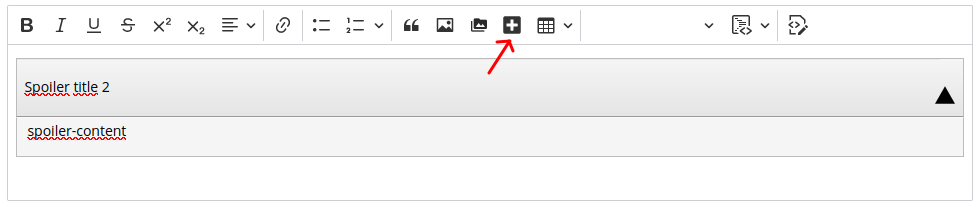
Adds the spoiler functionality to CKEditor 5. The new spoiler plugin is compatible with CKEditor 4 spoiler plugin
How to use
1. Navigate to Administration > Extend and enable the module.
2. Navigate to Administration > Configure > Content > Formats.
3. Edit your text format and add Spoiler button to CKEditor toolbar.
4. Enable "spoiler support" filter.
5. Save configuration.
Dependencies
CKEditor 5 - core
Project information
- Project categories: Content display, Content editing experience
 49 sites report using this module
- Created by ivnish on , updated
 Stable releases for this project are covered by the security advisory policy.
Look for the shield icon below.

