This is more a question than an actual problem, sorry if this is the wrong place for it.
Anyway, I know I must be doing something that is not quite correct in my setup to get this to work.
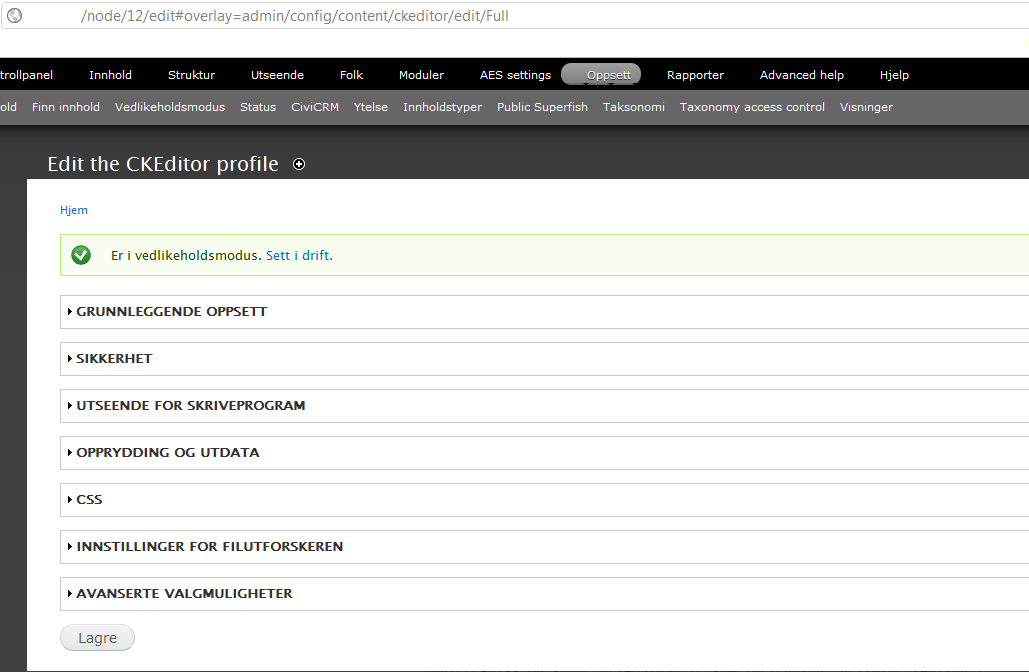
The module works perfectly when ckeditor is placed in the sites/all/modules/ckeditor/ckeditor folder, BUT, when trying to use the sites/all/libraries/ckeditor folder, it collapses. What happens then is that it all looks ok in status page etc, but I cannot do anything to my profiles (full, advanced). The usual links are not there, only "black" headings. The editor is also hidden in all text fields where it should've been showing (I can find it in the html using firebug, but it's got a style="visibility:hidden" tag all of a sudden... Probably because the editor isn't properly implemented)
How can I fix this? I've already been through the README that accompanies this module, but it doesn't seem that the troubleshooting gives an answer that works for me. Anyone else seen this problem? (I'm using the 3.6.2 version of the editor)
I've also tried disabling, deinstalling, completely removing all tables in database, then reinstalling the module, but it did not work either. :S
Appreciate any help!


Comments
Comment #1
dczepierga commentedHi,
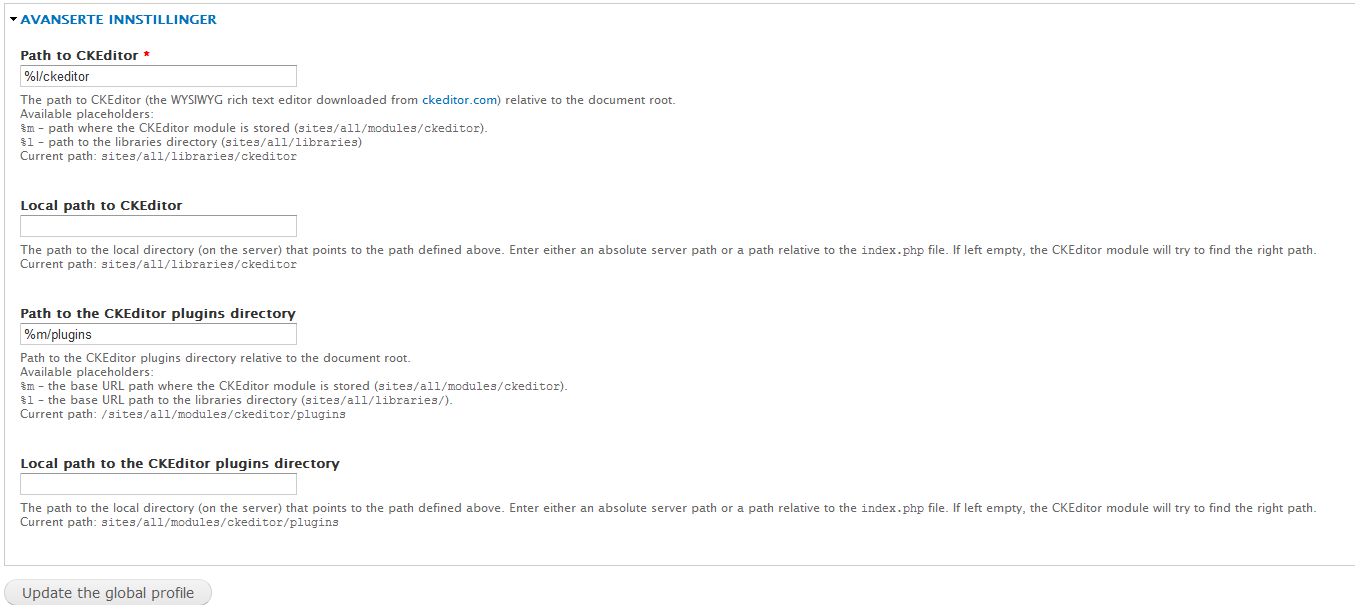
Go to Configuration -> CKEditor -> CKEditor Global Profile and change there "Path to CKEditor" to
%l/ckeditor.Save profile and everything should works.
After change this pls write does it help or not.
Greetings
Comment #2
Vandalf commentedHello dczepierga,
I've tried that actually. Tried it again now, but still no luck.
I think I've tried all possible combinations for the global settings, but I think that that one should be the correct one for "Path to CKEditor". The "Path to the CKEditor plugins directory" should be %m/plugins if I haven't completely misunderstood the explanation beneath, right?
I tried to follow the README point by point, so I think that the setup should be correct, but obviously: something is still wrong :)
Also, it cannot be completely wrong, as the "Status page" (admin/reports/status) finds the version number of the CKEditor?
Thanks for helping! :)
Comment #3
Vandalf commentedI've attached a couple of screenshots showing the Full HTML settings page which doesn't give links to edit settings (cannot expand the menus), and of how the Global Settings is configured.
I'm sorry, but my site is in Norwegian, so the screenshots are displaying partially Norwegian text and partially English text. However, I think that they should show the setup I've currently got in any case.
Thanks again! :)
Comment #4
dczepierga commentedDo u have any errors in Firebug (Firefox addon)?
Greetings
Comment #5
CCSJ commented(UPDATE -> I got it working by purging & clean reinstall of latest versions. So you can ignore my 3 posts...)
Hiya, I'm having the same issue.
I was updating a fairly old site (1 year? since updates) & just updated ckeditor to the current latest release (via drush).
I then downloaded the ckeditor component via 'drush ckeditor-download' and now it's in /sites/all/libraries/ckeditor (as expected).
However, suddenly it's stopped showing up.
I'm however using Drupal 6.22 & the latest ckeditor module (1.8) & ckeditor component (3.6.2 - as shown on Drupal status page, in green) (i.e. latest everything)
I can also see: style="display: none;" to the hidden editor (in Google Chromium Developer Tools)
So, need any info / testing? Let me know.
Comment #6
CCSJ commentedUPDATE -> I'm having a *similar* issue, not exactly the same as the opening poster
Differences:
1. I'm using Drupal 6.22 (not D7)
2. I've also tried placing the ckeditor component in the sites/default/modules/ckeditor/ckeditor (& deleted from /sites/all/libraries) like he has, but it was not working for me (but seems to be working for him)
3. Opening poster states that the usual links to edit settings for full, advanced profiles are not there, only "black" (blank?) headings. However for me they are there & editable.
Other symptoms seem to be the same:
1. Editor not showing up
2. Status page shows everything okay
3. Same version of ckeditor component (3.6.2)
Also, sorry for high-jacking this issue - I just thought the symptoms were very similar, occurring on very recent versions of ckeditor for both of us.
Comment #7
CCSJ commented(I've got it working via clean reinstall)
Longer version:
Okay, I tried many different versions of ckeditor & it's drupal module, but it just won't work.
I've then found the exact version of ckeditor & module from a live backup mirror that worked before I updated to latest.
It was ckeditor-6.x-1.4 & ckeditor 3.5.3.
I've then tried to install those exact versions, but it still would not work.
So, I completely uninstalled & deleted ckeditor (lib) & ckeditor-module to reinstall with a clean slate.
I've now fresh installed the latest version of ckeditor module (6.x-1.8) & library (3.6.2) (both via drush) & it's working!
That update 'jump' of multiple versions may have messed something up...? (my fault for being to hasty)
Anyway, it's working for me.
O_o
Comment #8
dczepierga commentedHmmm it could sth go wrong... i will try to check this by update from old version to newest and write result of my test.
Realy thx for your review.
Greeting
Comment #9
Vandalf commentedOk, it now works! :)
I'm not sure what actually fixed this, but after my webhost downgraded svn from version 1.6.17 to 1.6.11, at least the drush command "drush ckeditor-download" worked again (which it didn't initially). And for some reason, after this was done, also putting ckeditor into libraries worked!
So, I'm all happy again after a couple of weeks with frustration, but I'm sorry that I cannot pinpoint the exact solution as it wasn't me that found this one out, but my webhost.
However, it may be a clue that this could have something to do with the neon library. Quite possibly someone knows more about this than I do.... :)
Thanks again for a great module (that now works with drush and libraries, also for me:) )!!
Comment #10
mkesicki commented