

Closed (fixed)
Project:
CKEditor 4 - WYSIWYG HTML editor
Version:
7.x-1.0
Component:
User interface
Priority:
Normal
Category:
Support request
Assigned:
Reporter:
Created:
27 Jan 2011 at 09:27 UTC
Updated:
10 Feb 2011 at 17:10 UTC
Jump to comment: Most recent file

Comments
Comment #1
jcisio commentedWhat did you do, exactly?
Comment #2
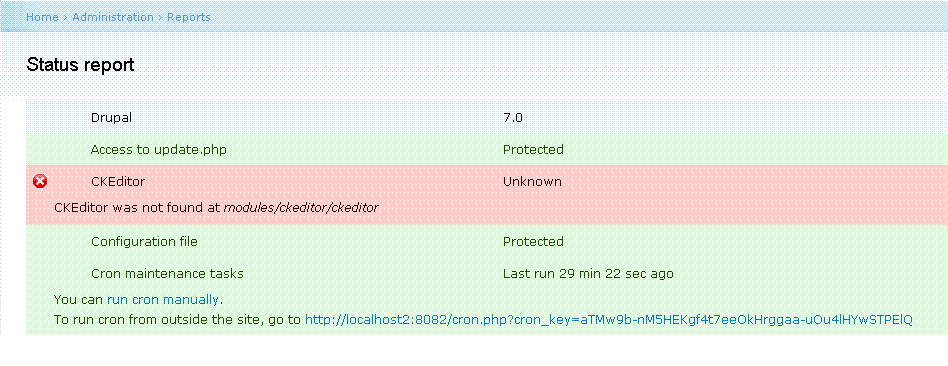
johacami commentedCKEditor does not showup, the report status of Drupal 7 shows the error message: CKEditor was not found at modules/ckeditor/ckeditor.
Comment #3
jcisio commentedMy question was what did you mean by "have followed all instructions available".
Comment #4
johacami commentedOh sorry, I did the following according to the readme.txt and other suggestions on the ckeditor.com site:
1.- Copy downloaded module from Drupal on /modules/ckeditor
2.- Download latest version from ckeditor.com and copy to /modules/ckeditor/ckeditor
3.- Clear Cache and enable module again
4.- Disable some modules since it might be incompatible with some others.
5.- Make sure certain files are located on the folders required
Those are pretty much all the suggestions available that I have tried so far. Attached, screen shot of the error msg.
Comment #5
johacami commentedSOLVED:
My bad, I have 2 Drupals folders, I was doing the changes on the wrong one. My apologies :( Thanks for the help though......
Comment #6
jcisio commentedFollow carefully the instruction in README.txt:
Comment #7
jcisio commented