




This project is not covered by Drupal’s security advisory policy.
This module lets you expose rasa NLU,rasa core response for Drupal 8.
You can use this module as a foundation for building interface for conversational AI in-house .
Following are the features :
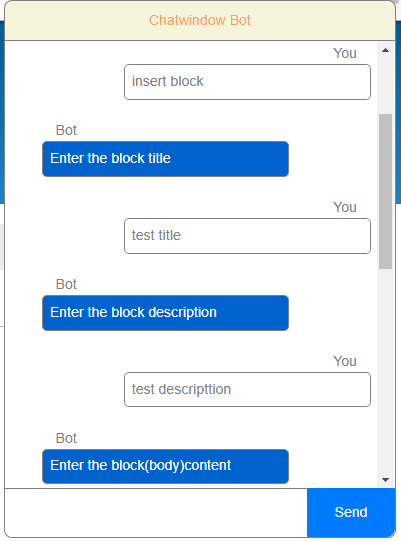
1) Adding block
2) Image cropping using OpenCV . CNN (Convolutional Neural Network) based face detection
3) Adding node to a section (based on Taxonomy reference field)
For image cropping to work properly the value of number_of_times_to_upsample has to be increased in imagecrop.py. Currently the value is one. 4 GB of RAM supports number_of_times_to_upsample to be 1 and face detection does not work properly for smaller images.
OpenCV is tested with python3.4. For steps to install OpenCV on ubuntu check the url https://www.pyimagesearch.com/2018/09/19/pip-install-opencv/
For ease of development, it includes the weatherbot from https://github.com/JustinaPetr/Weatherbot_Tutorial. The bot was checked with python 3.6.
For details on working with rasa check https://rasa.com/ ,https://github.com/JustinaPetr/Weatherbot_Tutorial and https://vimeo.com/254777331
Required Rasa version
Rasa NLU : 0.14
Rasa Core : 0.13
Steps :
1) Once the module is installed add the block Creates a chat window for the pages to show chat icon
2) For chat to be displayed properly Bootstrap 4 CSS is required.
3) Set the configuration in /admin/structure/chatwindow/settings
4) unzip the weatherbot.zip
5) Set the OpenCV configuration , drupal installation path and and access token in generalconfig.py
6) Make sure your are in the path weatherbot/Full_Code_latest .Start the action server python3.6 -m rasa_core_sdk.endpoint --actions actions
7) Start the rasa http server using the command python3.6 run_app.py
8) Change the Rasa http Url in admin/structure/chatwindow/settings
to http://localhost:5004/webhooks/rest/webhook
Examples for adding to section:
1) <h1 class="cwsection" cwsectionfieldname="field_article_tags" cwsectionfieldvalue="4621" cwsectiontitle="Carousel"> </h1>
2) <div class="cwsection" cwsectionfieldname="field_selecttags" cwsectionfieldvalue="4620" cwsectiontitle="Bottom List"></div>
The section Carousel and Bottom List will be shown as per the above format. On selecting Carousel the field field_article_tags will be added with the taxonomy id 4621.
Project information
 Seeking new maintainer
The current maintainers are looking for new people to take ownership.- Created by nvinayvinay on , updated
 This project is not covered by the security advisory policy.
Use at your own risk! It may have publicly disclosed vulnerabilities.

