



This project is not covered by Drupal’s security advisory policy.
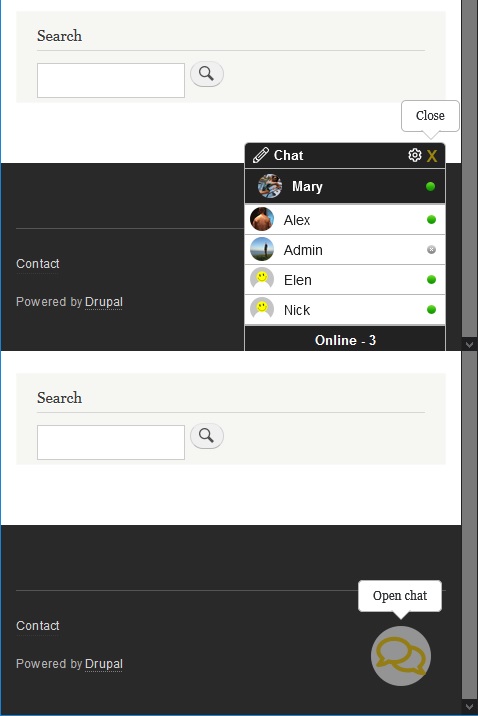
Chat NodeJS is a Drupal module of the Chat. As a backend used asynchronous non-blocking NodeJS technology. Therefore, chat is completely interactive and any change in its user interface immediately visible in the browser.
Module Chat NodeJS can provide an excellent way of communication for the registered users of your WEB-site. The users are able communicate to each other and/or WEB-site administration privately in a real time mode. Chat NodeJS could serve as useful component of the typical blogs, thematiс forums and social networks. Module Chat NodeJS is a great opportunity for the online commerce WEB-resources to provide support of their products and/or services thus increasing effectiveness of any online business.
FEATURES
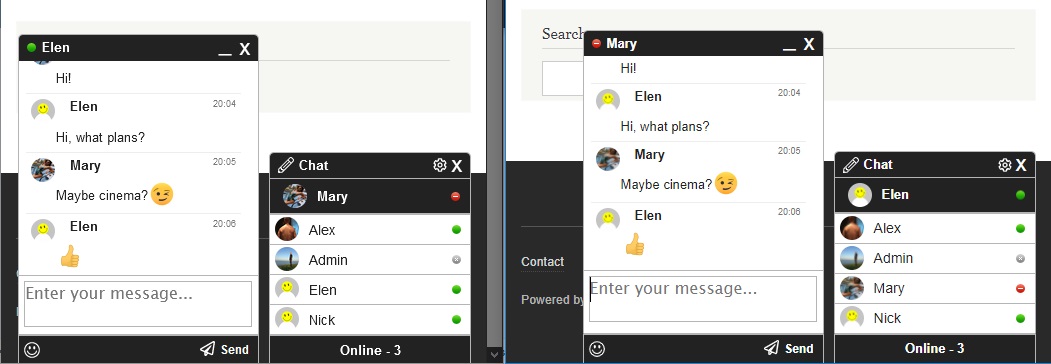
- Private chat with any registered user
- Message history is stored in the database. Therefore, user can review it just scrolling up the chat window.
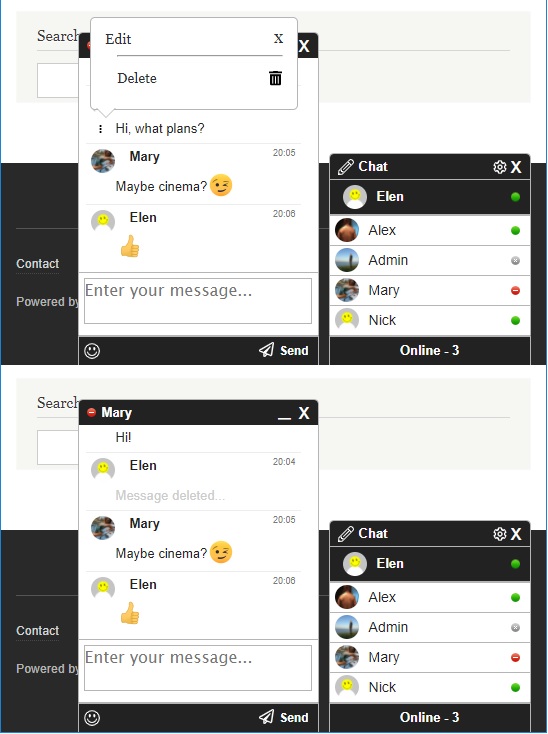
- Any own message can be deleted.
- The main chat window with the list of users allows standard operations such as open or close.
- Chat with the chosen user can be either minimized or maximized.
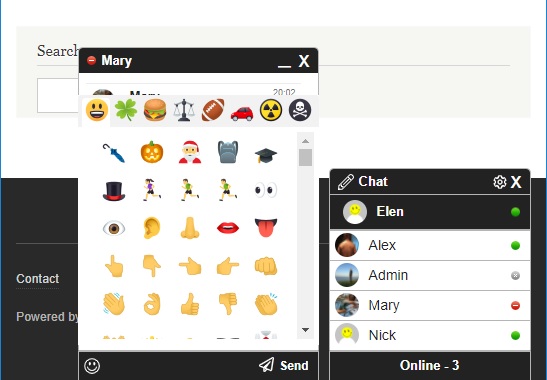
- Standard Emoji list support.
- Authenticated user can switch own status in the chat online/busy.
- If user is deleted from the WEB-site, it is automatically deleted from the all chat activities.
- Sent and received message is accompanied by the appropriate sound. Sound notifications can be switched off using settings of the main chat window.
- If chat is opened in more than one browser window blinking title notification will attract attention of the user with the appropriate message
REQUIREMENTS
This module requires "Node.js integration" Drupal module for the functioning.
INSTALLATION
- Install the Node.js integration module and setup accordingly to the instructions.
- Copy file chat_nodejs.server.extension.js from the "chat_nodejs/js/chat_nodejs.server" module folder to "node_modules/drupal-node.js/extensions" folder.
- Configure node.config.js in the "node_modules/drupal-node.js/" folder to load the chat_nodejs.server.extension.
- Install the Chat NodeJS module as you would normally install a contributed Drupal module. Visit https://www.drupal.org/node/1897420 for further information.
- Run app.js in the "node_modules/drupal-node.js" folder.
CONFIGURATION
- Configure permissions "access chat nodejs". Navigate to Administration » People » Permissions
- Choose the default notification sound state and adjust the chat visibility. Navigate to Administration > Configuration > Web services >Configure Chat NodeJS
Project information
 Maintenance fixes only
Considered feature-complete by its maintainers.- Created by Engineer_UA on , updated
 This project is not covered by the security advisory policy.
Use at your own risk! It may have publicly disclosed vulnerabilities.

