



This module allows Drupal developers to run custom migrations in a batch/queue system by creating migration plugin classes. It is inspired by the Drupal core Migrate module. Queueing and batching are useful for migrations for the following reasons:
- Batching allows large amounts of data to be processed in small chunks to reduce load on system memory. This allows for better performance and scalability.
- Queueing allows tasks to be completed the next time cron runs. Similar to batching, this helps reduce the load on server resources. It will also run during cron, which can help with performance. Read more about cron for more info.
Getting Started
After installing the Batch Import module, a custom module should be created. Migration classes should be placed in /my_module/src/Plugin/batch_import/Migrations/ and extend the Drupal\batch_import\Plugin\BatchMigrationBase class. Class comments should follow plugin annotations for the BatchMigration plugin.
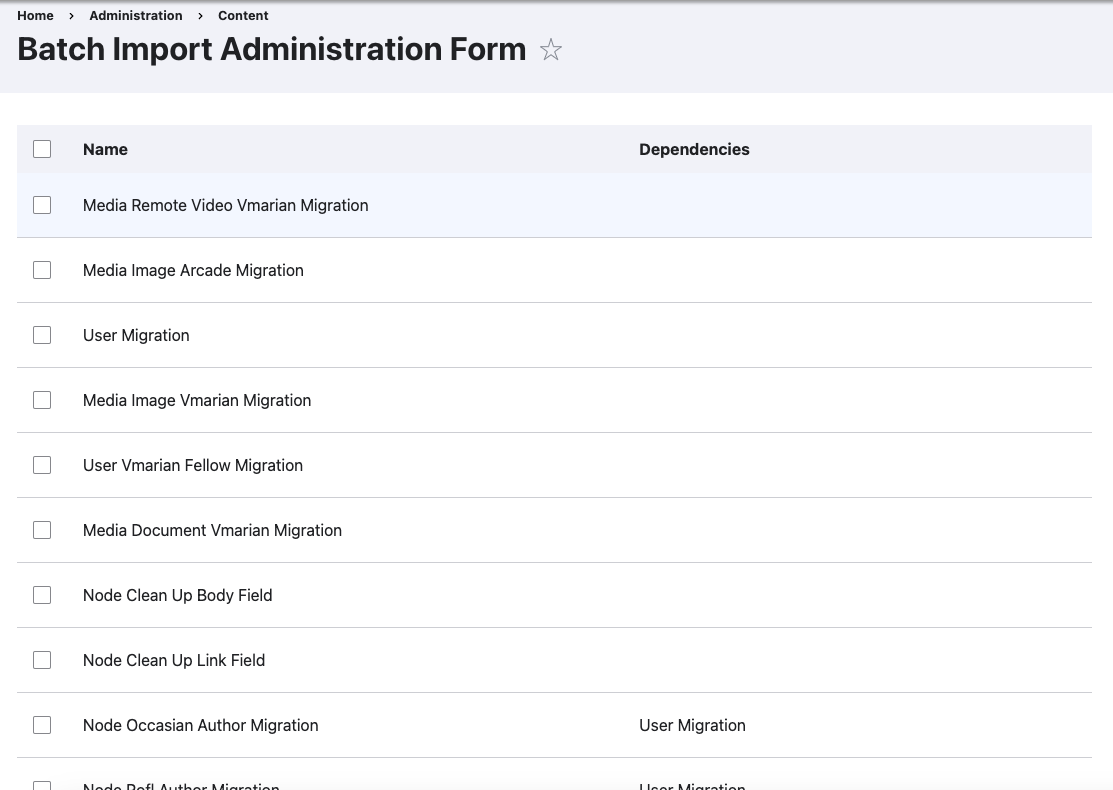
After creating a migration class, it will appear on the Batch Import form. This can be found by going to Content -> Batch Import Administration (/admin/content/batch-import).
Classes
- BatchMigration - The base migration plugin. Runs a migration job. The source() and destination() methods should both be overridden.
- BatchMigrationProcessor - Another plugin, useful for processing data in between source and destination. EntityMigrationProcessor is the most common, useful for preloading or creating entities before the destination method is run.
- MigrationService - Not a plugin, but classes that extend MigrationServiceBase are useful for any code that is shared between migrations. Some will be automatically injected into migration class instances.
This module does require php programming, so it is recommended for intermediate to advanced developers. Read README file for more detailed instructions on usage.
Project information
- Project categories: Import and export
 14 sites report using this module
- Created by kelly.m.jacobs on , updated
 Stable releases for this project are covered by the security advisory policy.
Look for the shield icon below.


