


This project is not covered by Drupal’s security advisory policy.
Too many times I am working between Local, Dev, Stage, and Production. Many times I find myself making changes to the wrong site. As they are they look identical. The only way to distinguish them apart is to take the time to look at the url. (I have gotten burned one too many times.
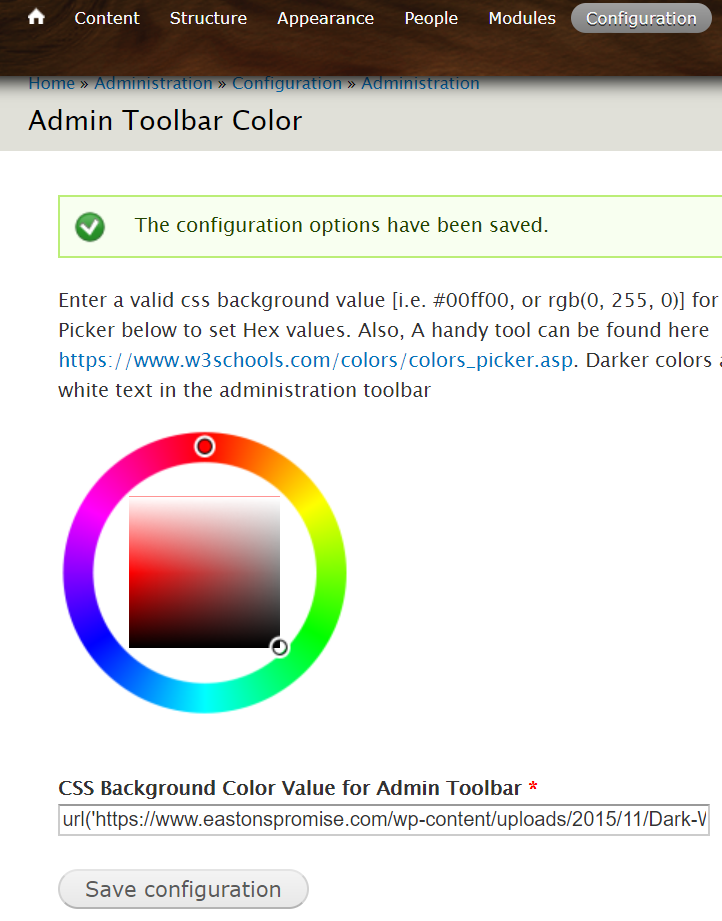
This module is meant to make the sites visibly different by changing the color of the administration toolbar. Have development green, staging blue and production Red (or whatever combination keeps you from making the mistakes of my past. This way a quick glance at the top of your page tells you what server you are actually on.
OK!, it is just cool to change to something else other that black admin toolbar color!
Dependencies
------------
None other than the administration toolbar. Even if the tool bar for some reason is not present, this module is not 'dependent' on another and will not cause harm to a site other than add some inline css.
Installation
------------
Installing the Administration Toolbar Color module is simple:
1) Copy the at_color folder to the modules folder in your installation.
2) Enable the module using Administer -> Modules (/admin/build/modules)
Documentation
-------------
* Documentation is currently being written and will be posted on d.o soon.
Project information
- Project categories: Administration tools
 2 sites report using this module
- Created by cprofessionals on , updated
 This project is not covered by the security advisory policy.
Use at your own risk! It may have publicly disclosed vulnerabilities.

