

 Come together with the global Drupal community in Rotterdam, 28 Sept – 1 Oct 2026. Sessions, contribution, connection, and Early Bird savings until 8 June.


This project is not covered by Drupal’s security advisory policy.
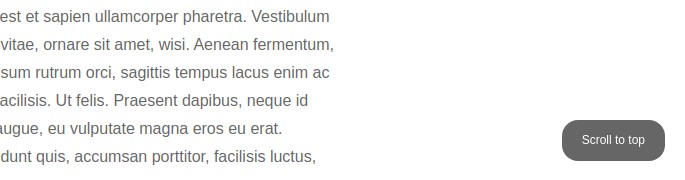
Scroll to top - Back to top - Scroll back to top, provides 4 different styles with customizable options through JS.
Available designs
- Image (Default)
- Tab
- Pill
- Link
Installation
Install the module as usual, there are no configurations. Scroll to top image button will be added to all the pages.
Customisation
To modify the default options, destroy the default option set with the below code in your custom JS file. This code is example to change the style from image to Tab (see scrollClass property).
(function ($, Drupal) {

  $(document).ready(function () {

    $.scrollUp.destroy(); // Destroy other options

    // New settings
    $.scrollUp({
        scrollName: 'scrollUp',      // Element ID - Give any ID
        scrollClass: 'scroll-up-tab', // Element class
        scrollDistance: 300,         // Distance from top/bottom before showing element (px)
        scrollFrom: 'top',           // 'top' or 'bottom'
        scrollSpeed: 300,            // Speed back to top (ms)
        easingType: 'linear',        // Scroll to top easing (see http://easings.net/)
        animation: 'fade',           // Fade, slide, none
        animationSpeed: 200,         // Animation speed (ms)
        scrollTrigger: false,        // Set a custom triggering element. Can be an HTML string or jQuery object
        scrollTarget: false,         // Set a custom target element for scrolling to. Can be element or number
        scrollText: 'Scroll to Top',              // Text for element, can contain HTML
        scrollTitle: false,          // Set a custom <a> title if required.
        scrollImg: false,            // Set true to use image
        activeOverlay: false,        // Set CSS color to display scrollUp active point, e.g '#00FFFF'
        zIndex: 2147483647           // Z-Index for the overlay
    });

  });


})(jQuery, Drupal);
Available Scroll classes
Replace the scrollClass in above code to modify the style.
scrollClass: 'scroll-up-image',
scrollClass: 'scroll-up-tab',
scrollClass: 'scroll-up-pill',
scrollClass: 'scroll-up-link',
Supporting organizations:
Project information
 Minimally maintained
Maintainers monitor issues, but fast responses are not guaranteed.- Maintenance fixes only
Considered feature-complete by its maintainers. - Project categories: Media
 69 sites report using this module
- Created by abdul_azeez_drusys on , updated
 This project is not covered by the security advisory policy.
Use at your own risk! It may have publicly disclosed vulnerabilities.

