

 The 2026 Drupal Business Survey is open. Your response will help shape the future of the Drupal business ecosystem.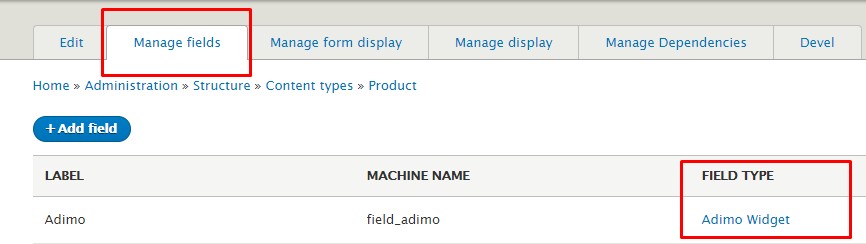

------------------------
Adimo
------------------------
Adimo’s goal is to make marketing useful by making it shoppable. Through Adimo integration,offer frictionless eCommerce solutions for brands, publishers and retailers.
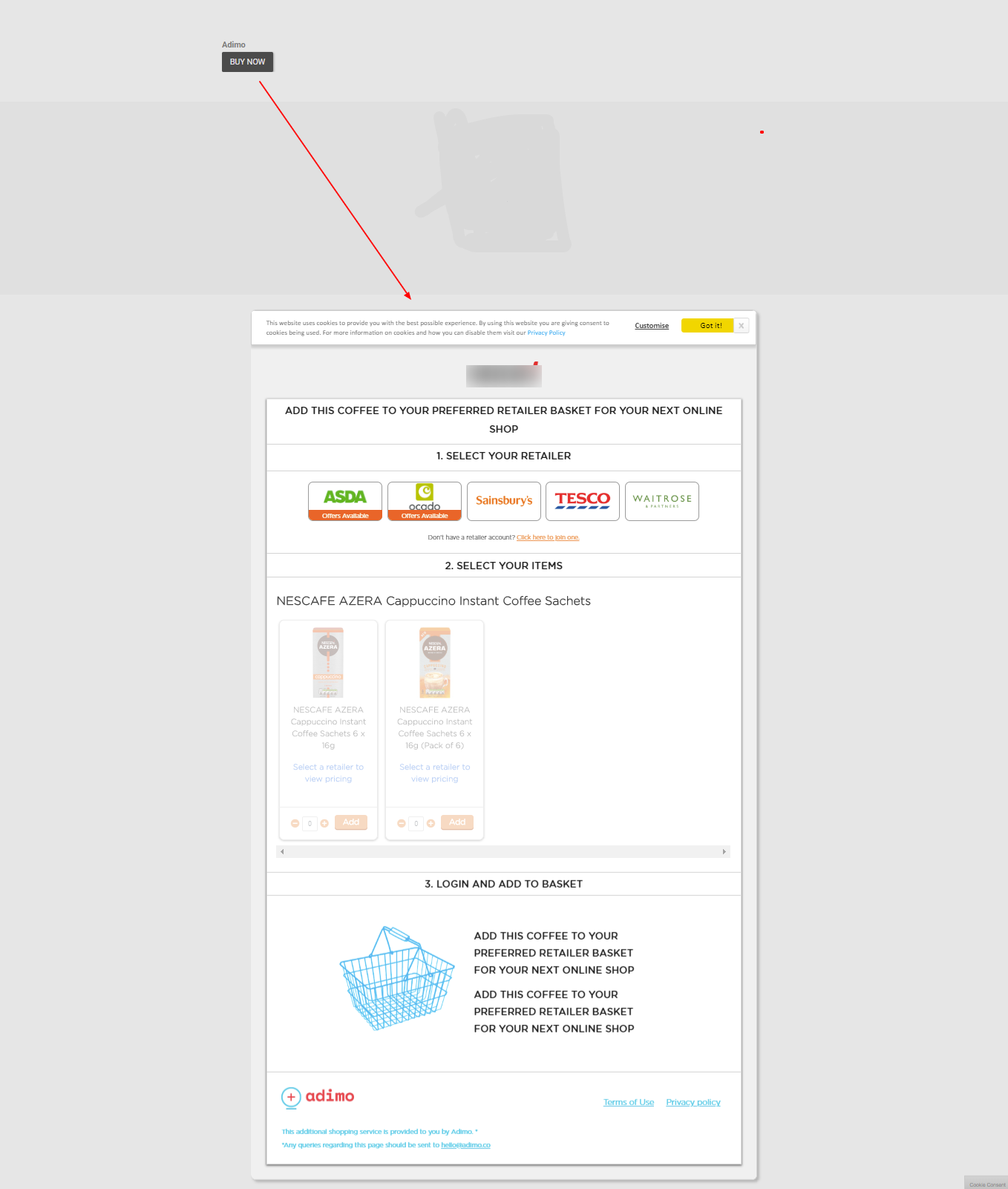
This module creates a new field type that allows you to setup adimo where to buy button in any type of entity. It's llows us to guide shoppers to your products and follow them along every step of the purchasing funnel.
It’s one of the most sophisticated and effective marketing solution for product.
Install & set up the Adimo Connector Drupal module, as described below.
Installation
------------
1) Download the module and place it with other contributed modules
(e.g. modules/contrib).
2) Enable the Adimo module on the Modules list page.
3) Go to any content type and add the Adimo Widget field.
4) Go to that Node type page under creating a node form.
5) Fill the required detail and save the Node. The landing page should reflect
Adimo Integration.
Set up Adimo
------------
1) Visit the Adimo website at https://www.adimo.co/
2) Logged in with admio account at https://campaigns.adimo.co/my-account/
3) Add your products in to Adimo portal.
4) Configure all buy or vendor options for buying same product.
5) Generate product id to use any of the adimo connector.
Extend
-------
- Hook_theme_hook_alter for extending default template of Adimo.
- Override default css libraries to change default UI/UX.
Supporting organizations:
Project information
- Project categories: E-commerce, Content editing experience
 61 sites report using this module
- Created by shamsher_alam on , updated
 Stable releases for this project are covered by the security advisory policy.
There are currently no supported stable releases.


