Hi,
could you please help me? Below you can find step-by-step what I did.
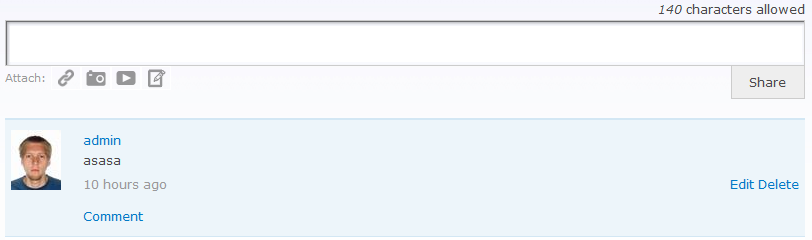
First of all I downloaded activity log and facebook style status module. On first picture you can see fbss block inside created organic group. It is possible to share comments, but I don't know how to log this information in view of the activiy log stream. I created triggered rule with action "Log Activity" see on next screens(3th, 4th screen). On 5th screen you can find view of the module. I did not change the view. Finally, I attached screens with administration of the activity log module. After the trigger had been added it was displayed inside the administration, more precisely under "Events to trigger" label, see 7th screen.
Could you please give me a detailed information (step-by-step) on what should I change to make it work properly?
Thanks for help.
BR
Lukas P.


Comments
Comment #1
icecreamyou commentedAll you need to do for status messages to show up in activity streams for groups is:
The modules will automatically take care of everything else.
If you install Activity Log before FBSS you may need to refresh caches so that Rules knows there are more default Rules available. If you have changed anything at admin/settings/facebook_status/contexts you may need to manually change the view for the Organic Groups context to "activity_log_stream."
The "Log Activity" rule you created operates when a user comments on a status, not when a user creates a new status message.
Comment #2
darkslide-1 commentedHi,
thanks for reply. I have enabled all needed modules(fbss,activity_log) and also the block is put on group page, but the activity message has not been displayed on activity stream page. Please see attached screen regarding context of fbss. Is the setting of the module set up correctly?
Could you please send me a screen with the rule and view of activity log stream?
Thanks a lot for help.
BR
Lukas P.
Comment #3
icecreamyou commentedThe rules are provided by default and no changes are necessary.
Your problem is that you have the contexts in the wrong order. You have the "General" context with higher precedence than the Organic Groups context, and the "General" context applies everywhere, so the Organic Groups context never gets used. You should not use the "General" context unless you know what you're doing as it overrides everything. Usually it should be placed last so that it has the lowest priority.
Comment #4.0
(not verified) commentedname of the module has been changed to correct one