


Active Cache provides a cache plugin system that will rebuild invalidated caches upon page termination (triggered after the HTML data was sent to the client).
FAQ
Question: Can this module work with pre-existing caches?
Answer: For the Active Cache module to work with some data, the caching of said data must be done by the ActiveCache plugin.
--------
Question: When does the invalidated cached data being recreated?
Answer: After an ActiveCache cached data is invalidated, the data will be recreated after the next page request ends.
That means that if it was invalidated as part of a page request, the data will be recreated before the following request.
--------
Question: Does the rebuilding of invalidated cached data slow the page load?
Answer: Because the rebuilding process starts after the page data was already served, it does not affect the performance of the served page.
However, long processes might still slow overall server performance.
--------
Question: How does this module rebuild the cache after the page was served?
Answer: The Active Cache module is subscribed to the `kernel.terminate` event that is fired at that time.
How to
Create an ActiveCache plugin
1. Create a new class for the ActiveCache plugin (e.g. \Drupal\your_module_name\Plugin\ActiveCache\YourPluginName)
2. The new class must be prefixed with a @ActiveCache. The cache_tags property is optional but recommended nonetheless.
    /**
     * @ActiveCache(
     *   id = "your_plugin_id",
     *   label = "Your Plugin Label",
     *   cache_id = "optional_cache_id",
     *   cache_bin = "optional_cache_bin_id",
     *   cache_tags = {"optional", "cache", "tags", "array"},
     *   cache_contexts = {"optional", "cache", "contexts", "array"},
     * )
     */
3. The new class must also implement the \Drupal\active_cache\Plugin\ActiveCacheInterface, thought it is recommended
to extend the \Drupal\active_cache\Plugin\ActiveCacheBase instead (this is assumed to be the case for the example).
    class YourPluginName extends Drupal\active_cache\Plugin\ActiveCacheBase {
      //...
    }
4. Finally the new class needs to contain the buildData method that is declared in ActiveCacheBase
    protected function buildData {
      $data = [];
      //...
      return $data;
    }
Access an ActiveCache instance
    $active_cache = \Drupal::service('plugin.manager.active_cache')->getInstance(['id' => 'your_plugin_id']);
    $active_cache->getData(); // This will return the data (cache is tried first).
    $active_cache->buildCache(); // This will build the data, cache and return it.
    $active_cache->isCached(); // Used to determine if the data can be found in the specified cache bin.
Example
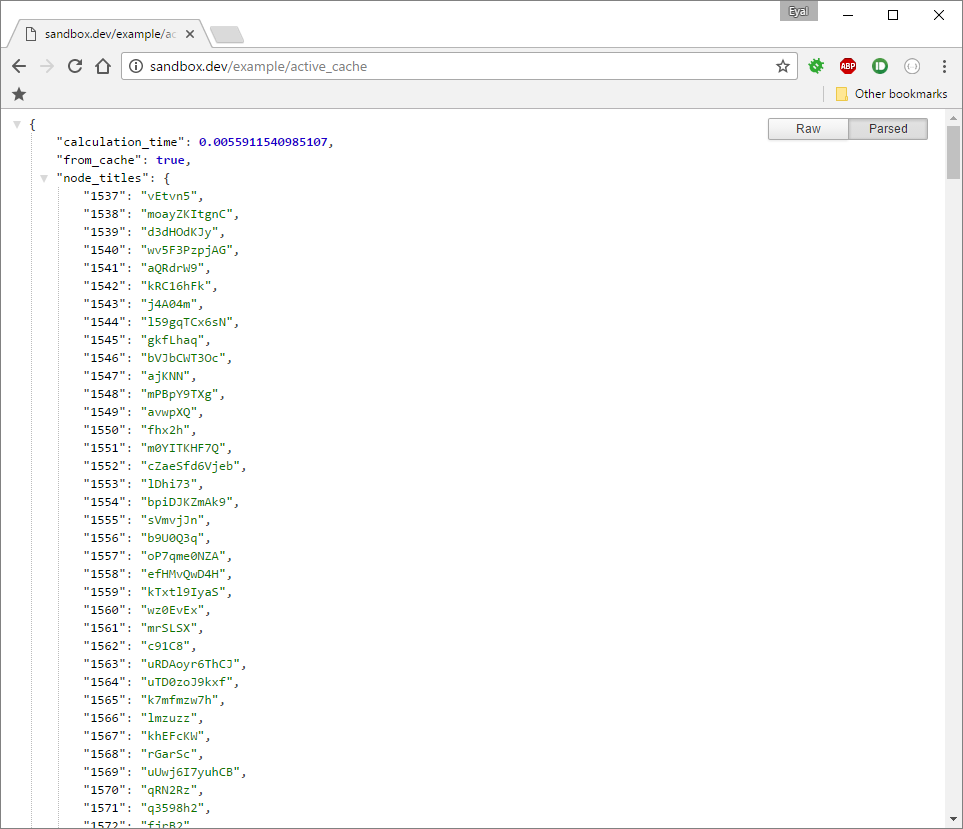
The Active Cache Example module provides a working example of caching a list of all the node titles of a specific type. It also provides a json route that displays the time it took to process the result and if it was retrieved from cache.
Not cached result

Cached result

Project information
 Seeking new maintainer
The current maintainers are looking for new people to take ownership.- Project categories: Developer tools
- Created by eyal shalev on , updated
 Stable releases for this project are covered by the security advisory policy.
There are currently no supported stable releases.

