

Closed (fixed)
Project:
MediaFront
Version:
6.x-1.x-dev
Component:
Miscellaneous
Priority:
Critical
Category:
Support request
Assigned:
Unassigned
Reporter:
Created:
15 Jun 2010 at 15:09 UTC
Updated:
25 Jun 2010 at 18:26 UTC
Jump to comment: Most recent file



Comments
Comment #1
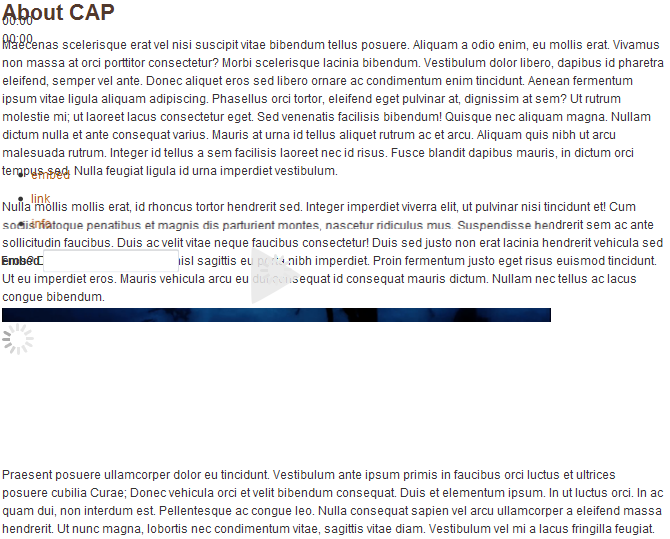
almalino commenteddid you test it with Firefox? Your link doesn't work at all for me! Look at the screenshots.
It is the same isue as I reported here under #10 post:
http://drupal.org/node/813552
Comment #2
travist commentedWhat server are you on? Windows? I am thinking there might be an issue with a Windows server, but have not yet verified that.
Please let me know.
Comment #3
mstrelan commentedI have the same issue as #1 in Windows
---EDIT---
Also note in Watchdog I have this error
http://localhost/sites/all/modules/mediafront/players/osmplayer/player/t...
---EDIT---
That link loses effect if you can't see it properly
sites/all/modules/mediafront/players/osmplayer/player/templates%EF%BF%BDultimages/mask.png
Comment #4
almalino commentedI was testing DEV release under XAMP in Windows. So, it might be a Windows server problem.
Comment #5
artatac commentedYes am running a windows 7 xampp platform. I am just uploading the test site to hostmonster
http://allonsong.com/617start01/node/6
so that should establish if it IS a windows issue (give be 15 mins)
Comment #6
travist commentedSo, now we are getting somewhere. I think Windows has the issue. Well, I will try to find a windows machine to do some local testing, but I might need to debug this on someones live site if that is possible ( if anyone has a live site using Windows, which I doubt ).
I think I have an idea what is going on here, but will need some verification that it is a windows issue.
Thanks everyone!
Travis.
Comment #7
almalino commentedEven though 99% of us run live sites on Lynux, many of us develop using Windows. So, it would be nice to have this bug sorted out :)
Comment #8
mstrelan commentedI have also just set up my site on a linux server and can confirm that it works now. This is definitely a windows problem.
Comment #9
cloudvibe commentedI'm using Win 2008 Server and IIS7 - the buttons are definitely missing in Safari / Firefox (haven't tried IE).
I also had a strange problem in that the media player would "tease" with ALL site content and not any video !!
Comment #10
cloudvibe commentedTravis - I can re-enable it on my live site if you like ?
Comment #11
travist commentedcloudvibe,
You would be a saint to do that, but I hate that your live site will be messed up because of this. However, if you are willing, I am very grateful. Will you also turn on Player Debugging in the preset "Other Options"?
Thanks,
Travis.
Comment #12
travist commentedComment #13
cloudvibe commentedWill do ! Shall I send you a PM with the details ?
Comment #14
cloudvibe commentedTravis - here's the link to the live Cloudvibe site.
I set the player up as a block which I have on the front page. You can see the "missing" icons and the teaser content (which is all the site content except for video) - I have successfully uploaded a video file and I can see it on the Windows 2008 Server in the /sites/default/files/video folder that was created to hold video content.
Debugging is turned on.
http://cms.cloudvibe.com
For the purposes of troubleshooting, I am more than happy to set you up with an admin account to the site. If that works, please shoot me a PM.
Cheers
Christian (cloudvibe)
Comment #15
artatac commentednot sure it is a windows issue the link below is on hostmonster.com - dont think they use windows servers?
http://allonsong.com/617start01/node/6
Comment #16
cloudvibe commentedWell, I've spent all day trying, following the instructions, watching the Drupalconsf videos and I just can not seem to get the media player to appear on a new view. It shows the video title and the "Preset:" text but no player....
This was after I was unsuccessful in getting the Media Block to play any content (and it had the buttons missing).
If this is Windows Server 2008 related, that's one thing, but I am worried that I am just stupid. I can't get the page to display the player at all now.
Help ?
Comment #17
artatac commentedIn Views > add display - there is 'media player page' and 'media player block'.
Also in admin/build/mediafront/preset/list have you created any presets
I agree - it took me a while to get my head around the videos
my test is at http://venturacottage.homedns.org/617start01/
Comment #18
cloudvibe commentedThanks for your response and pointing me at your site. I finally figured out (with your direction !) that I was using a PAGE view instead of a MEDIA PAGE view but still, I can't seem to get the video content to load on mine for love nor money !
http://cms.cloudvibe.com/mediaplayer
I have tried everything I can think of. The content can be uploaded fine and as you see, it appears in the playlist, it just won't "load".
I checked the server settings and I can see the files in the correct structure after they are uploaded.
Is there anything special you had to do to get the content to load ?
Best regards,
Christian
Comment #19
travist commentedYou are on a Windows Server.... There is an open defect about Windows Servers that I have not yet had time to fix. Expect a fix by this weekend.
Thanks,
Travis.
Comment #20
travist commentedChanging the title back to the real issue.
Comment #21
travist commentedHad some time to look into this today. I think what broke this was my change with using the DIRECTORY_SEPARATOR instead of always using "/" when performing file operations. It seems that the Windows server was getting confused and corrupting the path. Please try the latest DEV tomorrow and see if this resolves this issue.
Thanks,
Travis.
Comment #22
almalino commentedUpgraded Mediafront on Windows server from Beta 2 to latest DEV dated June 20. Cleared Browser and Site Caches.
1. When trying to access web page with player I get error like on screenshot attached.
2. When trying to edit PRESETS:
Firefox - completelly broken Preset Editor. Player elements are all over the page like in previous Dev version
IE - Works better then previous Dev version - icons are visible in the Preset Editor this time. But there is weird white rectangle on top of the player preset.
Chrome - Works fine. No comments here
Next update is coming. I will try to do complete reinstall of Mediafront.
Comment #23
almalino commentedOk, uninstalling and installing back Mediafront doesn't help. Look at the screenshot.
Summary:
There was one bug fixed in latest Dev version when navigation icons were not visible in IE and Chrome. Now they are visible. But player layout is still broken plus some function cannot be found when accessing web page with Mediaplayer immediatelly after upgrade.
Sorry for a bad news :(
Comment #24
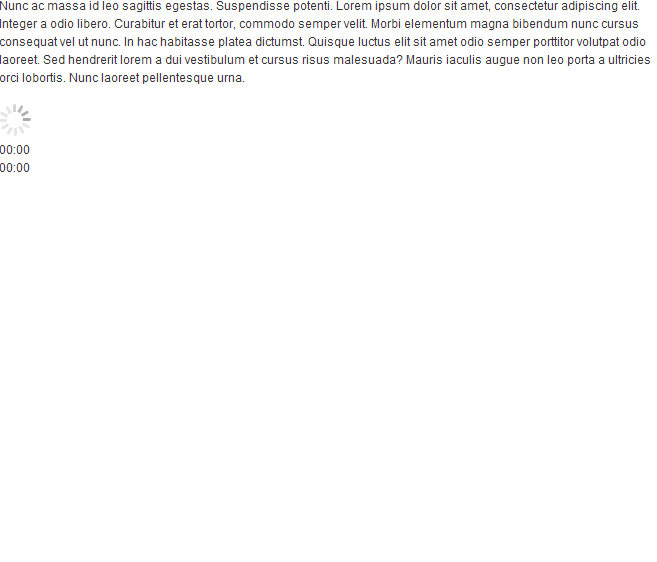
mstrelan commentedI've got the same problem as almalino. Dev version from 20 june works perfect in Chrome and IE but not FF. First screenshot is Firefox with a normal video sort of preset and second is with controller bar only.
Comment #25
mstrelan commentedComment #26
travist commentedAlright, so I reverted all of the DIRECTORY_SEPARATORS from the modules. Apparently, that is what was causing the issue with Windows servers. I just checked in the last bunch of removals ( from the osmplayer.module ), and also fixed the PHP error mentioned above. Please try the DEV version tomorrow and let me know if it resolves your issues.
Again, everyone... thank you so much for being patient with me while I work through these issues. Hopefully, this should finally close this issue once and for all.
Comment #27
mstrelan commentedChecked out the code from CVS and can confirm it is working correctly now.
Comment #28
mstrelan commentedIf you feel dirty about hardcoding a forward slash instead of the constant DIRECTORY_SEPARATOR see http://drupal.org/node/38083 and http://drupal.org/node/7235
This is not just relevant to Drupal, see also http://alanhogan.com/tips/php/directory-separator-not-necessary
Comment #29
almalino commentedTravis, thank you for your effort stabilyzing the release!
I tested it under Windows and now it works the same way as Beta 2. I was looking for this bug to be fixed:
http://drupal.org/node/807272
And it is not :(
Can we see a release Notes for latest Dev somwhere? What exactly was fixed in there? Why should be upgrade to future Beta 3? :)
Cheers,
Alexei
Comment #30
cloudvibe commentedSorry for the delay in updating guys - I've been in London....
So, here's the latest :
1) Removed and reinstalled latest dev version on Windows Server 2008, IIS etc...
2) Re-worked content, view, etc.
3) New link is here http://cms.cloudvibe.com/ctv
4) As you can see, all the buttons etc are WORKING fine
5) Still can't play any content :-(
6) I am able to upload a video via create content, I see it on the server in the "files" directory but it will not play at all
Any ideas ?
Thanks
Christian
Comment #31
travist commentedChristian,
The problem you are having is because you apparently want voting enabled, but do not have the Services module with XMLRPC server installed. If you do not wish to have voting, you can fix your player by simply setting your Communication Protocol in your preset "Other Settings" to Ajax.
As for this issue, I think it is finally fixed.
Thanks everyone for your patience. Now onto other things.
Travis.
Comment #32
travist commented