

 Come together with the global Drupal community in Rotterdam, 28 Sept – 1 Oct 2026. Sessions, contribution, connection, and Early Bird savings until 8 June.
Hi Guys,
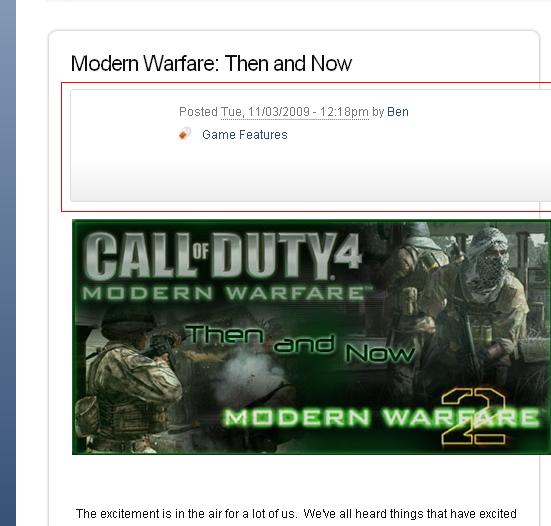
This could be a very easy thing, but I'm new to Sky and I was wondering if anyone could pinpoint a theme change that would remove this information being displayed on node view.
I've attached a screenshot for reference; outlined in red.
Thanks!
Ben
| Comment | File | Size | Author |
|---|---|---|---|
| #2 | blankbox_in_sky.JPG | 9.93 KB | raiyne |
| sky.JPG | 41.45 KB | raiyne |


Comments
Comment #1
Ole Martin commentedHi.
You can do it in
admin/build/themes/settings
If you think about your category "Game Features" so you can use the Taxonomy Hide ( http://drupal.org/project/taxonomy_hide )
Comment #2
raiyne commentedOh! Thank you for the start!
I've hidden the posting information in the Theme Settings and I've hidden the Taxonomy with the module. I was hoping the outlined area would disappear but it has not. Any ideas on getting rid of this? I've attached new pic.
-Ben
Comment #3
Ole Martin commentedIf you use Firefox and Firebug (http://getfirebug.com/) you can see how the codes are and where. I am not sure, but think you should change something in page.tpl.php located in the "cloud/templates/Overrides". But as I mentioned, here I am unsure. I hope that someone else has a good solution.
I'm also new to Sky, used it for a long time ago (in drupal 5) but much is changed. Use it on http://drupal.no/ and this site is set up from scratch again
Comment #4
jacineJust committed a fix to HEAD for this #609944: User picture in posts/comments - class="with-photo" and "without-photo"
Comment #5
raiyne commentedI like the sound of this! Thank you!