

 The 2026 Drupal Business Survey is open. Your response will help shape the future of the Drupal business ecosystem.
By phenaproxima on
Change record status:
Published (View all published change records)
Project:
Introduced in branch:
10.4.x, 11.1.x
Introduced in version:
10.4.0, 11.1.0
Description:
It is now possible for recipes to take input from the user, and use that input as replacement tokens in config actions.
An example of a recipe that needs input is core's feedback_contact_form recipe, which needs to set the recipient email address of the site-wide contact form. It defines a single input, called "recipient", like so:
input:
  recipient:
    # REQUIRED: This has to be the name of a data type known to Drupal's Typed Data
    # system. It can only be a "primitive" data type, like `string`, `integer`, `float`,
    # `boolean`, and a few others. It can't be anything "complex" like an array. When in
    # doubt, `string` is usually a safe choice.
    data_type: email

    # REQUIRED: A brief description of this input, and what it is used for.
    description: 'The email address that should receive submissions from the feedback form.'

    # OPTIONAL: Validation constraints against which the user's input will be checked. These
    # constraints are used in exactly the same way that they're used by config schema to validate
    # config. This is an array of arrays, where the keys are the names of constraints,
    # and the values are arrays of options to pass to that constraint. If the constraint takes no
    # options, the array can be empty.
    constraints:
      NotBlank: []

    # OPTIONAL: How to prompt the user at the command line. You can omit this entire section
    # if you don't want to prompt the user for this input at all.
    prompt:
      # REQUIRED: Has to be the name of a method in \Symfony\Component\Console\Style\StyleInterface
      # that accepts user input. These are currently `ask`, `askHidden`, `choice`, and `confirm`.
      method: ask

      # OPTIONAL-ISH: Arguments to pass to the method, keyed by argument name. Any required
      # arguments have to be in here.
      arguments:
        # StyleInterface::ask() has a required $question argument -- the question to ask the user
        # at the command line.
        question: 'What email address should receive website feedback?'

    # REQUIRED: What should the default value be if the user could not be asked for input? (For
    # example, if the `drupal recipe` command is running in non-interactive mode.) Note that the
    # default value you provide MUST pass the validation constraints you've defined for this input,
    # or an exception will be thrown.
    default:
      # REQUIRED: Where the default should come from: can be `config` or `value`.
      source: config

      # REQUIRED if `source` === `config`: a two-element indexed array with the name of a config
      # object, and a property of that object, in that order. The config object must exist, or this will
      # throw an exception.
      config: ['system.site', 'mail']

      # REQUIRED if `source` === `value`: a value to use as the default. Can be anything, as long as it
      # conforms to the data type and validation constraints.
      value: 'brunt@fca.com'
config:
  actions:
    contact.form.feedback:
      setRecipients:
        # Amazing: ${recipient} will be replaced by whatever the user enters for the "What email address should receive website feedback?" prompt.
        - ${recipient}

    system.site:
      simpleConfigUpdate:
        slogan: 'This is the home of ${recipient}'
If you run this recipe at the command line (php core/scripts/drupal recipe core/recipes/feedback_contact_form), you'll be prompted to enter an email address, which will then be assigned as the recipient of the site-wide contact form. Amazing!

You can pass the value as an option on the command line, if you're running non-interactively. Input names are prefixed with the name of the recipe that defines them, like so:
php core/scripts/drupal recipe core/recipes/feedback_contact_form --input=feedback_contact_form.recipient=dorothy@landof.oz
If you do this, the user won't be prompted for that particular input value. You can pass the --input option as many times as you want.
You can find out what inputs, if any, a recipe defines by running the new recipe:info command:
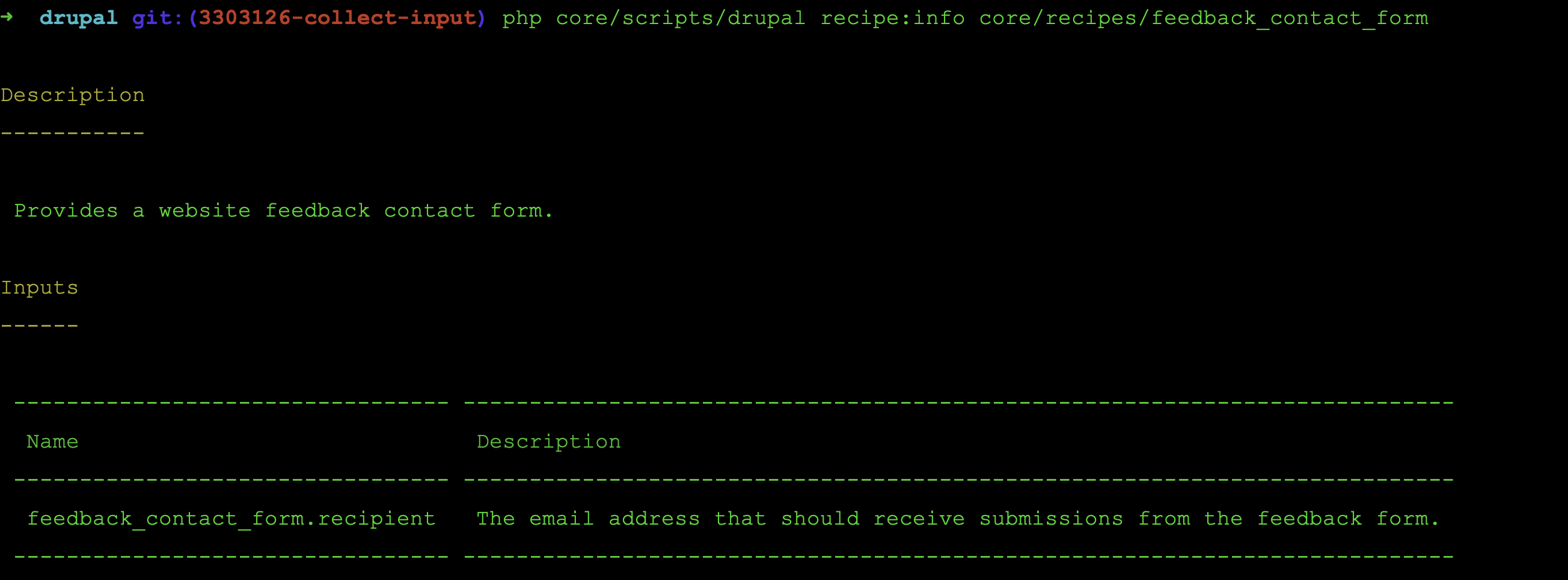
From the recipe's perspective, an input value will then be available as a token in the config actions. In the example above, the recipe can use ${recipient} token anywhere in its config:actions structure. One limitation is that the token cannot be used in array keys. So this won't work:
config:
  actions:
      my_module.settings:
        simpleConfigUpdate:
          # WON'T WORK: The inputs are not replaced in array keys.
          people_to_watch.${recipient}: yes
As of Drupal 11.1.2 (but not Drupal 10), you can use the input tokens to dynamically target config entities, with certain limitations:
config:
  actions:
    node.type.${content_type}:
      setDescription: 'Changing the description of a user-chosen node type!'

    # WON'T WORK: You can only use the tokens in the identifying parts of the config entity ID (for example, a node type's actual machine name).
    ${module_name}.type.foo:
      doSomething: here

    # WON'T WORK: Tokens in config entity IDs only work for config entities, not simple config.
    system.${config_name}:
      simpleConfigUpdate:
        someKey: some value
Impacts:
Site builders, administrators, editors
Module developers
Site templates, recipes and distribution developers
