

By kunal.sachdev on
Change record status:
Draft (View all draft change records)
Project:
Introduced in branch:
11.1.x
Introduced in version:
11.1.0
Issue links:
Description:
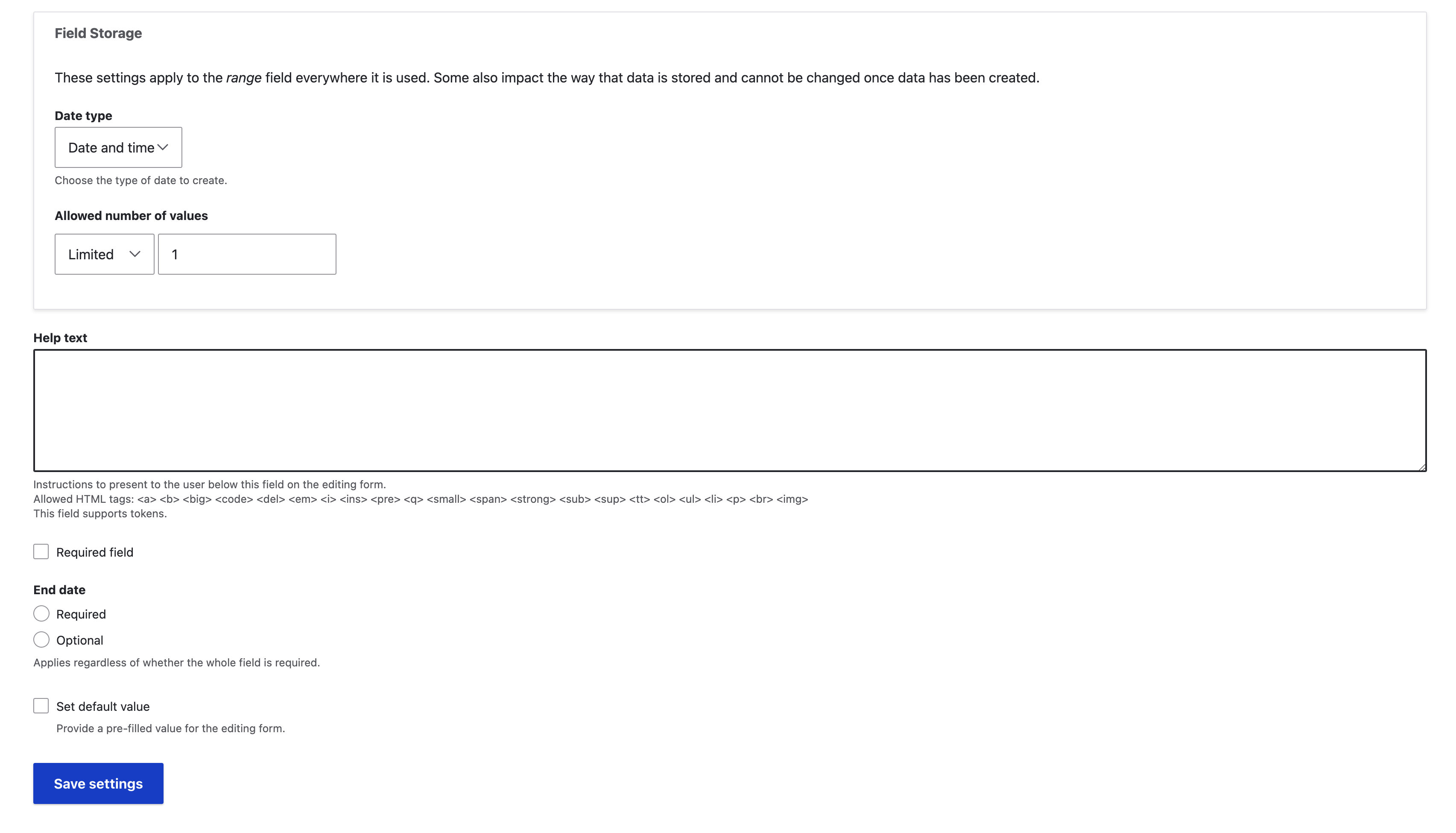
The 7.x Date module allowed the field to have an optional or required end date. Previously, the end date was always required for the DateRangeItem field. Now, the DateRangeItem field is configurable, allowing the end date value to be optional.
Key Changes:
- New configuration added to make the end date optional for
DateRangeItemfields. - The default behavior remains the same: the end date is required unless explicitly changed in the settings.
- Existing sites must update their configuration through the upgrade path to use this feature.
How to Update the Configuration:
To make the end date optional for a DateRangeItem field:
- Go to the field settings for the relevant content type or entity.
- Locate the new configuration option for the end date.
- Update the setting to "Optional" as needed.
- Save the configuration.
| Attachment | Size |
|---|---|
| Screenshot 2023-09-25 at 5.26.20 PM.png | 157.81 KB |
| Screenshot 2023-11-07 at 4.41.15 PM.png | 299.84 KB |
Impacts:
Site builders, administrators, editors


