Problem/Motivation
This module doesn't seem to work with the Layout Builder Browser module. Not sure if the issue is on Paragraph Blocks end or on Layout Builder Browser end. If Paragraph Blocks module is enabled, I can't add any blocks whatsoever into Layout Builder Browser and get JavaScript errors in the console. If I don't have Paragraph Blocks enabled, I can add blocks freely to Layout Builder Browser.
This is the error I'm getting in the browser console in Firefox:
Uncaught
Object { message: "\nAn AJAX HTTP error occurred.\nHTTP Result Code: 200\nDebugging information follows.\nPath: /admin/config/content/layout-builder-browser/blocks/add?blockcat=my_components\nStatusText: OK\nResponseText: ", name: "AjaxError", stack: "@http://MY-DOMAIN.com/core/misc/ajax.js?v=9.5.10:92:32\n@http://MY-DOMAIN.com/core/misc/ajax.js?v=9.5.10:642:3\n" }
I'm also getting this error in dblog which may be related:
Error: Call to a member function getPluginId() on null in Drupal\paragraph_blocks\ParagraphBlocksEntityManager->getRefererEntity() (line 93 of /home/username/MY_DOMAIN/web/modules/contrib/paragraph_blocks/src/ParagraphBlocksEntityManager.php)
Steps to reproduce
- Install Paragraph Blocks and create paragraphs on a content type as needed to be exposed as paragraph blocks.
- Test that the paragraph blocks are working within Layout Builder correctly.
- Install Layout Builder Browser via Composer/Drupal UI.
- Go to /admin/config/content/layout-builder-browser/categories and create an initial block category.
- Go to /admin/config/content/layout-builder-browser and click the "Place block" button next to your block category; nothing happens. Check browser console for error message.


 Show commands
 compare


Comments
Comment #2
dalemoore commentedComment #3
viren18febs commentedChecking the issue!
Comment #4
viren18febs commentedHi @dalemoore
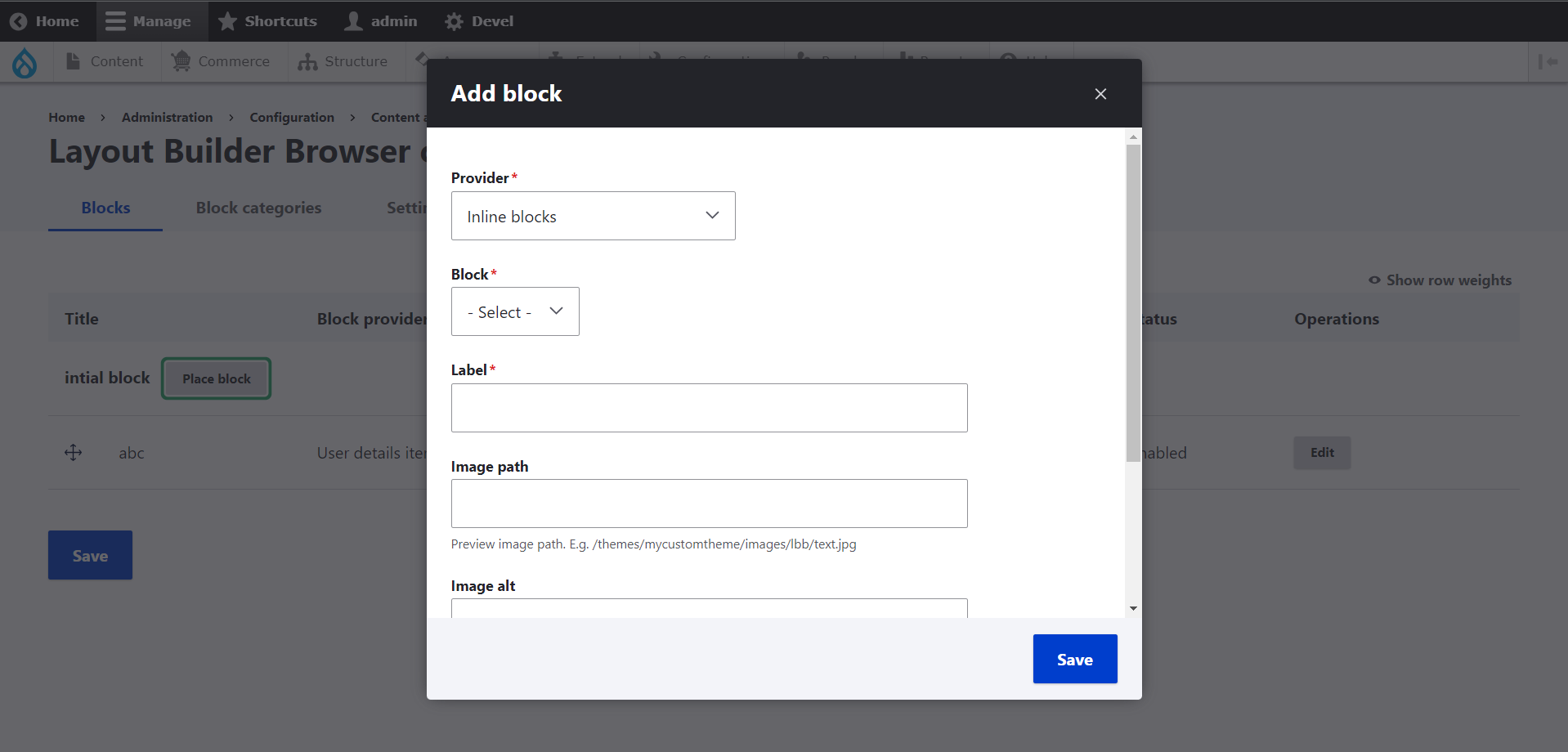
I have added a patch file for above issue & screenshot for your reference.
Comment #5
dalemoore commentedGotta love those one-line fixes! 100% working now for me. Thanks @viren18febS!
Comment #6
dalemoore commentedActually, sorry, I spoke too soon. While this fixes the ability to "place block" with Paragraph Blocks installed/enabled, you can't actually place any paragraph blocks with Layout Builder Browser except "globally"... so while you can pick from some existing Paragraph Blocks at /admin/config/content/layout-builder-browser (see screenshot), it can't be done on a node-by-node basis where it will show whatever paragraphs have been created for that node in the browser. It doesn't use the admin title at all, either. This probably requires some extra code to integrate PB with LBB. Not sure if that's something the maintainers are interested in.
Comment #7
basvredeling@dalemoore if you have a contributed towards that effect, by all means submit your patches or MRs.
@viren18febS the change you've proposed has been included in a recent release 4.1.0. Hope that helps to alleviate the error itself reported in the issue description.
Marking this as outdated. Feel free to reopen if it needs additional work and you have code to contribute.