




This project is not covered by Drupal’s security advisory policy.
This module provides seamless integration with PayPal, allowing you to accept payments and manage transactions on your website.
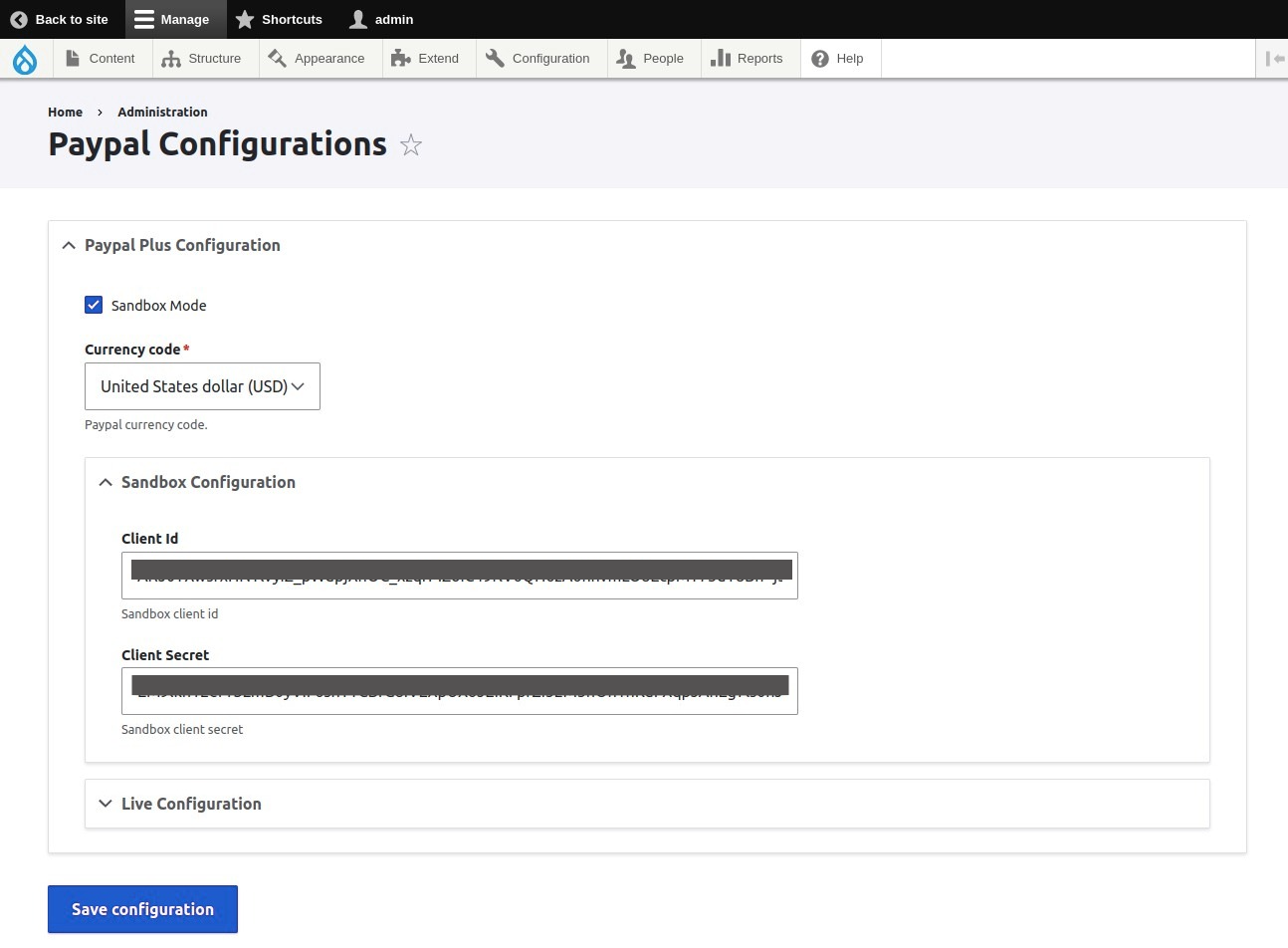
We can configure the paypal mode and api configurations from here /admin/paypal-configurations .
This Module is a developer-focused Drupal module designed to streamline and expedite the integration of PayPal payment functionality into your Drupal 9/10 application. This module aims to save developers valuable time and provide the flexibility required to seamlessly incorporate PayPal payments into your website.
The module provides the Paypal pay block and we can place the block on the anywhere where we can choose the amount submit to the paypal.
The module also provides the webform handler and we can configure currency code and map the amount with the webform field or we can enter the default amount and after the webform submission the user will be redirected to the paypal payment interface.
This module provides the paypal_plus service which can be called anywhere on the system to implement the paypal payment. We can call this event on any event or any route callback or inside any hooks or the place where you want to call the paypal payment.
Access the paypal_plus service anywhere in your Drupal application using the following code snippet:
/**
 * Service implementaiton
 */
$provider = \Drupal::service('paypal_plus');
$payment_options = array(
  'amount' => '10',
  'currency_code' => 'USD',
);
$provider->paypalPay($payment_options);
We can customize the behavior of the paypal_plus service by extending it or implementing hooks provided by this module. The available hooks on this module are:
/**
 * Implements hook_paypal_plus_currency_code().
 */
function MODULE_NAME_paypal_plus_currency_code(&$currency_code)
{
    // Modify the currency value.
    // $currency_code = 'USD';
}

/**
 * Implements hook_paypal_plus_sandbox_mode().
 */
function MODULE_NAME_paypal_plus_sandbox_mode(&$sandbox)
{
    // Modify the sandbox mode.
    // $sandbox = true;
}

/**
 * Implements hook_paypal_plus_failure_message().
 */
function MODULE_NAME_paypal_plus_failure_message(&$message)
{
    // Modify the failure message.
    // $message = 'Failed';
}

/**
 * Implements hook_paypal_plus_success_message().
 */
function MODULE_NAME_paypal_plus_success_message(&$message)
{
    // Modify the success message.
    // $message = 'Success';
}

/**
 * Implements hook_paypal_plus_cancel_message().
 */
function MODULE_NAME_paypal_plus_cancel_message(&$message)
{
    // Modify the cancel message.
    // $message = 'canceled';
}

/**
 * Implements hook_paypal_plus_success_redirect().
 */
function MODULE_NAME_paypal_plus_success_redirect(&$redirect_url)
{
    // Modify the success redirect.
    // $redirect_url = ''; //full url
}

/**
 * Implements hook_paypal_plus_failure_redirect().
 */
function MODULE_NAME_paypal_plus_failure_redirect(&$redirect_url)
{
    // Modify the failure redirect.
    // $redirect_url = ''; //full url
}

/**
 * Implements hook_paypal_plus_set_item_ids().
 */
function MODULE_NAME_paypal_plus_set_item_ids(&$item_ids)
{
    // Set item ids for future processing
    // $item_ids = [];
}
We can set the item ids on this hook MODULE_NAME_paypal_plus_set_item_ids and get that ids with the function get_paypal_plus_item_ids() insides of the following hooks
hook_paypal_plus_success_message()
hook_paypal_plus_cancel_message()
hook_paypal_plus_success_redirect()
hook_paypal_plus_failure_redirect()
for the extra functionality and processing with that items ids according to your requirement.
Features
- Block form Implementations
- Webform (if wanting to send webform submissions to a enabled list)
- Paypal Plus service implementation
INSTALLATION
Install as you would normally install a contributed Drupal module. Visit Drupal's documentation for further information.
Supporting organizations:
Project information
 33 sites report using this module
- Created by sujan shrestha on , updated
 This project is not covered by the security advisory policy.
Use at your own risk! It may have publicly disclosed vulnerabilities.


