

 The 2026 Drupal Business Survey is open. Your response will help shape the future of the Drupal business ecosystem.
Problem/Motivation
Radix sub-theme npm compilation issue
Steps to reproduce
Install the latest 5.0.x version of the theme and follow the steps mentioned in the theme page
- Download and enable the components module, if you are on Drupal 10 make sure to use
composer require ^3.0 version:composer require drupal/components
drush en components -y -
Download and enable Radix theme:
composer require drupal/radix; drush then radix -
Create a sub-theme using Drush (Considering you are using drupal/recommended-project):
drush --include="web/themes/contrib/radix" radix:create SUBTHEME_NAME -
Set default theme:
drush then SUBTHEME_NAME -y; drush config-set system.theme default SUBTHEME_NAME -y -
Install dependencies:
cd /path/to/SUBTHEME_NAME
and then
npm install -
Copy the proxy.example.js to proxy.js in the config directory of your subtheme:
cp config/proxy.example.js config/proxy.js -
Update proxy variable to your localhost address in config/proxy.js(this file is .gitignored by default to avoid overrides)
Watch:
npm run watch
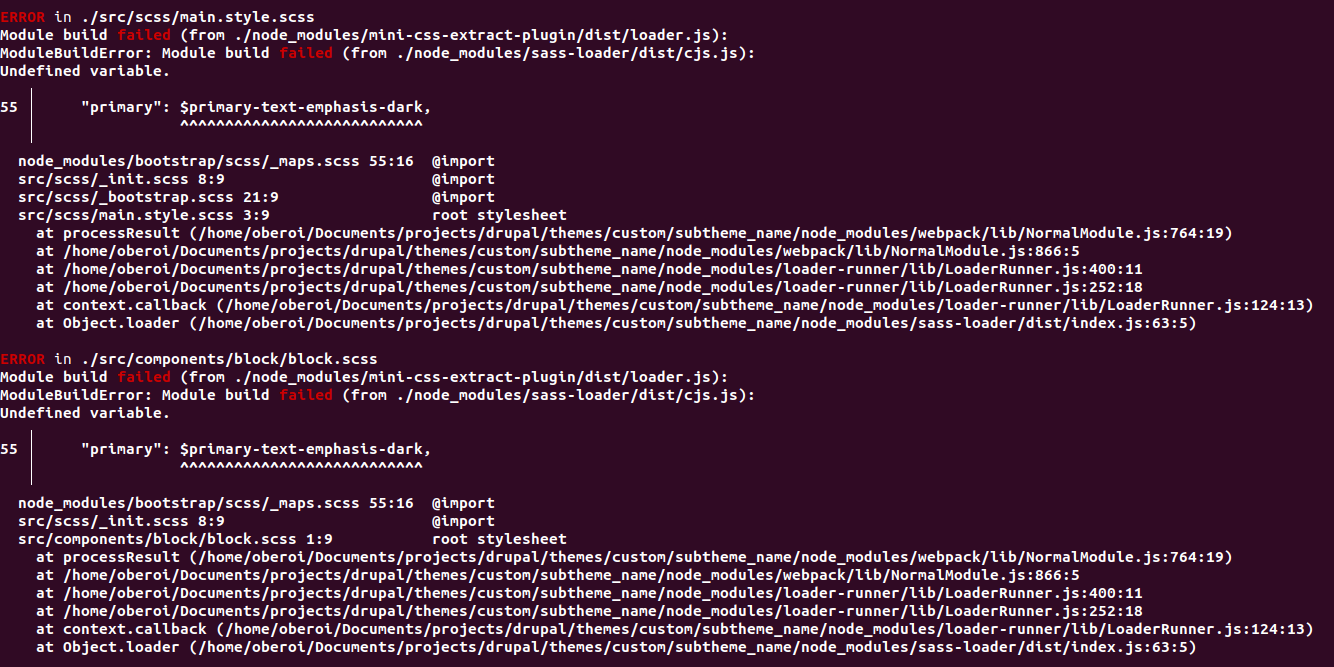
When running npm run watch the following error message appears which stops the SCSS to CSS compilation
module build failed (from ./node_modules/mini-css-extract-plugin/dist/loader.js):
ModuleBuildError: Module build failed (from ./node_modules/sass-loader/dist/cjs.js):
Undefined variable.
   ╷
56 │     "secondary": $secondary-text-emphasis-dark,
Proposed resolution
This is due to $secondary-text-emphasis-dark is not in the ~bootstrap/scss/variables
This variable is in this file @import "~bootstrap/scss/_variables-dark.scss";
We need to add this in the _init.scss file after this line ~bootstrap/scss/variables
| Comment | File | Size | Author |
|---|---|---|---|
| #11 | interdiff_3363752-10_3363752-11.txt | 6.5 KB | shyam_bhatt |
| #11 | 3363752-11-after.png | 271.43 KB | shyam_bhatt |
| #11 | 3363752-11.patch | 6.2 KB | shyam_bhatt |
| #11 | 3363752-complilation-error.png | 405.14 KB | shyam_bhatt |
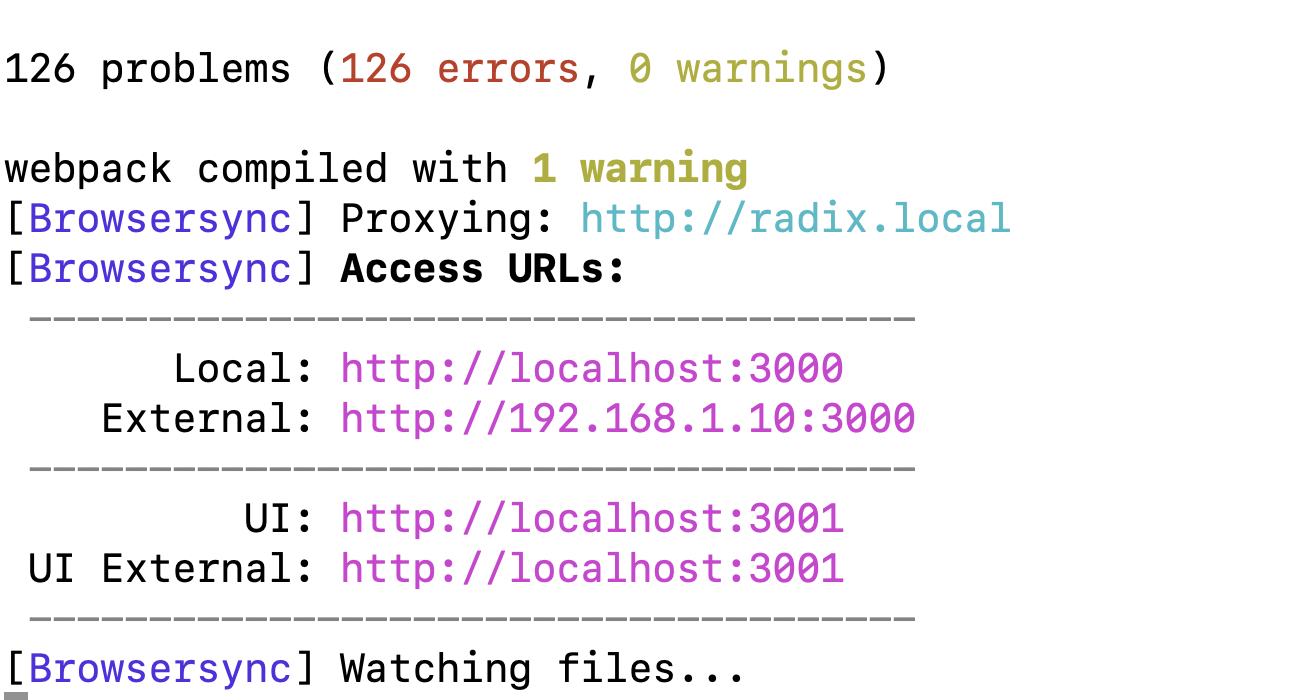
| #10 | 3363752-10-after.png | 271.43 KB | shyam_bhatt |






Comments
Comment #2
mukeysh commentedComment #3
mukeysh commentedAdding a patch to fix the issue.
Comment #4
bunty oberoiComment #5
bunty oberoiHi Mukeysh,
Verified and tested Patch Comment #3 on Drupal Version 10.1.0-dev & PHP Version 8.1.16
Testing Steps:-
1). Install Drupal 10.1.0 version.
2). git clone --branch '5.0.x' https://git.drupalcode.org/project/radix.git
Followed the above steps given
3). Applied Patch #3 /projects/drupal/themes/contrib/radix/3363752-radix-subtheme-npm-compilation-issue.patch
4). Checked the changes difference using git diff
5). Installed theme and set it as default.
6). Run Command
npm run watchTesting result:
Patch Comment #3 fixed the issue
Here I have attached the before and after apply patch screenshots.
Moved the issue to RTBC ++
Comment #6
bunty oberoiComment #7
bunty oberoiComment #8
bunty oberoiComment #9
morbus iffI think just
@import '~bootstrap/scss/variables-dark';would be the better approach, right?
Comment #10
shyam_bhattUpdated the
@import '~bootstrap/scss/variables-dark';instead of@import "~bootstrap/scss/_variables-dark.scss";on the same file for better code practice and creating a new patch.I have checked the patch and added the after and before screenshots.
Please refer #5 steps for the testing. Needs review
Comment #11
shyam_bhattAfter creating SUB_THEME, Go to theme path
"cd /path/to/SUBTHEME_NAME"and then runnpm install.When running
npm run watchthe following error message appears which stops the SCSS to CSS compilation.After updating the
@import '~bootstrap/scss/variables-dark';instead of@import "~bootstrap/scss/_variables-dark.scss";found some errors as below:To fix this I have updated the new patch. Please check the patch and the after image for the same.
Needs review.
Comment #12
doxigo commentedThanks everyone for the work here, the correct approach would be to do
@import "~bootstrap/scss/variables-dark";Fixed on the dev version for now, will release a new tag shortly, great work everyone
Comment #14
doxigo commented