Closed (fixed)
Project:
Feeds
Version:
8.x-3.x-dev
Component:
Code
Priority:
Normal
Category:
Task
Assigned:
Issue tags:
Reporter:
Created:
15 Apr 2023 at 08:57 UTC
Updated:
13 Jun 2023 at 09:29 UTC
Jump to comment: Most recent


Drupal 10.1 changed the password hashing - which breaks importing hashed passwords with Feeds.
See https://www.drupal.org/node/3322420
To keep supporting the import of MD5 or sha512 hashed passwords, the new core module Password Compatibility needs to be enabled.
Login will fail.
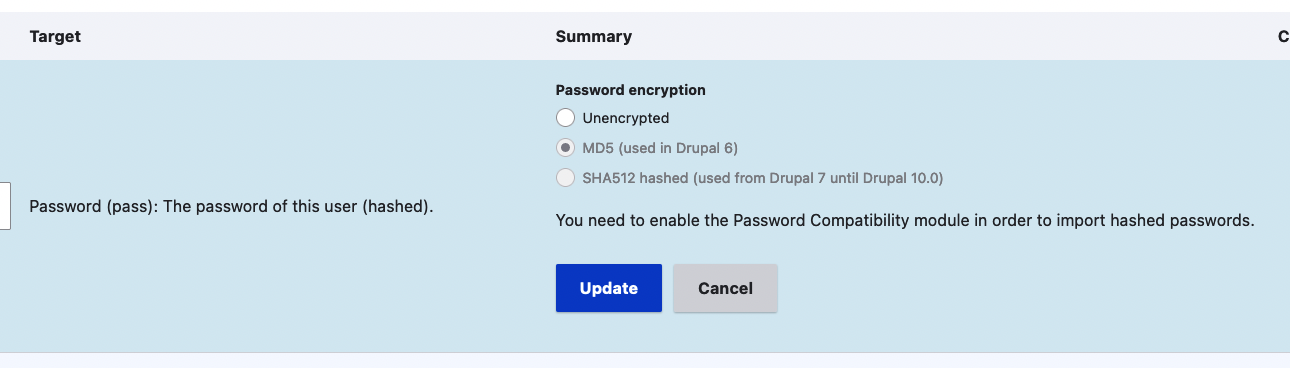
When on Drupal 10.1, require the Password Compatibility module (phpass) for the options "md5" and "sha512". When the module is not enabled, disable these options in the UI and add a message that the Password Compatibility module is required in order to import hashed passwords.
When on < Drupal 10.1, leave everything working as now. No UI changes in this case.
Test the following scenario's:
Drupal 10.1
Drupal 10.0 (or Drupal 9.5)
When on Drupal 10.1 and when using the FeedsTarget plugin "password", a warning message gets displayed when the Password Compatibility module is not enabled on the mapping page.
In the summary column:

On the target configuration:
None.
None.
| Comment | File | Size | Author |
|---|---|---|---|
| password-compatibility-module-required-target-config.png | 120.62 KB | megachriz | |
| password-compatibility-module-required-summary.png | 68.99 KB | megachriz |
 Show commands
Start within a Git clone of the project using the version control instructions.
Or, if you do not have SSH keys set up on git.drupalcode.org:
 changes


Comments
Comment #3
megachrizComment #4
megachrizI added instructions for testing.
Comment #6
megachrizMerged the code!