

 Come together with the global Drupal community in Rotterdam, 28 Sept – 1 Oct 2026. Sessions, contribution, connection, and Early Bird savings until 8 June.
Problem/Motivation
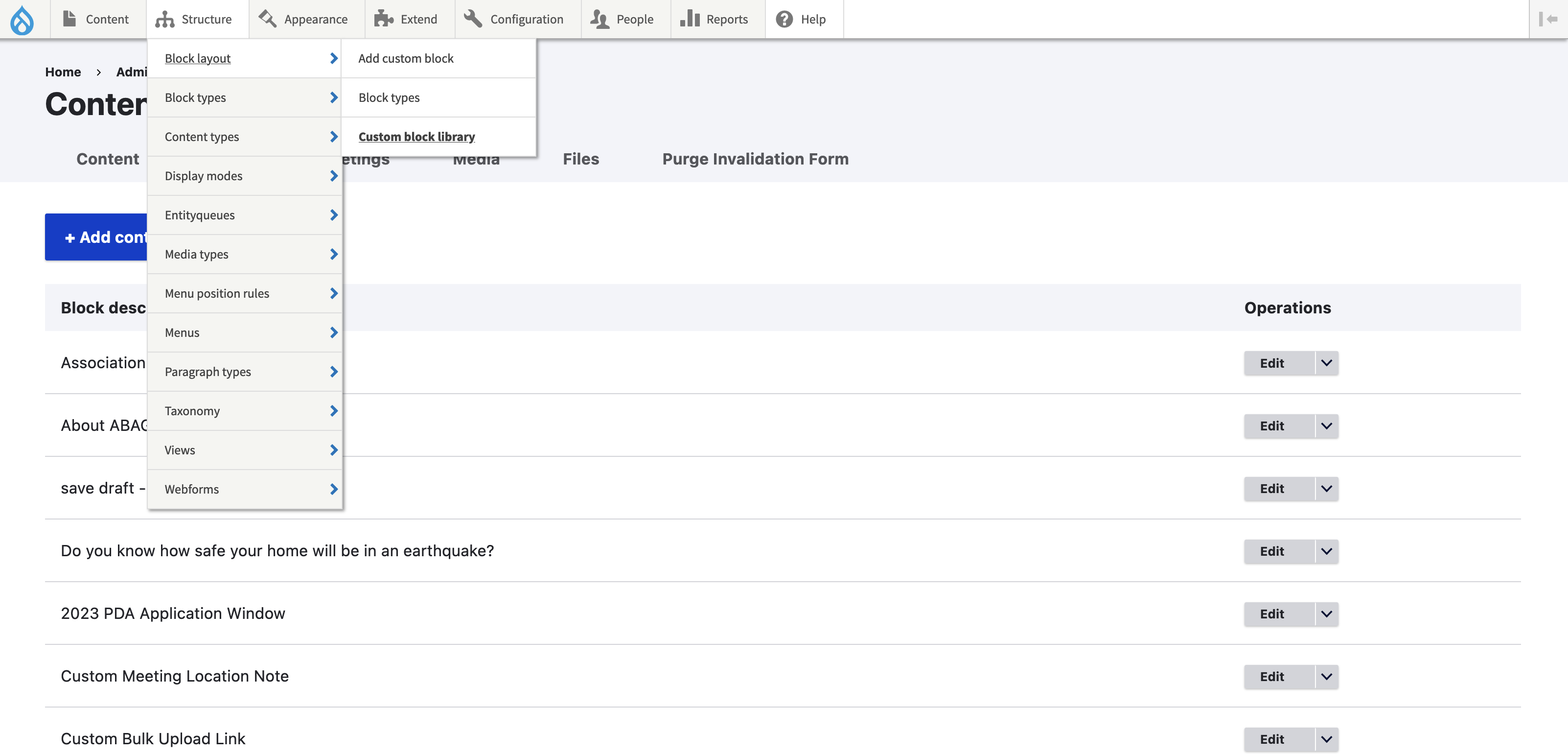
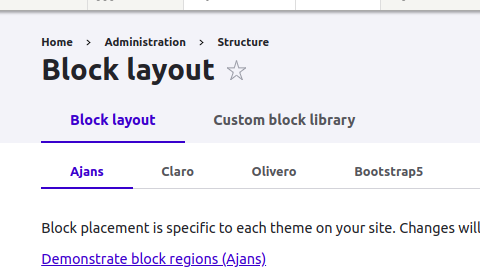
On block layout page options "Block layout" and "custom block library" are missing
Steps to reproduce
1. Go to admin/structure/block
2. Under Block layout header tabs are missing
3. Refer screenshot attached where it is visible on 10.0 but not on 10.1
Proposed resolution
Remaining tasks
Reproduce and fix
User interface changes
API changes
Data model changes
Release notes snippet
| Comment | File | Size | Author |
|---|---|---|---|
| #7 | block.PNG | 43.8 KB | xdeamx |
| #6 | Block layout and custom block library tabs missing.zip | 147.03 KB | dipankar_121 |
| #3 | Screenshot 2023-10-26 at 10.45.59 AM.png | 313.58 KB | jenlampton |
| Block-layout-test.png | 129.63 KB | amietpatial | |
| block-layout-10.0.png | 25.49 KB | amietpatial |



Comments
Comment #2
cilefen commentedThat is intentional. In 10.1.x that menu item is now on the Content menu.
Comment #3
jenlamptonThe menu item is still where it was under Structure, but the URL has changed to match
admin/content. I think the update hook might have been overlooked for existing sites?Comment #4
MarieEit commentedHello, I have the same problem. It doesn't appear in the menu under "Block layout", I have to do "place block" then "Add content block" to add a new block but I don't have access to the library. I'm in 10.2.4
Comment #5
PakoLi commentedi have same problem and i find the way on youtube ,
to add a new block with custom block type : go to Content -> Blocks tab -> add content block button and choose it
Comment #6
dipankar_121 commentedadmin/content/block
Comment #7
xdeamx commentedNow you can found it in: /admin/content/block