

This is the first OpenAI module or connector published (First version published on 06-Jan,2023) in drupal.org. This is a very lightweight and simple OpenAI/ChatGPT module which has the below 3 features along with the configuration to choose either of GPT-3.5, GPT-4 or GPT-4o mini as per your needs.
- Act as a content generator
- Act as a content translator
- Act as a content assistance tool like creating images from text, extracting SEO keywords from content etc.
Act as a Content Generator:
It will add a link on the content add and edit page. On clicking this link,
it will open a popup which will provide access to the ChatGPT content search.
Content creators can copy the article from the popup and can create a new
content with it. This will be highly beneficial to the content creators
and editors as they will be able to generate content instantly with ChatGPT
AI on the content creation page itself.

Act as a Content Translator:
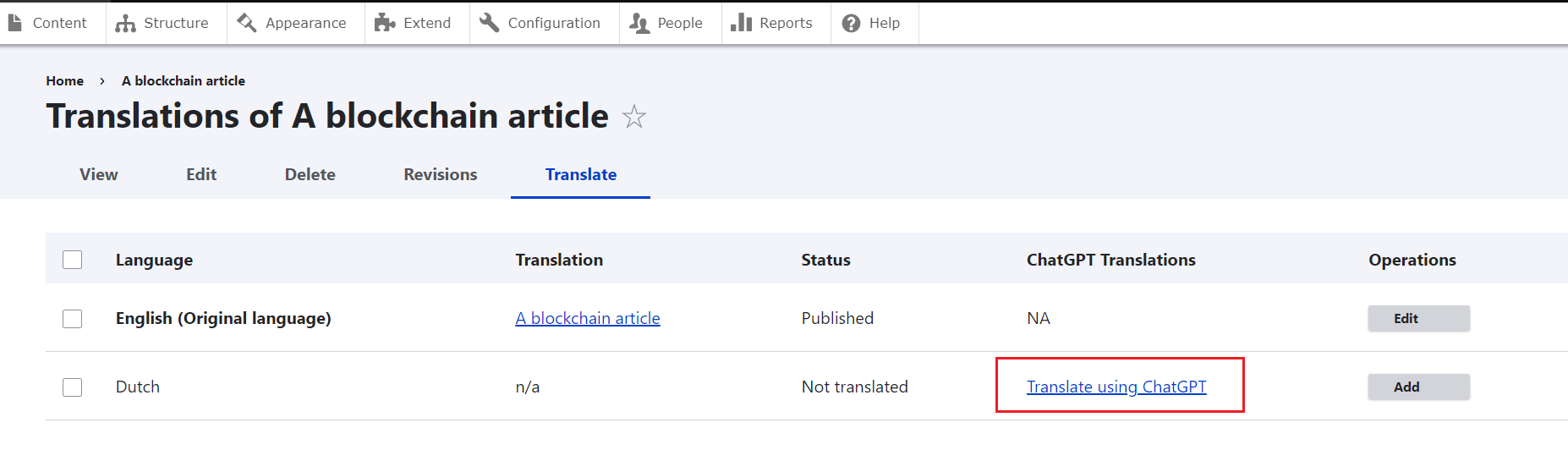
It will show a "Translate using ChatGPT" on the content "Translate" tab against
each enabled languages if translation is not present for that language.
On clicking this link it will fetch the original content and will translate
it using ChatGPT service. But there is a limitation, OpenAI will not be able
to provide you translation with HTML and styling. It will be a flat text translation,
on top of which we can add the styling manually.
Act as a Content Assistance Tool:
This will add a new tab called "OpenAI Content Assistance Tool" in the
content admin page (admin/content) and will give you give you different options
like creating images from text, extracting SEO keywords from a content etc.

The module has two parts:
- ChatGPT API Configuration page - A "ChatGPT API Settings" link will appear on the Admin->Configuration page from where you can update the API endpoint, access token and other required information to make the API Call.
- ChatGPT Content Search link on the content add and edit page.
Supported Versions - Drupal 9 and 10
ChatGPT API Information - https://beta.openai.com/docs/api-reference/completions, please go through README.md file for detailed information.
** Important Info for local projects** - ChatGPT will not allow your system to make API request if the site is not SSL enabled. So in order to make it work with your local project setup, you can download the cacert.pem file from here - https://curl.se/docs/caextract.html. Then create a 'certificates' folder inside your wamp directory and place the cacert file inside the folder. Now you can edit your php.ini file and provide the cacert.pem file path for the "curl.cainfo" option. This will allow your local project also to make secure cURL call.
Users are solely responsible for ensuring that AI-generated content adhere to the OpenAI Terms and Policies.
Supporting organizations:
Project information
- Project categories: Integrations
 90 sites report using this module
- Created by anup.sinha on , updated
 Stable releases for this project are covered by the security advisory policy.
Look for the shield icon below.
Releases
2.1.5
released 24 July 2024
released 24 July 2024
Works with Drupal: ^9 || ^10 || ^11
Bug Fixes, GPT-4o mini support, Code Optimization
Install:


