

CKEditor 5, experimental since Drupal 9.3.0-beta1, is a stable core module in Drupal 9.5.0 and 10.0.0. The previous version of CKEditor, or CKEditor 4, is still 'CKEditor', in the User Interface.
CKEditor 5 is a big improvement on CKEditor 4 in the UX — for example, the linking experience is much smoother, uploading images is much faster, and so on.
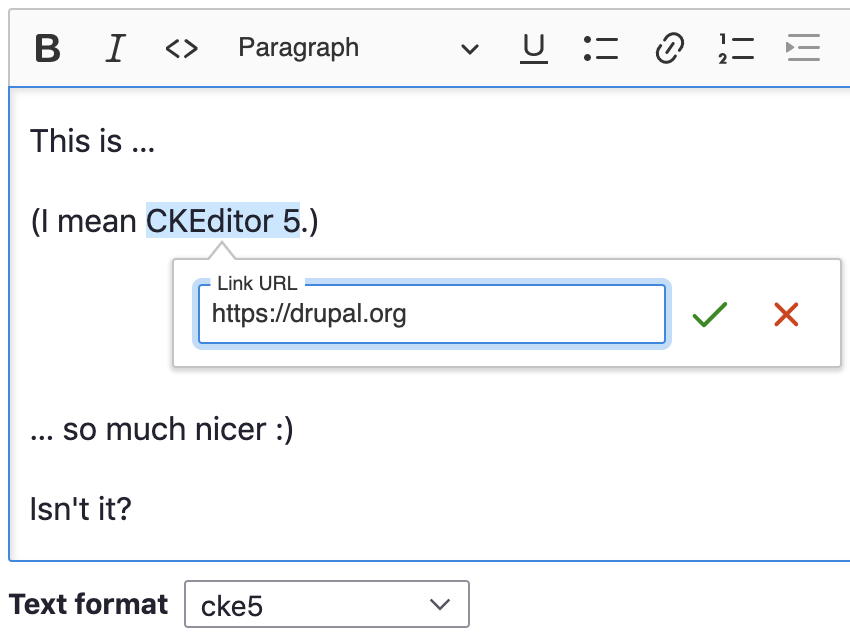
Please see the CKEditor 5 module documentation for more information about how CKEditor 5 works and how to use it.
CKEditor 4 was added to Drupal core in 8.x. It is a stable project but it will stop being supported sometime in 2023, around the same time as Drupal 9's EOL.
Replacing CKEditor 4 with the new and very much improved CKEditor 5 was identified as a Drupal 10 initiative.
🤩 Switching to CKEditor 5
You must either switch from CKEditor 4 to 5 or install the CKEditor 4 contributed module prior to updating to Drupal 10.
An upgrade path is available to semi-automatically reconfigure your CKEditor 4 text editor formats to be compatible with CKEditor 5. Navigate to Administration → Configuration → Content Authoring → Text formats and editors (i.e. /admin/config/content/formats), open each text format that uses CKEditor (4) and use the Text editor
dropdown to switch to CKEditor 5. This will trigger the semi-automatic upgrade path: toolbar, plugin settings, and so on. Messages will appear upon switching that explain what happened and why. Verify that the messages and generated configuration are correct. Save it, and do the same for your other text formats using CKEditor (4).
⚠️ 100% of Drupal core's CKEditor 4 functionality has a perfect upgrade path. Sites that have contributed/custom CKEditor 4 plugins installed will want to carefully check the results. HTML markup that was generated by custom/contrib CKEditor 4 plugins without an upgrade path will automatically get the Source Editing
plugin pre-configured to ensure all existing markup remains editable. In other words: only editing UX functionality loss may occur, NOT data loss.
💻 Upgrading contributed & custom modules to CKEditor 5
The CKEditor 5 module can be also used for updating modules extending CKEditor 4 to be compatible with CKEditor 5. Documentation is available to help contributed/custom module owners with upgrading their CKEditor 4 integration modules to CKEditor 5.
We recommend that contrib/custom module authors begin work on this as their schedules permit, since CKEditor 5 has many differences from CKEditor 4. That is an understatement: CKEditor 5 is a rewrite. More significant than Drupal 7 → 8. All custom JS code has to be rewritten. If your module was using an upstream CKEditor 4 plugin before, you may be lucky enough to find an equivalent CKEditor 5 plugin, but this is uncertain.
💡 Please see the upgrade coordination wiki page!
