
On this page
The Simple multi step form usage.
Last updated on
19 May 2022
Introduction
The module Simple multi step form provides the ability to convert any entity form into a simple multi-step form. There is no restriction on the number of steps (in terms of performance).
How to install
The module Simple multi step form can be installed at least in these 2 ways:
- Download it directly from the module's page by clicking on the last release and finding the
https://ftp.drupal.org/files/projects/simple_multistep-8.x-1.0.ziporhttps://ftp.drupal.org/files/projects/simple_multistep-8.x-1.0.zip. Then placed inside the project module repo. - Use composer instead by running the command
composer require 'drupal/simple_multistep:^1.0'from the root project's folder.
Enable the module
In order to enable the module you can:
- Navigate to the admin/modules page. Find the search field and find it then enable it by checking the checkbox and then clicking the button Save.
- Use
drushcommanddrush pm:enable simple_multistep -yfrom the terminal.
Features
- Provides a fully customizable multistep form by using a new field group type
Form step. - Allows the steps wizard information, step description, help text, etc.
- Can provide the Next and Back button texts covered by the
t()function. - Each form step may have a particular HTML id and/or classes.
Dependencies
Usage
First of all, this module is attached to any Drupal fieldable entity with the possibility to manipulate fields via the Field UI module and the Manage form display interface.
Let's say that we set as an example the entity node and the type article. In order to convert an existing entity form into a multi-step one, we need to do the following:
- Navigate to the /admin/structure/types/manage/article/form-display and add a new group of the type
Form step. See the screen-shot: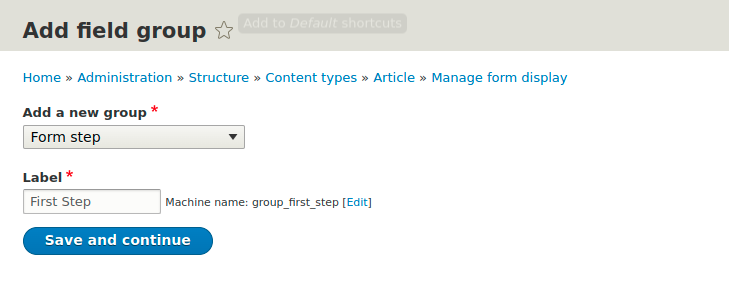
- Click the button
Save and continuein order to configure the form step group before it can be saved:
- By default, the newly created group is set as disabled. In order to enable it, move it up:

- And finally, put some fields into the group:
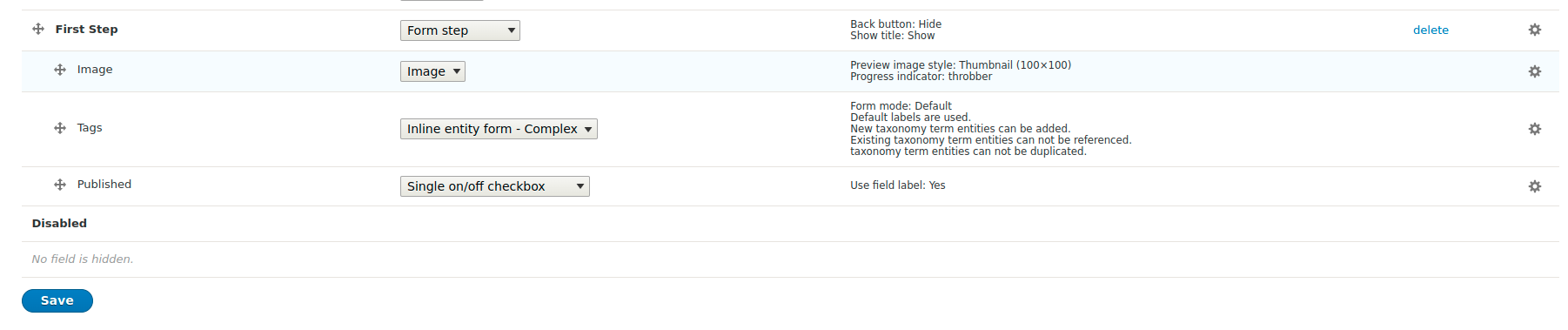
- Now, let's add a new form step with the name
Second stepand put some fields there too. Then, we can add a new article node. It will look like this: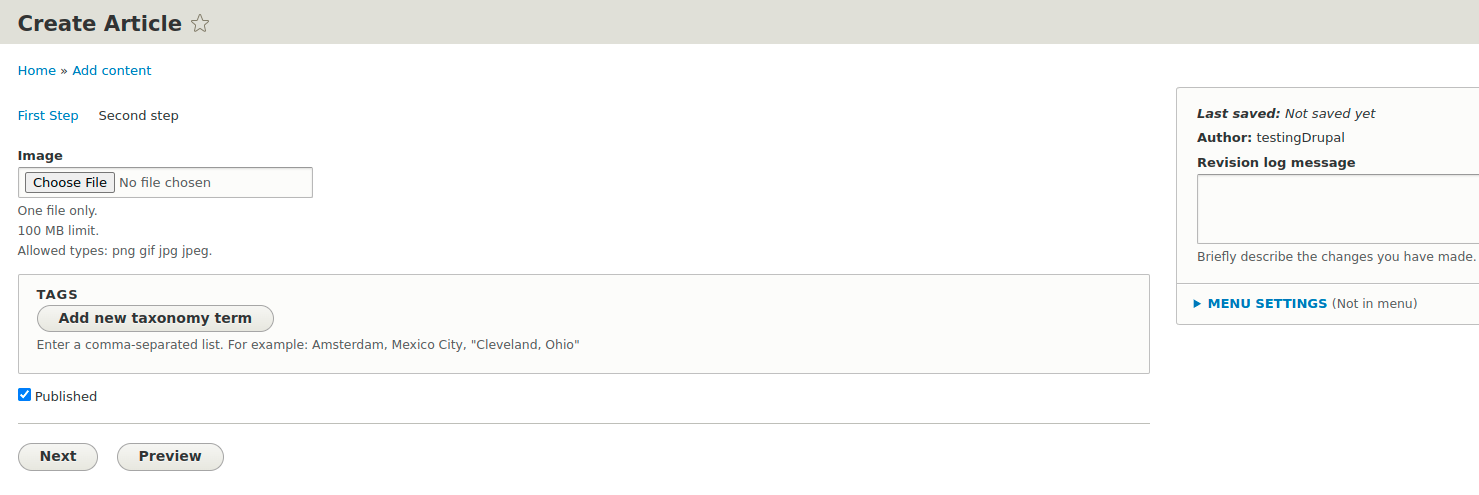
Help improve this page
Page status: No known problems
You can:
You can:
- Log in, click Edit, and edit this page
- Log in, click Discuss, update the Page status value, and suggest an improvement
- Log in and create a Documentation issue with your suggestion

