Problem/Motivation

After applying the patch #22 to 8.x-1.x-dev, we now have the Replace Existing Files working as expected.

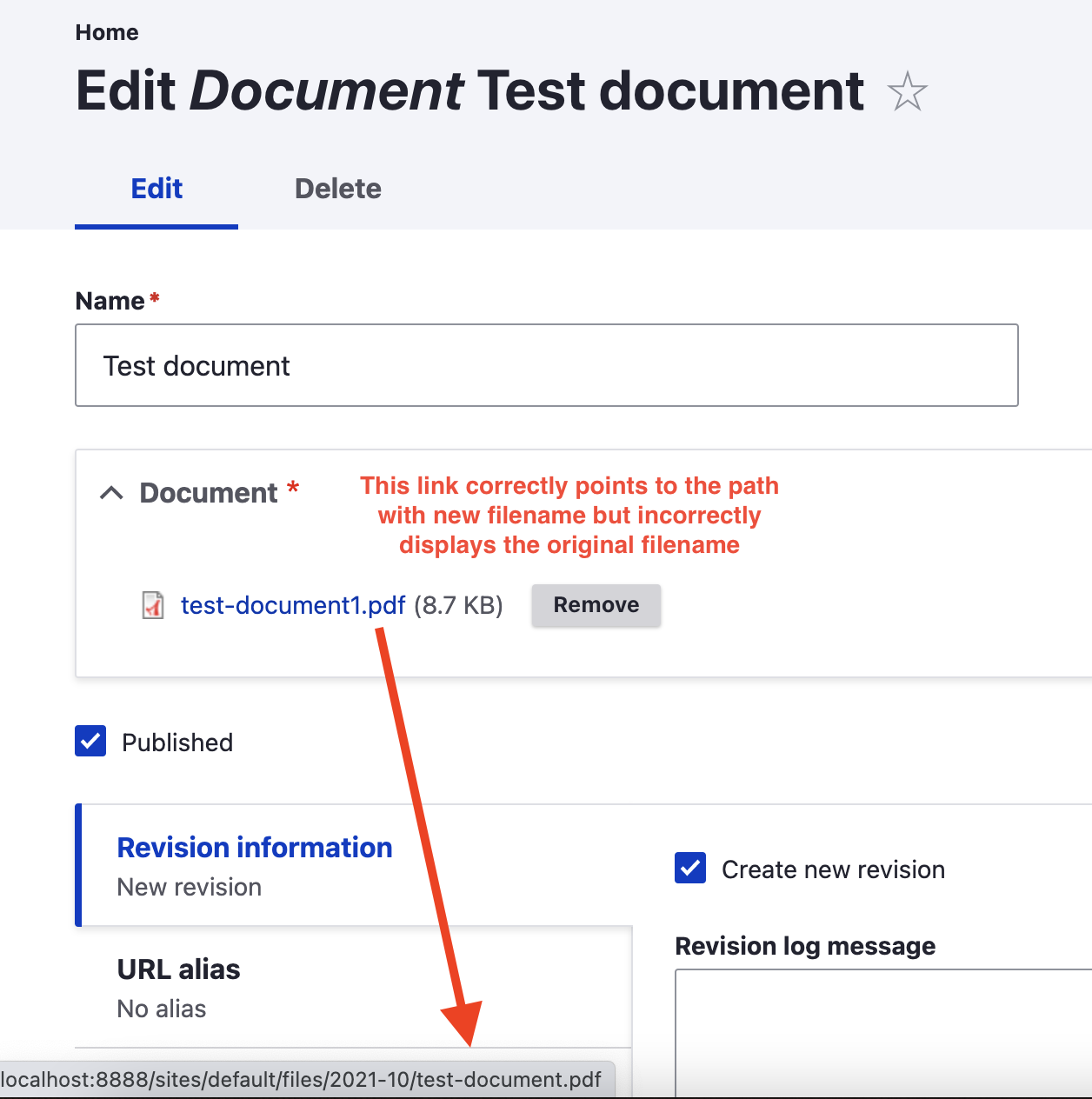
After configuring filefield_paths to rename the filename to its Media entity name e.g. [media:name:value].[file:ffp-extension-original] the file is successfully renamed in the file system, however on the media edit form it still showing the original uploaded filename.

file field paths filename not updated

Steps to reproduce

  1. Install filefield_paths
  2. Apply patch #22 in issue #3069511
  3. Select - Skip field - under Name field mapping at /admin/structure/media/manage/document
  4. Drag Name textfield to the top to enable the field at /admin/structure/media/manage/document/form-display
  5. Check Enable File (Field) Paths? at /admin/structure/media/manage/document/fields/media.document.field_media_document
  6. Enter [media:name:value].[file:ffp-extension-original] in File name
  7. Enable Replace Existing Files
  8. Enable Active updating
  9. Create a document media entity and upload a file
  10. Rename the file by changing the name of the media entity
CommentFileSizeAuthor
filefieldpaths-filename-not-updated.png175.55 KBchrisck

Comments

chrisck created an issue. See original summary.

chrisck’s picture

Issue summary: View changes
chrisck’s picture

Issue summary: View changes
chrisck’s picture

Status: Active » Closed (duplicate)